

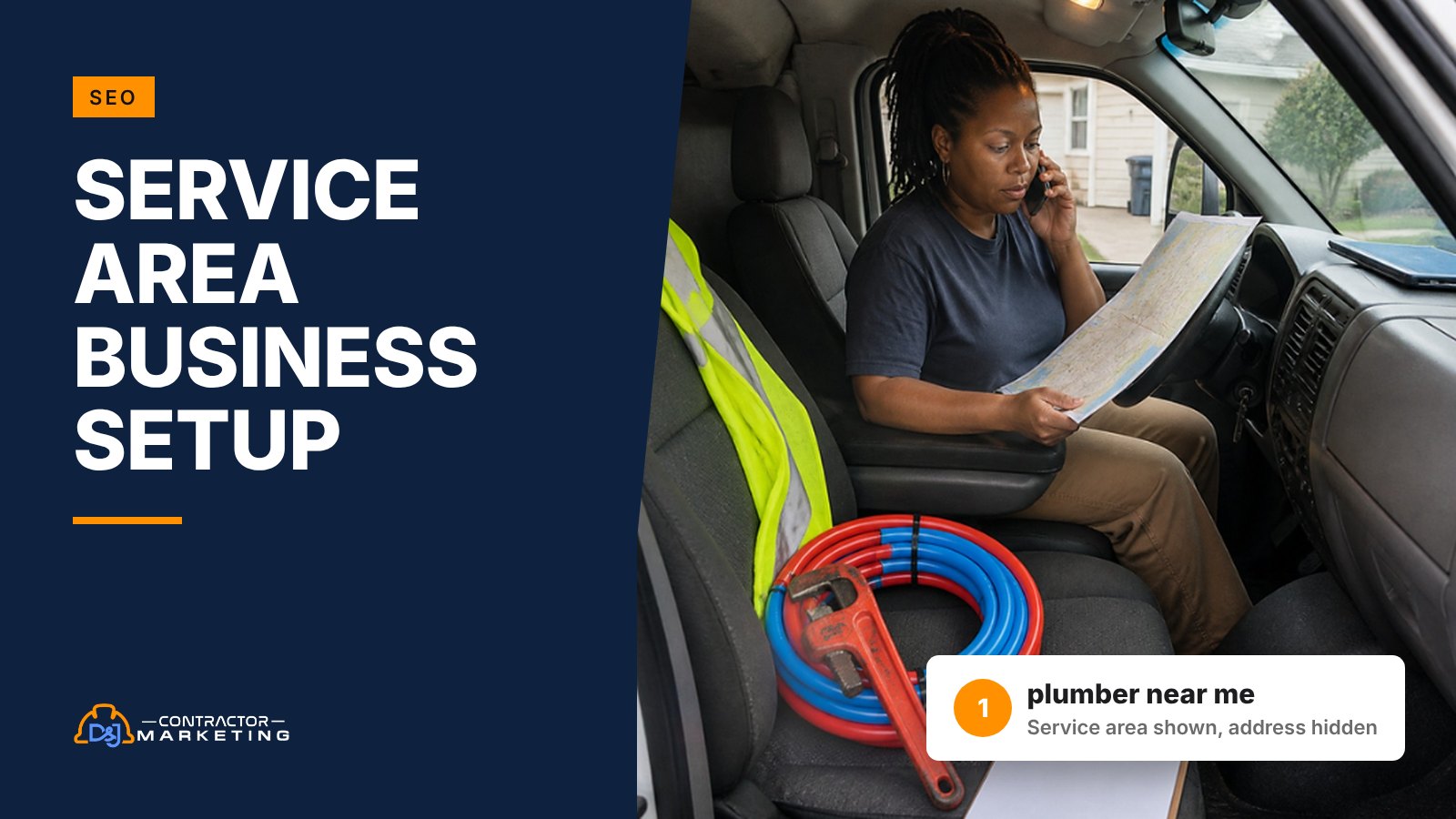
If your crews drive to the customer and nobody is served at your place, Google’s rules say you’re a service area business. That setting decides whether your street shows on Maps and whether you get one profile or more. Pick wrong and you can lose map calls, or get suspended.
The short answer: a service area business on Google is one that serves customers at their location, not its own. You keep your real address in your profile for verification but hide it from the public. Then you list up to 20 cities or ZIP codes you serve. If customers can visit a signed, staffed location during your posted hours and you also go out to jobs, you’re a hybrid and can show the address too.
Key takeaways
- If customers aren’t served at your address, Google wants it hidden, and you get one profile for your whole area. What counts
- A yard or warehouse with a sign is still a service area business if only your crew walks in. Eight setups and our call
- Hybrid needs a permanent sign, staff on site and customers welcome during the hours you post. The hybrid test
- Add your service areas before you hide the address, or Google picks an area for you. Setup steps
- Your area list doesn’t move rankings in Sterling Sky’s tracking, so build it for callers from last year’s jobs. Picking your 20 areas
- In one Sterling Sky test, hiding the address cost a client map rankings and calls. Whitespark says a move after verifying can make it worse. Rankings and the move trap
- Bing allows 20 areas, Yelp 6 cities, and LSA service areas are set in a separate account. Other platforms
What a service area business is on Google
A service area business is one that goes to the customer. Google’s service area help page describes it as a business that visits or delivers to customers but doesn’t serve them at its own address. Its examples are plumbers and cleaning services.
If your crews drive to the job and nobody walks into your place to buy, that’s you.
Google sorts local businesses into three types:
- Service area business. You go to them. Your address stays hidden and you list the areas you serve.
- Hybrid. Customers can come to you, and you also go to them. Google’s example is an auto shop that also does roadside assistance.
- Storefront. Customers come to you at a place with a permanent sign. No service area.
A service area business gets one profile for the whole area it covers. Not one per county, not one per truck. Google’s guidelines for representing your business tie that profile to your central office or location.
Most contractor profiles we audit belong in the first group. The rest usually have a building that makes it unclear.
Which type is your shop? Eight setups we see
A yard, a warehouse or a showroom you open twice a week all blur the line.
Two Google rules settle most of these. First, a place without a permanent sign can’t be a storefront and should be set up as a service area business. Second, if you show your address and also list a service area, the place needs staff. It has to be able to take customers during the hours you post. Here’s how we’d call the setups that come up most in our audits:
| Your setup | Our call | Why |
|---|---|---|
| Plumber running the business from home, one van | Service area | Customers never come to the house. Hide the address. |
| Roofer with a fenced yard and a warehouse, no walk-ins | Service area | Crews load trucks there. Nobody buys there. |
| HVAC shop with a signed office and an office manager there 8 to 5, where some customers drop off checks or pick up filters | Hybrid | A person greets them during posted hours. If checks go through a door slot, it’s service area. |
| Remodeler with a signed showroom open set days each week | Hybrid, with only those hours listed | It works like a store on the days it’s open. |
| Remodeler whose “showroom” is a back room opened when a client asks | Service area | Nobody can just show up during posted hours. |
| Electrician sharing a co-working desk | Service area | A shared desk only counts with clear signage, staff and customers during business hours. |
| Restoration company with a signed warehouse used for drying and contents storage | Service area, unless the office takes walk-in customers during set hours | A warehouse full of air movers isn’t a place customers visit. |
| Landscaper with a garden center that sells to the public | Hybrid | The retail side is a real storefront. The crews are the service area. |
And a mailbox store or a rented “virtual office” address isn’t an option at all. Google says a rented mailing address you don’t work out of, a “virtual office,” isn’t eligible for a Business Profile, and our post on getting a suspended profile back shows where that ends up.
The hybrid test: three questions before you pick it
Hybrid is tempting because you keep the map pin and still list your towns. It only fits if your place really works like a store, so answer these three questions honestly.
- Is your business name on a permanent sign at that address? A magnet on the van parked out front doesn’t count. Google wants permanent fixed signage at any address it shows.
- Is someone from your team there during the hours you’ll post? A voicemail doesn’t count.
- Could a customer walk in during those hours and get helped? Pay a bill, look at samples, pick up a part, sign a contract.
Three yeses and hybrid is fair. One no and you’re a service area business, as long as you go to the customer.
The hours are where hybrids slip. Google lets a hybrid set its hours for when its staff is there. So if your techs run calls 24/7 but the office is open 8 to 5, the profile hours should match the office. Posting 24 hours on a hybrid tells people they can drive over at midnight. If you want to show you take emergency calls, say it in your description and on your site.
We’d also skip hybrid when the “yes” answers are a stretch. An office that’s open “most days” with a part-time bookkeeper is the kind of setup that looks fine until a competitor reports it. If you’re not sure, pick service area. You can switch to hybrid later once the office is staffed and signed.

How to set up a service area business on Google
The clicks take about five minutes. The part people get wrong is the address. Even on a Google Business Profile without an address showing, you still give Google your real one, because Google needs one it can find to verify your business. You just turn off the setting that shows it to customers.
If you’re building a profile from scratch, our full Google Business Profile setup guide walks through it, verification video and all. If you already have a profile that shows your street, here’s the order we’d do it in:
Step 1: Add your service areas first
Go to your Business Profile and select Edit profile, then Location. Next to “Service area,” select Edit, add your cities or ZIP codes and save. Do this before you hide anything. If you hide the address with no areas listed, Google picks a local area for you.
Step 2: Hide the address
Same place: Edit profile, Location, then Edit next to “Business location.” Turn off Show business address to customers and select Save. (Google My Business is the old name. Same setting.)
Step 3: Fix your hours and wait
With no storefront, set the hours you actually answer the phone and take jobs. Then leave it alone. Google says service area edits can take up to 48 hours to show. Other profile changes usually show in about 10 minutes but can take up to 30 days.
Going the other way works too. To show your address again, turn the setting back on. But you can’t drop every service area while you’re a service area or hybrid business. Google only lets you remove them all once you’re a storefront with your address showing.
How to pick your 20 service areas
Google gives you up to 20 service areas. They can be cities, ZIP codes or other areas, but not a radius. And the whole area shouldn’t reach past about 2 hours of driving from where you’re based.
Most profiles we audit list every town the owner would ever drive to. We do it the other way. Start from where last year’s jobs came from.
That’s safe because of what Sterling Sky found. In their tracking, the service area list didn’t change where a profile ranked. Rankings stayed tied to the address the business verified with, and the list only changed what people saw on the map. Their page doesn’t say when that tracking started, and Google could change this.
So adding a far-off town won’t help you rank there. (Hiding the address is a separate question, covered below.) It only tells callers you’ll come, so list towns you’d actually drive to.
A worked example
Say you run a four-truck HVAC shop. Export last year’s invoices from your field software and count jobs by town. Your list might look like this (example numbers):
- Your home town: 310 jobs
- Six towns next to it: 40 to 120 jobs each
- Nine towns one ring out: 8 to 30 jobs each
- A dozen far towns: 1 or 2 jobs each, mostly referrals
We’d list the home town, the six neighbors and the nine one ring out. That’s 16. Then we’d use the last four slots for towns you’d say yes to tomorrow and want more work in. They won’t lift your ranking there, but they tell callers in those towns that you’ll come. The far towns with a job or two a year stay off. You’ll still take those calls when they come.
Towns or ZIP codes? Use towns when the town names match how people talk about where they live. Use ZIP codes when you want a tight edge, like serving one side of a big city but not the other. Don’t mix a city with the ZIP codes inside it. That just burns slots.
Recheck the list every January against last year’s jobs.
What hiding your address does to rankings
Sterling Sky hid the address on a home services client’s profile and watched its rankings and calls drop. That’s one client, and the post doesn’t give a test date. When they put the address back a month later, the rankings came back. A second profile that had its address hidden got the same bump once they showed it. And for one of the client’s main keywords, the whole map pack disappeared from the search results while the address was hidden.
Whitespark points to one cause that’s easy to miss. When you hide your address, Google falls back to the address the profile was first verified at. If you’ve moved since, your ranking area can jump back to the old spot. If you haven’t moved, that doesn’t explain a drop. Nobody outside Google knows exactly why hiding can still hurt. The test only shows that it can. More on that in the next section.
So should a plumber just show the house to rank better? Some agencies say yes. We don’t, for three reasons:
- Google’s rule is plain. If you don’t serve customers at your address, remove it from your profile. Sterling Sky itself says it doesn’t condone breaking that rule.
- A visible home address is one of the common suspension triggers in our guide to suspended profiles.
- It’s your house. The address on your profile is public, and so is the “Directions” button that comes with it.
Keep the address hidden. Go after the far towns with town pages and ads, not your address.
If customers really do come to you, pass the hybrid test and show the address. For the towns past your base, our guide to ranking in the next town over covers what works and what gets profiles pulled.
Moved since you verified? Check this first
If you hid your address and your calls fell off, check one thing before you blame the setting. Did the business move after the profile was first verified?
Say a restoration company verified its profile at the owner’s old house in one town. Two years later it moves into a warehouse 20 miles away and updates the address. Then someone points out the warehouse doesn’t take customers, so they hide it. Per Whitespark, Google can now fall back to the old verified address for ranking. The profile starts showing up around a house the company left two years ago.
If yes, look for these:
- The drop lined up with the week you hid the address.
- A grid scan (a tool like Local Falcon that checks your map rank from points spread across your area) shows you ranking best around an old location, not your current base.
The fix runs through Google support, not your dashboard. Whitespark’s advice is to use Google’s Business Profile support form, say the business moved, and ask for the verification address to be updated on Google’s end. Whitespark’s one warning is worth repeating, because it’s the part owners skip when they’re frustrated and want the whole story on the record: don’t mention rankings. Keep it dull. Short and factual, like this:
“Our business moved from [old address] to [new address] in [month and year]. We’re a service area business, so the address is hidden on our profile. Please update the address our profile is verified at to our current location. We can send a lease, utility bill or business license for the new address.”
Have those documents ready before you send it. Once support says it’s done, rerun your grid scan and compare it with the one before.
Set it up the same way on Bing, Yelp and LSA
Google isn’t the only place your address shows. If you hide it on Google and leave it showing on Bing and Yelp, you’ve only fixed one listing out of three. Each platform has its own rules and its own limit on areas:
| Platform | Can you hide the address? | How many areas | Watch out for |
|---|---|---|---|
| Google Business Profile | Yes. Turn off “Show business address to customers.” | Up to 20 cities, ZIP codes or other areas | No radius. About 2 hours of driving max. |
| Bing Places | Yes, but only after you add service areas | Up to 20 | Bing still needs your full address for verification. The public listing shows only your city and areas. |
| Yelp | Yes, if your category allows service areas and customers can’t visit the address | Up to 6 major cities | Limited to a 50 mile radius. Towns between the cities you pick are filled in for you. |
| Local Services Ads | Service areas are set in the LSA account, not your Google profile. | Counties, cities or ZIP codes you include or exclude | Set separately in the LSA account, so check it even if your Google profile is right. |
The LSA one catches people. Your ads service areas live in the LSA account, under Profile & Budget, on the “Service areas” card. There you can include and exclude counties, cities or ZIP codes. Your ads can reach towns where your map ranking is weak, and you can cut ZIP codes your techs hate driving to. Our Local Services Ads setup guide covers budgets and leads.
Apple is the one we haven’t confirmed a clean rule for. In October 2024 Apple let businesses without a physical location use Business Connect to build a brand identity. Those tools now live in Apple Business. Apple’s announcement doesn’t say how a hidden address works, so look for a hide-address or service area option there before you add your street.
Last, search your business name plus your street address and see what still shows it: old directory listings, the chamber of commerce page, a supplier’s dealer locator. You can’t hide every one, but the ones you control should match what Google shows.
Your website when the address is hidden
Your contact page should show the same thing Google shows: your city, your phone and your towns. We’d keep the street off your site too. A street on your site and none on Google is a mismatch, and it’s often your house. Here’s what we’d set up.
The contact page and footer
Show your business name, phone, hours and the towns you serve. Use your city and state, not your street. If you have a mailing address for checks, label it as a mailing address so nobody tries to drive there for an estimate.
Schema without a street
Google’s local business markup lists the address as required and asks you to include as many parts as you can. For a hidden address, we fill in the parts we’re happy to make public (city, state, ZIP) and leave the street out. Then we add the schema.org areaServed property for the towns you cover. A trimmed example for a plumber:
{"@context":"https://schema.org","@type":"Plumber",
 "name":"Example Plumbing Co.","telephone":"+1-555-555-0100",
 "address":{"@type":"PostalAddress","addressLocality":"Stamford",
  "addressRegion":"CT","postalCode":"06902","addressCountry":"US"},
 "areaServed":["Stamford, CT","Greenwich, CT","Norwalk, CT"]}
In a very small town, a ZIP code can narrow you down more than you’d like. If that bothers you, leave it out. City and state alone still describe where you’re based.
Pages for the towns you serve
Town pages can help you show up in the regular results below the map. But Google’s spam rules call out pages aimed at different cities that just funnel people to one place, and near-copies of the same page. Swapping the town name on one template is exactly that.
A town page earns its spot when it carries things only that town has. Think of the jobs you’ve done there, photos from those jobs, the age of the houses there (1950s ranches or new builds), local permit quirks. If you can’t write that for a town yet, leave it on a “towns we serve” list until you can. Our local SEO order of operations shows where these pages fit next to your reviews and profile work.
Service area business mistakes we see in audits
These seven come up most when we audit a contractor’s profile. Most are quick fixes. The second profile isn’t.
- The home address is still showing. Usually because someone set the profile up years ago and never touched it again.
- Twenty towns picked from a map, not from the job list. Several are an hour past where the trucks really go.
- A city plus its own ZIP codes. Same ground listed twice, fewer real towns covered.
- A hybrid listing round-the-clock hours. The office closes at 5, but the profile says come by anytime.
- Google is fixed, Bing and Yelp aren’t. The street still shows on the listings nobody checked.
- LSA areas that don’t match the business. Ads running in ZIP codes the techs won’t drive to, or missing the towns they want.
- A second profile “for the next town.” No office, no staff, just a mailbox. That’s the one most likely to end in a suspension.
The checklist at the end fixes all seven.
Service area business FAQ
Do service area businesses show up on Google Maps?
Yes. You lose the street, the map pin and the directions button, and Google shows the area you serve instead. Your profile can still come up in map results and when people search your name. Just know that in one Sterling Sky test, rankings dropped while the address was hidden and came back when it was shown again.
Can I switch back to showing my address later?
Yes. Turn “Show business address to customers” back on in the Location section. Only do it if customers can really visit, with a permanent sign and staff there during your posted hours. Changes usually show in minutes but can take up to 30 days.
Does adding a town to my service area help me rank there?
Not according to Sterling Sky, which tracked its own hidden-address profile and says the list doesn’t currently affect rankings. In their findings, the list only changed what the profile displayed. What we’d do instead: a strong town page, reviews from jobs there and, if the math works, ads. Listing it still helps callers know you’ll come.
How many service areas should a contractor list?
Google allows up to 20. We’d list the towns where most of last year’s jobs came from, then use any spare slots for nearby towns you want more work in. Skip towns you’d turn down on the phone. And keep the whole area within about 2 hours of driving from your base.
Can I have two profiles if I cover two metro areas?
Not from one base. Google’s guidelines say a service area business gets one profile for the whole area it serves, tied to your central office or location. A real second office with its own staff working from it is a separate location and can have its own profile. A mailbox or an unstaffed virtual office there doesn’t count, and it’s a fast way to get suspended.
What to do this week
Most of this fits in an afternoon. The support request can take longer to come back.
- Run the hybrid test on your building. Three yeses or it’s service area.
- Pull last year’s jobs by town and rebuild your service area list from it.
- Add the areas, then hide the address. In that order.
- If you’ve moved since you first verified, send Google support the short note above.
- If you’re a hybrid, set your hours to the hours someone is there.
- If you list a city, drop the ZIP codes inside it.
- Close any extra profile that doesn’t have its own staffed office.
- Match Bing and Yelp to your Google setup, and check your LSA service areas.
- Take your street off the contact page and footer, and fix your schema.
Not sure your website backs up the profile you just fixed? Our free local SEO audit checks your website’s local SEO basics, and our contractor SEO team can take it from there.


