

When a homeowner’s AC dies in July, they don’t read ten websites. They look at the three businesses on the map and call one. Your Google Business Profile is a big part of whether that’s you, and it costs nothing.
When we audit Google Business Profiles for contractors, we keep finding the same few problems: the wrong category, a service area nobody set on purpose, and review habits that break Google’s rules. Below is how we fix each one, with links to the Google help pages behind the rules.
The short answer: set your profile up as a service-area business with your home address hidden, pick the one primary category that describes your main trade, list up to 20 towns within about 2 hours of your base, and verify by live video when Google offers it. Then ask every customer for a review, with no reward and no script, and give the profile 15 minutes a week.
Key takeaways
- Google ranks local results on relevance, distance and prominence, and you can’t pay for a better map spot. How the map pack works
- If you drive to the job, set up as a service-area business, hide your home address and list up to 20 towns within about 2 hours. Service area setup
- Verification videos must be live, one take and at least 30 seconds, and name, category or address changes can send you back through it. Verification steps
- Pick one primary category that says what your business is, add only real extras (up to 9), and skip seasonal swaps. Categories by trade
- Extra words in your business name can get the profile suspended; use your real name and a phone number you control. Name and phone rules
- Google bans review quotas for staff and asking customers to name a tech, so bonus your crew on the work instead. Review rules for crews
- The old chat feature is gone, Q&A is being reworked, and posts archive after 6 months, so drop the dead tasks. What changed
- “Calls” in Performance means taps on the call button, including from Google Ads, so track booked jobs too. Reading the numbers
How Google decides which contractors show up
Google’s help page lists three local ranking factors: relevance, distance and prominence. You can’t buy your way up the map. Google states plainly that there’s no way to request or pay for a better local ranking. You also can’t move your shop closer to every homeowner.
What you can control is how clearly your profile says what you do, where you work and how many happy customers back it up. Here’s how each factor plays out for a contractor:
- Relevance is how well your profile matches the search. Your categories, services and description do the heavy lifting here.
- Distance is how far you are from the person searching. Google uses their location, or its best guess.
- Prominence is how well known you are. Google names links to your business and your review count, and says more reviews and good ratings can help.
Distance is the one people fight and lose. A roofer based 25 miles out will have a hard time showing up for “roofer” searched downtown, no matter how good the profile is. The fix is to win the towns near you first and use your website and ads, like Local Services Ads, to reach farther. Our page on SEO for roofers covers the roofing side in more detail.
Your category choice carries more weight than almost anything else you fill in. Google’s own help page says the categories you pick affect your local ranking. And in Whitespark’s 2026 survey of local SEO experts, the primary category came out as the most influential map pack signal again, as SearchLab’s breakdown of the results puts it. That’s why we spend most of this guide on setup. Profile setup is also step one in our step-by-step local SEO plan for contractors.

Set it up as a service-area business (most contractors are)
If you drive to the job, Google treats you as a service-area business. That one setting decides whether your home address shows, how you list the towns you cover and whether your profile is even allowed.
Google sorts local businesses into three types. Pick the one that matches how you really work:
| Type | What it means | Contractor example |
|---|---|---|
| Service-area business | You go to customers and don’t serve them at your address | A plumber who runs the business from home |
| Hybrid | Customers visit your location, and you also go to them | A remodeler with a staffed showroom and field crews |
| Storefront | Customers come to you at a place with permanent signage | A flooring showroom or a supply counter customers walk into |
Google’s own example of a service-area business is a plumber who works from a home address, and the rule is simple: hide your business address. And if your shop has no permanent sign on the building, Google says it doesn’t qualify as a storefront. Our page on SEO for plumbers covers the rest of the plumbing-specific rules.
A few more address rules trip people up. A rented mailing address you don’t work out of (a “virtual office”) isn’t eligible. Neither is a P.O. box. A desk at a co-working space only counts if it has clear signage, takes customers and is staffed during business hours.
Starting from scratch or claiming a listing
Search Google Maps for your business name and town first. Google may already have a listing for you. If it shows a “Claim this business” link, select it, then Manage now, and follow the steps. If nothing comes up, go to business.google.com/add and select Add your business to Google. Google says you can add or claim your business at no charge.
As you go through the setup, say you serve customers at their location, leave your home address off the public profile and add your service area. Then pick a verification option.
How to set your service area
- Go to your Business Profile and select Edit profile, then Location.
- Next to “Service area,” select Edit.
- Add the cities or ZIP codes you serve, then select Save.
Under Google’s service area rules, you get up to 20 service areas. You can’t draw a radius anymore. And your overall area shouldn’t stretch more than about 2 hours of driving from where you’re based. Edits can take up to 48 hours to show.
Say you run an HVAC shop in Waterbury, Connecticut. We’d list the 12 to 15 towns your techs really reach in a normal day, not the whole state. Listing towns you won’t drive to just fills your phone with calls you’ll turn down.
One more rule: a service-area business gets one profile for its whole area. You can’t make a profile per county. Google only allows more than one when each location has its own service area and its own staff.
Make sure you own it, not your old agency
Before you change anything, check who controls the profile. Go to Business Profile settings, then People and access. The owner role has full control, including adding and removing people. A manager can do almost everything else, like editing info, replying to reviews and posting. So give your office manager or your agency the manager role, each with their own Google account, and keep ownership yourself.
If a past employee or agency owns it, you can request ownership. For storefront and hybrid profiles, Google emails the current owner, who has 3 days to respond. Service-area businesses go through Google support instead, using the issue “Transfer ownership of listing.” If nobody answers, Google says you may get the option to claim it after 3 days, but not always.
Getting verified without a storefront
You don’t pick how Google verifies you. Google does, and its help page says the methods “can’t be changed.” When video is offered, Google recommends you use it. So it pays to plan the shot list before you hit record.
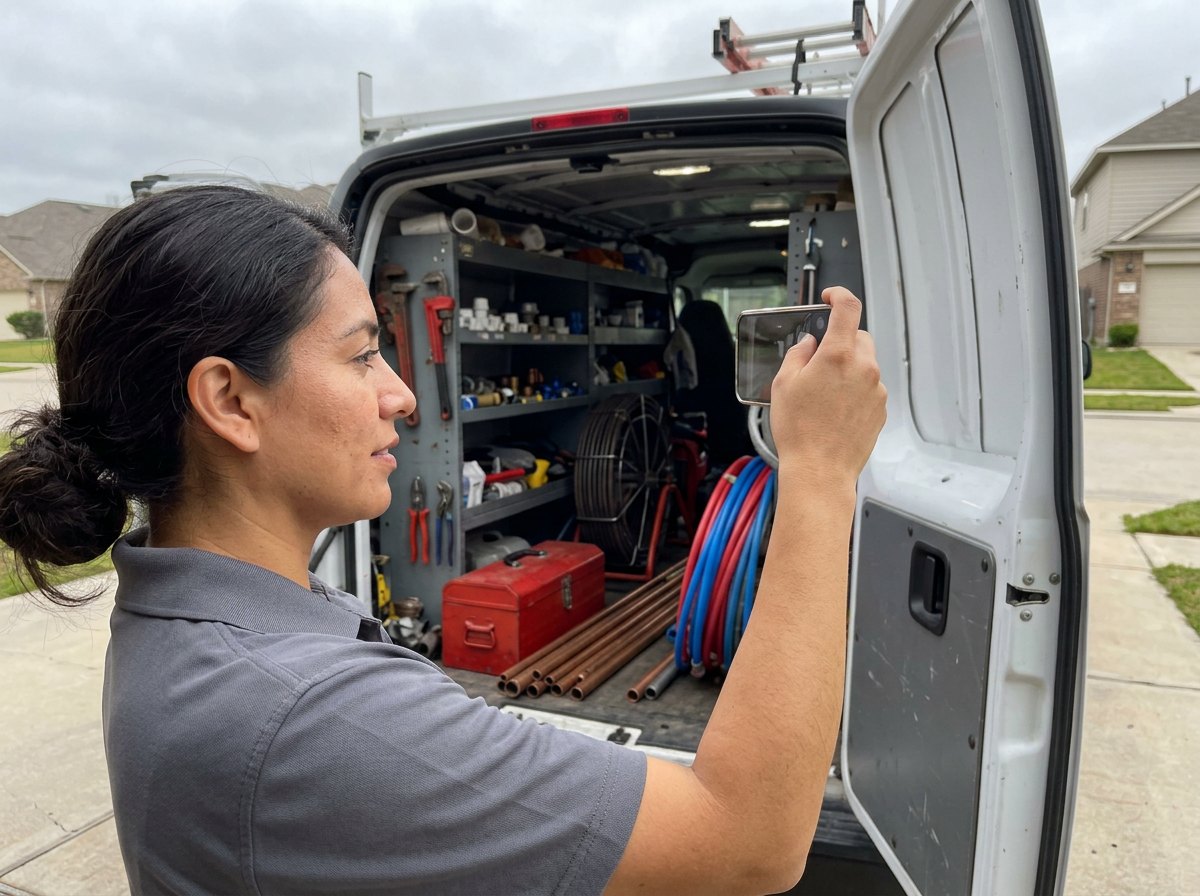
The rules for the verification video are specific. It has to be recorded live from your phone inside your Business Profile, at least 30 seconds long, in one take with no edits. Keep other people’s faces out of it, and don’t show bank, tax or ID numbers.
For a service-area business, Google wants three things on camera. Here’s how we’d film it as a contractor:
- Where you operate. Start on a street sign or landmark near your business address. If you work from home, Google says signs and landmarks in your neighborhood are fine.
- Proof the business exists. Show your tools and equipment, or a shirt with your logo.
- Proof you run it. Open your lettered van on camera. Google’s own example uses a van that has your business branding on it. Then show a permit, invoice or utility bill with the same business name as your profile.
After you upload, Google says the review can take up to 5 business days. If Google sends a code by phone or text instead, make sure a person can answer that line or read texts on it. Google notes that an automated phone menu won’t get the code.
Big edits can send you back through verification. Google warns that a name change or a category edit may trigger it. A move to a new address means you must verify again. Plan those changes together and make them once, not a little each week.
Google Business Profile categories for contractors, by trade
Start with the primary category, since it’s the signal the experts in Whitespark’s survey rank highest. Pick the one that finishes the sentence “This business is a…” Google’s category guidelines use that exact test, and they ask you to use as few categories as it takes to describe your core business.
You get one primary category and up to 9 more. You can’t make up your own; you choose from Google’s list. A category is not a keyword box, so don’t add one for every job you’ll take. That’s what the Services section is for.
Here’s where we’d start for common trades. Every name below appears in a published list of Google’s categories, but the list changes, so type each one into the category box and confirm it before you save.
| Trade | Primary category | Extras, only if it’s real work you sell |
|---|---|---|
| Roofing | Roofing contractor | Gutter service, Siding contractor |
| Plumbing | Plumber | Drainage service, Septic system service |
| HVAC | HVAC contractor | Air conditioning contractor, Heating contractor, Furnace repair service, Air duct cleaning service |
| Electrical | Electrician | Electrical installation service, Lighting contractor |
| Remodeling | Remodeler or General contractor | Kitchen remodeler, Bathroom remodeler, Deck builder |
| Restoration | Water damage restoration service | Fire damage restoration service |
| Painting | Painter | None needed for most shops |
Job types stay in Services, not categories: roof repair and replacement, water heater installs, drain cleaning, heat pump installs, panel upgrades, EV chargers, basement finishing, sewage cleanup, cabinet painting. For a full electrical shop setup, see our electrical contractor SEO page.
Two rules of thumb from profiles we’ve cleaned up. If you do one thing most of the year, that’s your primary, even if a side service pays well. If your company name doesn’t say what you do (think “Summit Pro LLC”), the category has to do more of the work of telling Google you’re a roofer.
Should HVAC shops swap categories by season?
You’ll read advice to flip your primary category to air conditioning in summer and heating in winter. We don’t do it. Google says that if you add or edit a category, you might be asked to verify again. A profile stuck in re-verification in the middle of July costs far more than any small ranking bump. Set HVAC contractor as primary, add the heating and cooling categories as extras, and leave them alone.
Name, phone and website: where profiles get suspended
When a contractor tells us their profile got suspended, the first thing we check is the business name. Adding unnecessary information to your name isn’t allowed and “could result in the suspension of your Business Profile.”
Your name on Google should match your truck, your invoices and your sign. Here’s what that looks like:
| Don’t | Do |
|---|---|
| Miller Plumbing | 24/7 Emergency Plumber Hartford | Miller Plumbing |
| Best Roofing Company Stamford CT | Your real name, like Coastal Roofing Co. |
| Apex HVAC, Your Comfort Experts | Apex HVAC |
If you really want “Roofing” in the name on Google, register it as your trade name (a DBA) and put it on your trucks, invoices and sign first. Then update the profile, and expect that a name change after verification can mean verifying again.
Your phone number
Google’s rules say the number must be under your direct control, and it asks for a local number over a call center line whenever possible. You can also add up to 2 more phone numbers beyond the main one.
Want to track Google calls? Our advice is a local tracking number that you own as the main number, with your real office line in an extra phone slot. That way the number on Google always rings the business, and you can still see which calls came from the map.
The big mistake is a number that rolls to a lead service or to someone else’s phones. Google’s phone rules say not to use numbers that redirect or “refer” callers to anyone other than the actual business.
Your website link
Point the website link at a real page on your own site, usually your homepage or your main service page. Then add tracking tags so you can see those visits in Google Analytics. Google’s analytics team says to always use three UTM tags: source, medium and campaign. A link like this works:
https://yoursite.com/?
Those visits still count as organic search in Google Analytics, and the “gbp” campaign tag lets you pull them out on their own. Keep the tags lowercase and use the same spelling every time, since Google Analytics treats “GBP” and “gbp” as different values. Some categories can also add extra links, like one for booking appointments. If you see that option, point it at your quote or scheduling page.
Services, description and photos that answer the homeowner
A homeowner deciding between three roofers reads your services, skims your description and looks at your photos. Fill them with the jobs you want more of and photos of work you’ve actually done.
Services
Go to Edit services on your profile. Google offers suggested services for your category; its own plumbing examples are “Install faucet” and “Repair toilet.” Add those that fit, then add custom services for the jobs you want more of. You can group services and give each one a short description.
Keep custom service names clean. Google says services that break its rules are rejected automatically, and it tells you to keep prices, phone numbers and gibberish out of the names. “Emergency water heater replacement” is fine. “Water heater $899 call now” is asking to be rejected.
Business description
You get 750 characters, no links and no HTML. Google also says the description shouldn’t focus on promotions, prices or sales. Say what you do, where you do it, how long you’ve been at it and what makes you different. Here’s a made-up example for a fictional roofer you can adapt:
Coastal Roofing Co. is a family-run roofing contractor serving Stamford, Norwalk, Darien and nearby towns since 2009. We replace and repair asphalt shingle and flat roofs, handle storm damage and work with your insurance adjuster. Every job gets a written estimate, a site cleanup with a magnet sweep for nails, and a photo report when we’re done. Our own crews do every job, start to finish. Call for an inspection.
That’s about 415 characters, so there’s room for your license or registration number and your warranty terms. Skip anything that reads like an ad. Lines like “best prices in town” are the kind of thing Google tells you to leave out.
Photos
Google lists adding photos and videos in its own tips for local ranking, and homeowners want proof before they call. Use your own phone photos. Stock photos don’t show your work, and a homeowner comparing three roofers wants to see your roofs. A simple shot list for the first month:
- Your trucks with the lettering visible
- The crew on a job, in uniform, with the owner in at least one shot
- Before and after pairs from 5 recent jobs
- Close-ups that show quality: flashing details, clean solder joints, a tidy panel
- A clean job site after cleanup
After that, add a few photos from every good job. It’s a two-minute habit that keeps the profile looking alive.
Reviews: what your crew can and can’t do
Reviews help in two places. Google counts how many you have toward prominence, and homeowners read them before they call. The trouble is how some shops ask for them. A few common habits break Google’s rules, and one of them might be sitting in your tech bonus plan.
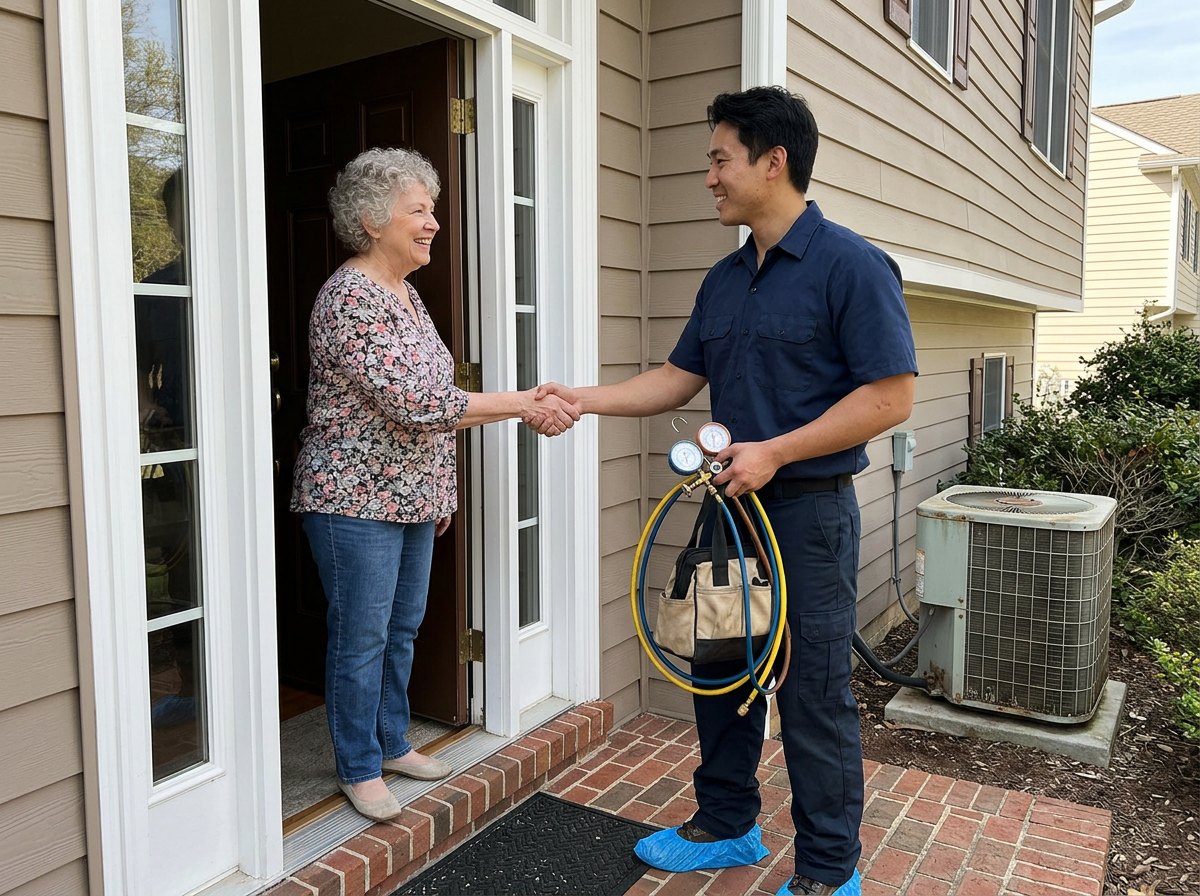
Google’s review policy for businesses is short and strict. Here’s what it says, put in contractor terms:
| Not allowed | What it looks like in the trades |
|---|---|
| Incentives for reviews | “$25 off your next tune-up if you leave us a review” |
| Only asking happy customers | A survey that sends 5-star answers to Google and everyone else to an email form |
| Staff review quotas | “Every tech needs 4 reviews a month” |
| Asking for specific content, like a staff name | “Mention Jake by name so he gets credit” |
| Pressure to review on the spot | Standing in the kitchen until the homeowner posts |
Google’s wording on pressure is about your own premises, but we’d treat a customer’s kitchen the same way.
Rows three and four are the ones owners don’t expect. Do you pay techs a bonus when a review names them? Two of the practices Google’s policy bans hit crews directly: asking staff to collect a set number of reviews, and asking staff to get reviews with specific content, including content that names a staff member. Reward the tech for the job, not for the review. Track callbacks and customer ratings in your own software instead.
What Google does allow is simple: ask every customer for an honest review, with no reward and no script for what to say. Here’s a text your office can send the day the job closes:
“Hi Maria, this is Dave from Coastal Roofing. Thanks for having us out this week. If you have a minute, we’d love an honest review on Google. It helps neighbors find a roofer they can trust: [your review link]. Thanks again.”
You can make that short link with our free Google review link generator. For more ways to build a steady flow, read our guide to getting more Google reviews. Then reply to the reviews you get. Google says replies show you value feedback, and our post on how to respond to Google reviews has templates for the good and the ugly. If a review is fake, here’s how to go about getting a fake review removed.
What changed, and the tasks you can drop
A lot of contractor GBP advice online is a few years stale. The old chat feature went away, Q&A is being reworked, and the old “posts expire in seven days” line isn’t what Google’s help page says now. Here’s what changed, so you can drop the dead tasks:
| Feature | What happened | What to do instead |
|---|---|---|
| Chat and call history | Gone from Business Profiles as of July 31, 2024. Customers can no longer request quotes there. | Keep your phone number visible and answer it. Calls from the profile still come through. |
| Q&A | Google ended the Q&A API on November 3, 2025 while it reworks the feature. Its help page now says Q&A is only for select categories and regions. | Answer the common questions on your website and in your description and services. |
| Free Google-made websites | Turned off in March 2024, with a redirect to the profile until June 10, 2024. | Link the profile to your own website. |
| Posts “expiring” after 7 days | Google’s posts help page says posts older than 6 months are archived unless you set a date range. | Post when you have something real, not on a panic schedule. |
One note on chat: Google’s edit page now mentions text and WhatsApp chat options in select regions. If your profile offers one, only turn it on if someone in your office will reply fast. A message nobody answers can lose you the job.
When a guide tells you to “seed your Q&A” or check messages in the app, check its date before you follow it.
Posts: worth ten minutes, not an hour
Posts are for the homeowner who already found you. Google says they show on your profile in Search and Maps and help customers decide. Treat them as a quick photo and a couple of sentences after a good job, not a content calendar.
You get three kinds. Updates are general news with a photo and a button. Offers need a title, dates and times, and get a “View offer” button. Events need start and end dates. For most contractors, updates do the job:
- A finished job: two photos, the town, and one line about the problem you fixed.
- A seasonal reminder: “Book your furnace check before the first cold snap.”
- A real offer with real dates, if you run one.
Two details save time. You can schedule a post and set it to repeat weekly or monthly. And leave your phone number out of the post text, because Google says posts with a phone number in the description might get rejected. Use the button instead.
Will posts move your ranking? We wouldn’t count on it. Post anyway, because a profile with recent jobs looks busy and trustworthy to the person deciding who to call.
Measure it: what the Performance numbers mean
The Performance tab is useful once you know what each number counts. Here’s what’s behind each one, from Google’s definitions:
| Metric | What Google counts | What it doesn’t tell you |
|---|---|---|
| Calls | Taps on the call button on your profile | Whether anyone picked up, or if it was a real lead |
| Website clicks | Clicks on your website link | What they did once they got there |
| Directions | Direction requests, with repeat taps and spam filtered out | Little, for a business that goes to the customer |
| Views | Unique people who viewed the profile, once per day | Every time your business shows on Google |
| Searches | The terms people used to find you, updated monthly | Which of those searches turned into calls |
Call taps show interest. Only booked jobs tell you whether the profile pays, so track both.
One detail matters if you also run ads. Google says performance data includes actions from both organic results and Google Ads. So if you turn on ads that show your profile, your Calls number can jump without your free ranking changing at all.
Track three numbers each month in a simple sheet: profile call taps, website visits tagged with your GBP link, and booked jobs where the customer said they found you on Google. Here’s a made-up example of how that reads:
| Month (example) | Call taps | Tagged site visits | Booked jobs from Google Maps |
|---|---|---|---|
| March | 41 | 63 | 9 |
| April | 55 | 70 | 13 |
Booked jobs is the column that matters. Ask “How did you find us?” on every new call, and write the answer down. Once you know what the map brings in, our guide to lead generation for contractors helps you weigh it against your other lead sources.
A 15 minute weekly routine for your Google Business Profile
Here’s the routine we’d hand an office manager. It takes about 15 minutes on a Monday and covers everything in this guide that needs repeating. Print it and tape it by the desk.
- Reviews (5 min): reply to every new review from last week. Check that every job that closed got the review text, and send any that were missed.
- Photos (3 min): upload 3 to 5 photos from last week’s best job.
- Post (3 min): post a finished job worth showing, with the town and a photo. Skip the week if you don’t have one.
- Check edits (2 min): look for “Google updates” or suggested changes to your hours, phone or website, and fix anything wrong.
- Hours (1 min): set special hours for any holiday coming up.
- Booked jobs (1 min): write down last week’s booked jobs that came from Google.
Once a quarter, the owner should spend 20 minutes on the bigger stuff: are the categories still right, does the service area match where your trucks really go, and do the services list the jobs you want most? Make any big changes together, since name, category and address edits can trigger verification. Your profile is one of five jobs in a full contractor SEO plan.
Google Business Profile FAQ for contractors
Is a Google Business Profile free for contractors?
Yes. Google says you can add or claim your business at no charge. Google also says there’s no way to pay for a better local ranking, so anyone selling a guaranteed map spot is selling something Google doesn’t offer. Ads can put you above the map, but that’s a separate, paid product.
Can I list my home address if I work out of my truck?
You can use your home as the business address, but hide it on the profile. Google’s guidelines say service-area businesses should hide their address, and they use a plumber working from home as the example. Customers see your service area instead of your street.
Should I use a call tracking number on my profile?
You can, if it’s a local number you own that rings your business. Google says the number must be under your direct control and shouldn’t send callers to anyone else. Put the tracking number in the main slot and your office line in one of the 2 extra slots, so your real number stays tied to the profile.
How many categories should a contractor pick?
As few as it takes to describe your core business. Google allows a primary category plus up to 9 more, but its guidelines ask you to keep the list short. For most trades we’d stop at the primary plus two to four extras, and put individual jobs in the Services section instead.
Can I give my techs a bonus for Google reviews?
Not if the bonus is tied to review counts or to reviews that name the tech. Google’s policy says businesses can’t ask staff to collect a set number of reviews or ask for reviews that name a staff member. Customers can’t get a reward for reviewing either. Bonus techs on job quality and callbacks instead, and ask every customer for an honest review.
My profile got suspended. What now?
Use Google’s appeals tool. It shows the reason for the suspension and the policy behind it. Fix that issue first (for example, a stuffed business name or an address that isn’t allowed), then submit the appeal. Don’t make a new profile to get around it.
What to do this week
- Monday: search “my business” while signed in to the Google account that owns your profile. If you can’t find it, claim it.
- Tuesday: make your big edits in one sitting: check your name against your truck lettering, hide your address if you work from home, set up to 20 towns you really serve, and confirm your primary category from the table above.
- Wednesday: add a manager login for your office manager and check who owns the profile.
- Thursday: fill in Services and write your 750-character description.
- Friday: upload 10 real job photos and send the review text to last month’s customers.
Want a second set of eyes first? Our free local SEO audit checks your profile, categories and service area against the contractors already showing up in your map pack, and tells you what we’d fix first.


