


A burst pipe at 2 a.m. and a $60,000 kitchen don’t come from the same lead source. The best lead generation for contractors depends on which of those jobs you want more of.
We sorted the common lead sources by the kind of work each one is good at. Then we read each company’s own help pages and terms.
The short answer: for emergency and repair work, start with Google Local Services Ads (LSA), since the call comes to you and you pay per lead. To fill open slots fast, test Thumbtack or Angi, but expect to share most leads with other pros. For big remodels, look at Houzz Pro (shared with up to 6 pros on Project Match) or an exclusive option like Modernize Branded Programs. And for every trade, the best free source is your own Google Business Profile.
Key takeaways
- Emergency calls, replacements, remodels and small jobs each have a different best source. Quick picks by job type
- Most marketplaces share each lead with four to six pros. Side-by-side comparison
- Local Services Ads ran $39 to $59 a lead in four service trades (February 2026); search ads ran $94 to $129 in the same trades (April 2024 to March 2025 data). Lead costs by trade
- Judge every source by cost per booked job: cost per lead divided by close rate. The cost per job math
- Since October 1, 2026, Local Services Ads can charge for some missed calls in business hours (per Search Engine Land), so answer the phone. Local Services Ads rules
- Angi subscriptions renew on their own, and annual subscribers can’t get lead credits, so start pay per lead. Angi and Thumbtack fine print
- You can’t pay Google for a better local ranking, so your profile, reviews and website are what you own. Your Google profile
- Test two or three sources for 60 days and cut any whose cost per booked job is higher than your profit on an average job. The 60-day test plan
Quick picks: the best lead generation for contractors by job type
Find the job you want more of in the left column. That row is where we’d put the first dollar.
| The job you want more of | Start here | Test second | We’d skip at first |
|---|---|---|---|
| Emergency and repair calls (plumbing, HVAC, electrical, restoration) | Google Local Services Ads | Angi, pay per lead with a small budget | Annual lead contracts |
| Planned replacements (water heaters, AC systems) | Local Services Ads plus your Google profile | Angi (small monthly budget) or Modernize (set a price ceiling, or ask about Branded Programs) | Large prepaid packages |
| Roof replacement | Search ads to your own site | Modernize with a firm price ceiling, plus a small Local Services Ads test | Thumbtack roof replacement leads ($300 median, small sample) |
| Remodels and design work (roughly $30,000 and up, our rule of thumb) | Houzz Pro, if your photos are strong | Angi, pay per lead with a small budget | Cheap shared leads |
| Small jobs and gap fillers (handyman, painting, cleanup) | Thumbtack | Bark or Nextdoor ads | Anything with a 12-month term |
| Brand-new business, few reviews | Google Business Profile and Nextdoor (both free) | Thumbtack at a low weekly budget | Big ad packages |
Why these picks? Emergency customers call. They don’t fill out forms. With Local Services Ads, Google says you only pay when a customer gets in touch from your ad, and the call or message comes straight to you. The homeowner can still call someone else, so answer fast. But when there’s water on the floor, a ringing phone beats a form.
A remodel customer is planning a project and often browses photos for a while before calling anyone. That’s why a visual site like Houzz can work for a design-build shop and flop for a drain cleaner.
Small jobs need cheap, flexible leads you can turn off on a busy week. Thumbtack fits handyman work well, with a $27.57 median lead in the Tack Tools data. Painters should look twice: exterior painting leads ran $135.85 there (interior painting $75.43), about five times the handyman figure, so start with a lower bid or test Nextdoor first.
If you’re brand new, the free stuff comes first. Reviews matter on paid sites too. Google, for one, recommends 5 or more reviews for Local Services Ads, and some businesses need 5 before the ad will show. So build reviews before you buy.
One note for commercial contractors. Bid boards that list projects out for bid are a different tool from the homeowner lead sites here, so we’ve left them out.
How we judged each lead source
A lead’s sticker price tells you very little. We asked four questions of every source, and the answers came from each company’s own help pages and terms.
- When does the charge hit? When the customer calls you, when you click “interested,” or only when they write back (like Thumbtack’s Opportunities)? The earlier the charge, the more you pay for people who never answer.
- How many other pros get the same person? One, four, five, six? Every extra name on that list cuts your odds.
- What happens with a bad lead? Is there a refund, a credit, or nothing? And who decides?
- What do you sign? Month to month, a weekly budget, or a 12-month term that renews on its own?
Those four answers tell you what a price per lead is really worth (the billing fine print lives in how eight lead sources bill you). For example, a $30 lead shared with five pros and no refund can cost more per job than a $60 call that comes straight to you.
Best lead generation sites for contractors, compared side by side
Here are nine of the most common lead sources for home service contractors. Every fact in the table comes from the company’s own pages, checked in October 2026. Where we couldn’t find an answer, ask the rep and get it in writing.
| Source | How you pay | When you’re charged | Who else gets the lead | Bad leads | What you sign |
|---|---|---|---|---|---|
| Google Local Services Ads | Per lead | When a customer gets in touch from your ad by call or message | The call or message comes to you, though the customer can still contact other listings | Leads Google judges invalid or low quality aren’t charged, but no credits for wrong job type or wrong area | A budget you set and edit yourself; no term contract on the pages we checked |
| Angi | Per lead within a monthly budget, or a subscription | When you and the homeowner both show interest, even if you never open it | No more than five pros | Credits for a short list of reasons, none for no-answers, none on annual plans | Subscriptions renew on their own |
| Thumbtack | Per lead; you set a price for each service | When a customer contacts you and the job matches your preferences | Up to five pros in the first four hours, more after that | Automatic refund if the customer replies to no pro within 72 hours | No annual or membership fees; weekly budget |
| Houzz Pro | $99 to $399 a month; optional ad package from $499 a month | Monthly subscription, not per lead | Project Match leads go to up to 6 pros | No per-lead charge to dispute | 12-month commitment |
| Modernize | Dynamic pricing with a ceiling you set; ask how you’re billed | Not on the pages we checked | Homeowner agrees to calls from Modernize and up to four companies; branded programs are exclusive | Not on the pages we checked | Custom program; get terms in writing |
| Yelp Ads | Per click | Each time your ad is clicked, at a price that moves with supply and demand | The click lands on your page; ads can also show on competitors’ pages | Not on the pages we checked | Free business page; ads optional |
| Bark | Credit packs, about $2.35 a credit | Only when you pick a customer to contact | Up to 5 pros, and you see the count first | Customers who don’t answer aren’t covered | Credit packs; no commission |
| Networx | Prepaid, $14 to $100 a lead | Up front, from your prepaid balance | Up to 4 contractors; an exclusive plan costs more | Not on the pages we checked | When credits run out, the account renews on its own; ask how it bills |
| Nextdoor | Free page and posts; ads from $5 a day | Ad spend only | Customers can recommend you on your page | Doesn’t apply | None for the free page |
Almost every marketplace shares the lead. Four, five or six pros may get the same homeowner. With the ad-style sources (Local Services Ads, Yelp ads, Nextdoor) and your own Google profile, the customer contacts you directly instead of being handed out as a shared request. Modernize’s Branded Programs also send customers who pick your brand to you alone.
The charge on most sites also lands before you’ve had a real talk with the customer. The softest setups are Thumbtack Opportunities (charged only if the customer writes back), Thumbtack’s 72-hour refund, and Bark showing you the price and the response count before you buy. Angi charges you whether or not you open or respond, and its credit page says a homeowner who never calls back isn’t grounds for a credit.
What a lead costs by trade (2024 to 2026 data)
Most lead sites won’t post a price list. Thumbtack, for example, says prices vary with the type and size of the job, how many pros are around, and your market. So we pulled three outside data sets that show what contractors in each trade actually paid. The dates differ, so read the notes too.
| Trade | Local Services Ads, per lead (Feb 2026) | Thumbtack, median lead price (Mar to Sep 2026) | Search ads, per lead (Apr 2024 to Mar 2025) |
|---|---|---|---|
| Electrical | $39 | $43.71 (wiring repair) | $93.69 |
| HVAC | $51 | $95.88 (central AC repair) | $127.74 (AC install and repair) |
| Plumbing | $57 | $44.74 (pipe repair) | $129.02 |
| Drain and sewer | $59 | $48.23 (drain repair) | Not broken out |
| Roofing | Not broken out | $71.73 repair, $300.00 replacement | $228.15 (roofing and gutters) |
Where the numbers come from. SearchLight’s figures are averages; the other two sets are medians, and Thumbtack’s are single job categories, not whole trades.
- Local Services Ads: SearchLight’s February 2026 benchmark, which tracked $6.72 million in spend across 888 contractors and 126,650 leads. Its blended average was $53 a lead. The drain and sewer figure comes from just 23 accounts, so treat it as rough.
- Thumbtack: a Tack Tools Pro study of 5,985 priced leads from March 12 to September 18, 2026. These are medians, and the overall median across all categories was $27.17. The roof replacement number comes from only 25 leads, so treat it as rough.
- Search ads: LocaliQ’s home services benchmarks, from 3,211 campaigns run by its own customers. LocaliQ labels them averages, but notes they’re technically medians. A search ad lead usually means a call or form from your own ad or website. It’s not the same thing as a marketplace lead.
So don’t just crown the cheapest column. A $39 Local Services Ads lead and a $44 Thumbtack lead aren’t the same thing. The Thumbtack homeowner may be talking to four other electricians. The search ad lead costs more. But it came to your own ad or site, not a shared list.
What we take from it: for electrical, plumbing and drain work, Local Services Ads and Thumbtack land in the same range per lead. Central AC repair on Thumbtack ran almost double LSA’s HVAC average.
Search ad leads ran more than double the Local Services Ads figure in all three trades we can compare. But they bring the most control, because you pick the keywords, write the ad and choose the page every caller lands on. Roof replacement had the highest median of any category in the Tack Tools study ($300, from just 25 leads), and roofing and gutters is the priciest line in LocaliQ’s data. That’s why a roofer has to be pickier about lead sources than almost anyone.
Shared leads and your real cost per booked job
Don’t score a lead source by cost per lead. Score it by what you paid for each job you won. Shared leads change that math a lot, because every extra pro who bought the same request lowers the odds that the job ends up on your calendar instead of theirs.

The formula: cost per lead divided by your close rate. If a lead costs $50 and you book one in four, each job cost you $200 in lead fees. In this post, a booked job means a job you won, not just an appointment set. On a subscription like Houzz, divide the month’s fee by the jobs you booked that month.
Here it is for a plumber, with example numbers. Swap in your own.
| Example lead | Cost per lead | Pros on it | Close rate (example) | Cost per booked job |
|---|---|---|---|---|
| Shared marketplace lead | $45 | Up to 5 | 1 in 5 (20%) | $225 |
| Local Services Ads call | $57 | Call comes to you | 2 in 5 (40%) | $142.50 |
| Search ad call to your site | $129 | Call comes to you | 2 in 5 (40%) | $322.50 |
The cheapest lead in the table landed in the middle once we counted booked jobs. The $57 call wins here only because we assumed it closes twice as often as the shared lead. That’s the bet with a call that comes to you. We don’t know of a solid public benchmark for shared-lead close rates, so check the 20% against your own sheet.
The search ad lead cost the most per job here, but bigger jobs can change that. Say a water heater install bills $2,000 and a faucet swap bills $150 (example numbers). The install covers it easily. The faucet swap at $322.50 per booked job loses you about $170 before you even count the truck, fuel and your time.
Is 40% realistic for Local Services Ads? SearchLight reported a 43.9% blended book rate, meaning leads that turned into booked appointments. That counts appointments booked, so your won-job rate will be lower. Treat 40% as a ceiling until your own numbers come in.
In our view, speed and a real person on the phone matter most on shared leads. When you’re not available, Angi recommends automated replies within five minutes of a new lead. So send the auto-text. Then call.
A cheap lead four other pros bought can cost you more per job than a pricey call nobody else got.
Google Local Services Ads win for emergency and repair calls
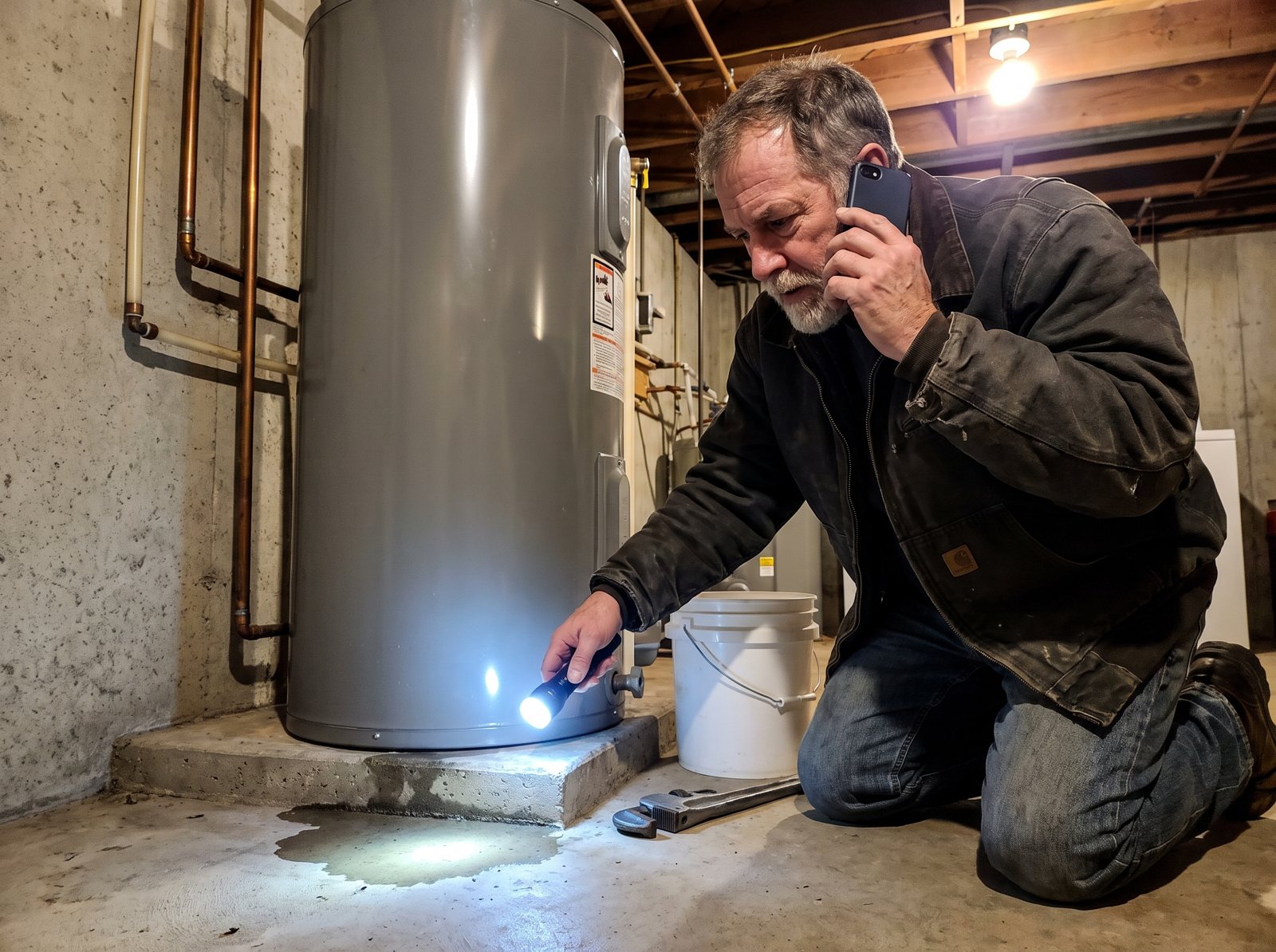
If you do emergency or repair work, Local Services Ads are where we’d start. Google says the ads can appear prominently in search. The customer calls or messages you. You pay per lead, not per click.
Why it wins for a plumber at 2 a.m. or an HVAC shop in July: the person searching has a problem right now and wants to talk to someone. SearchLight’s February 2026 data put HVAC at $51 a lead and plumbing at $57. Plumbing ran about $12 more than Thumbtack’s $44.74 pipe repair median, and HVAC came in at about half of Thumbtack’s $95.88 central AC repair median.
Three rules to know before you turn it on:
- Missed calls can cost you now. Search Engine Land reports that starting October 1, 2026, missed calls during business hours can be charged as valid leads when the caller stays on the line more than 20 seconds, with some exceptions. If your phone menu asks callers to press a key, the timer starts after they press it. If that first call doesn’t count, later calls between you and that caller can still be charged if they meet Google’s rules. So set your hours to the hours someone really answers.
- Your settings are your refund policy. Google doesn’t charge for leads it judges invalid or low quality, but it no longer gives credits for jobs you don’t do or towns you don’t serve. Set job types and service areas tight on day one.
- Turn on messages. Google says message leads typically cost less than phone leads, and that message and booking leads can raise your odds of getting a lead, “especially during nights and weekends when you can’t answer the phone.”
Who should skip it, or wait? A shop with no reviews yet, or one with nobody to answer the phone. When we audit a contractor’s account, the phone is one of the first things we check: missed calls, callback times, and paid leads nobody reached.
For setup steps, screening and job types, see our Local Services Ads guide.
Angi and Thumbtack fill open slots fast
Angi and Thumbtack sell requests homeowners have already sent, which makes them a quick way to test demand. The trade-off is that you’ll share most leads with other pros. And the billing rules decide how much that costs you.
Angi: strict billing, auto-renewing subscriptions
Angi matches each homeowner request with no more than five pros. You’re charged once you and the homeowner both show interest, and you pay whether or not you open or answer the lead.
Budgets bend a little, too. Angi’s own billing example: a $500 monthly budget with $480 spent can take one more $40 lead and end at $520.
The bigger thing to watch is the subscription. Angi’s Pro Terms (updated October 6, 2026) say subscriptions are fixed-term and renew automatically, and the fee can go up to 10% over what you paid the term before. Contracts can carry an early termination fee if yours lists one. Annual subscribers also can’t get lead credits, even for a disconnected number. And pausing leads doesn’t pause the contract.
Our take: if you test Angi, start pay per lead with a small monthly budget. For a credit, Angi wants the lead under 45 days old and a call attempt within 24 hours, and credits expire after six months. Our Angi leads review walks through the rest.
Thumbtack: you set the price, and you can walk away
Thumbtack has no charge to join, no annual fees and no membership fees. You set a lead price for each service and a weekly budget, and Thumbtack says what a lead is worth still varies with the job, the number of pros and your market. When the budget runs out, you drop out of search until the Monday reset.
Competition has a cap, at least early on. Thumbtack limits a customer to five pros in the first four hours, then lets them contact more. If the customer doesn’t reply to any pro within 72 hours, you get an automatic refund.
One catch on that refund. If you send your own cell number or email before the customer writes back, Thumbtack can’t verify the reply, and the lead isn’t eligible. Keep the first messages inside the app.
There’s also a softer way in. With Opportunities, you reach out to customers first, and Thumbtack says you’re only charged if the customer responds. Those charges don’t come out of your weekly budget either.
Where Thumbtack fits best: small and mid-size jobs, and trades with cheap median leads. Where it gets tight is roofing, where the Tack Tools Pro data put the median replacement lead at $300 (a small sample). For the full math, see our Thumbtack lead math, or the head-to-head in Thumbtack vs Angi.
Houzz Pro and Modernize: built for big-ticket jobs
When one job is worth $30,000 or more (our rough line), you can afford a pricier lead. Houzz Pro and Modernize both aim at that kind of work. But they bill in very different ways.
Houzz Pro: a subscription, not a lead bill
Houzz lists three plans on its pricing page: $99, $199 and $399 a month, with an Advertising Package that starts at $499 a month on top. Houzz says its lead program uses subscription-based pricing instead of pay-per-lead.
A busy month doesn’t cost more. A dead month doesn’t cost less. And standard subscriptions are a 12-month commitment, payable monthly or yearly, after a 30-day free trial that needs a card.
Leads aren’t always yours alone, either. On Project Match leads, Houzz matches the homeowner with up to 6 pros. So Houzz fits a remodeler or design-build firm with great photos and a sales process that wins on design. It’s a poor fit for a service plumber. Our breakdown of what Houzz Pro really costs covers the contract terms.
Modernize: replacement work, with a ceiling you set
Modernize sells homeowner requests in 20-plus trades, including roofing, windows, siding and HVAC. Its pricing page says you set the ceiling of the maximum you want to pay, and calls its “Right Pricing” a dynamic pricing model.
On a standard request, the homeowner agrees to be called by up to four home improvement companies. Modernize’s Branded Programs are the exception: it says all customers who pick your brand are sent to you exclusively.
Modernize says its prices vary by trade, intent, volume and market, and asks you to call for a quote. Ask for the credit rules and contract length in writing before you sign. Our Modernize leads review has the questions we’d ask.
Yelp, Nextdoor, Bark and Networx: cheap tests with limits
All four are cheap to try. Each has a catch worth knowing first.
- Yelp. The business page is free. Ads are pay per click, and Yelp says the price per click changes with supply and demand, so it can change from one click to the next. Yelp ads can show on competitors’ pages, which can help a newer shop get seen. Claim the free page even if you never buy an ad.
- Nextdoor. Free Business Page, posts and recommendations from customers, with ads that start as low as $5 a day. We’d test it first for painters, landscapers and handymen, since neighbors ask for names while they’re planning a project, not while a pipe is bursting.
- Bark. You buy credits (Bark lists a current price of $2.35 a credit, with packs priced lower per credit) and spend them on the customers you choose. How many credits a lead takes depends on the job, and Bark says the cost is always shown before you respond. You can see how many of the 5 possible pros already answered before you buy. Customers who never reply aren’t covered by its credit returns. More in our Bark review.
- Networx. Prepaid leads that cost $14 to $100 each, and a standard lead goes to up to 4 contractors. Watch the refill: once your credits run out, the account renews on its own. Ask how and when it bills, buy the smallest balance first, and ask if you can turn off auto renew.
Used as a side test with a hard cap, they can fill a slow week. We’d cap each at a few hundred dollars a month until the sheet shows booked jobs.
The lead source you can’t buy is your Google profile
Every paid source above is rented. Stop paying and those calls stop. Your Google Business Profile is the one you don’t pay per lead for, and it keeps working when the ad budget is off. Google says plainly that there’s no way to request or pay for a better local ranking.
Google says local results come down mainly to relevance, distance and popularity. Reviews feed into it: Google says more reviews and positive ratings can help your local ranking. Here’s the work:
- Pick the right main category and add every service you actually sell.
- Fill in hours you really answer, and your service area.
- Our habit: post real job photos every week or two.
- Ask every happy customer for a review, the same day the job wraps.
The same reviews help on the paid side. Thumbtack says your star rating and reviews affect how many leads you get. Angi says the lead estimates it gives you (“Guidance”) are based partly on ratings, review count and response time. Each platform counts its own reviews. Google reviews feed your profile’s ranking, and Google recommends 5 or more for Local Services Ads, so we’d start there with a habit of getting more Google reviews, then ask for reviews on any marketplace you test.
The bigger choice is how much of your work you rent and how much you own. We dig into that trade-off, and how to shift the mix a little each quarter without losing the calls that pay the bills today, in renting leads versus owning them.
How we’d split $1,500, $5,000 or $15,000 a month
Example splits for a repair-heavy shop like plumbing or HVAC. These aren’t quotes or promises. A remodeler would tilt toward Houzz or an exclusive program instead.
| Monthly budget | Local Services Ads | Marketplace test | Search ads to your site | Also every month |
|---|---|---|---|---|
| $1,500 | $1,000 | $500 on Thumbtack or Angi, pay per lead (about $115 a week) | None yet | Google profile, a review ask on every job, Nextdoor page |
| $5,000 | $2,500 | $1,000 on one site, pay per lead | $1,500 | Same |
| $15,000 | $5,000 | $2,000 split across two sites | $7,500 with call tracking | Same, plus $500 of Yelp or Nextdoor ads (part of the $15,000) |
At $1,500, you can’t afford to spread thin. Put most of it where the calls come to you, and keep one cheap test running so you have a second number to compare.
At $5,000, search ads join in. They cost more per lead, but the caller found your site, and you keep that page when you stop paying.
At $15,000, a source that isn’t working can burn $2,000 a month before anyone notices. Put call tracking numbers on your search ads and website, and match LSA and marketplace leads from their own dashboards to your sheet. Otherwise you’re guessing which part of the $15,000 paid off.
Whatever the size, we’d skip annual lead contracts and large prepaid packages in the first 60 days. A small credit pack you can afford to lose is fine for a test. Thumbtack’s own fee terms say prepaid package sales are final, and Angi’s subscriptions renew on their own. Keep a way out until 60 days of numbers say stay.
Roofers need a different split. Roofing is the most expensive line in both the Thumbtack and search ad data above, and SearchLight doesn’t break it out for Local Services Ads. With $5,000, our example would be about $2,000 on search ads to your own site, $1,500 on Modernize with a firm price ceiling, $1,000 on a Local Services Ads test, and $500 on Thumbtack for roof repair (not replacement) leads. Adjust after the first 30 days of numbers.
A 60-day test to find your best lead source
Run two or three sources side by side for 60 days and count booked jobs. Here’s the plan, and all it needs is a spreadsheet.

- Week 0: pick two paid sources from the quick picks table, plus your Google profile. Set a hard cap on each one. Use a weekly or monthly budget, never a term contract.
- Week 0: write down the first 30 seconds of your call. Name, “I got your request about the water heater,” one question about the job, then offer a time.
- Weeks 1 to 8: log every lead the day it comes in. One row per lead, using the columns below.
- Every Friday: total each source. Cost, leads, booked jobs, revenue.
- Day 30: cut anything that hits a stop rule. Move that money to the source that’s winning.
- Day 60: keep the top source, test one new one, and repeat.
The tracking sheet, one row per lead:
| Column | What goes in it |
|---|---|
| Date and source | “Oct 21, LSA” or “Oct 21, Thumbtack” |
| Lead cost | What that lead cost you, after any refund or credit |
| Minutes to first reply | From the alert to your first call or text |
| Reached? | Yes or no |
| Booked? | Estimate set, then job won (two columns) |
| Job value | The invoice total |
| Gross profit | Job value minus materials and labor |
| Refund asked for? | And whether you got it |
Stop rules we’d use:
- Cost per booked job is more than your profit on an average job. Cut it.
- You can’t reach half the leads by phone or text. The source or your speed is the problem, so fix speed first, then decide.
- Refunds you asked for keep getting denied. Read that site’s rules again, then decide if you can live with them.
- The site pushes a subscription or a big prepaid pack before day 60. Hold off until you have the numbers.
A common trap is judging a source by how it felt. One great Angi job becomes “Angi works.” One bad Thumbtack week becomes “Thumbtack’s junk.” The sheet tells you which one paid.
FAQ
What is the best lead generation site for contractors?
It depends on the job. For emergency and repair work, we’d start with Google Local Services Ads, because the customer calls you and you pay per lead. For filling gaps fast, Thumbtack or Angi. For big remodels, Houzz Pro or Modernize Branded Programs. Then test two side by side and keep the one with the lowest cost per booked job.
Are exclusive leads worth paying more for?
They can be, because a shared lead also goes to other pros and you’ll likely close fewer. In our example, a $57 call that comes to you directly, closing at an assumed 40%, works out to $142.50 per job. A $45 shared lead at an assumed 20% is $225. Modernize Branded Programs are one exclusive option.
What’s the cheapest way for a contractor to get leads?
Your Google Business Profile, Yelp page and Nextdoor page are all free to set up. Google says you can’t pay for a better local ranking, so complete details and steady reviews are what move you up. It’s slower than buying leads, but every call it brings in comes straight to you.
Is Angi or Thumbtack better for contractors?
Thumbtack is easier to test. It has no membership fees, you set your own lead price, and it refunds a lead if the customer replies to no pro in 72 hours, as long as you keep the chat in the app. Angi charges whether or not you open the lead, and annual subscribers get no lead credits. Start either one pay per lead with a small cap.
How fast do I need to answer a lead?
As fast as you can, ideally within minutes. On shared leads, several pros may be calling the same homeowner. Angi recommends automatic replies within five minutes when you can’t pick up. And some missed Local Services Ads calls in business hours can now be charged, so set your ad hours to the hours someone actually answers.
Should I pay a lead generation company or do my own marketing?
Most shops need both at first. A lead generation company or lead site fills next month’s calendar, but the calls stop when you stop paying. Your website and Google profile keep working when the budget is off. Rent leads to cover the gap while you build those.
What to do this week
Five things you can do before Friday:
- Make the tracking sheet from the 60-day plan and log every lead you got last month, as best you can remember.
- Find your current cost per booked job for each source. If you can’t, that’s your first fix.
- Check your Google Business Profile: main category, services, hours and photos.
- Ask your last ten happy customers for a review.
- Pick one new source from the quick picks table and set a small weekly cap.
Want to see what your own profile and website could bring in before you rent more leads? Our free local SEO audit shows where you stand on Google and what we’d fix first.


