

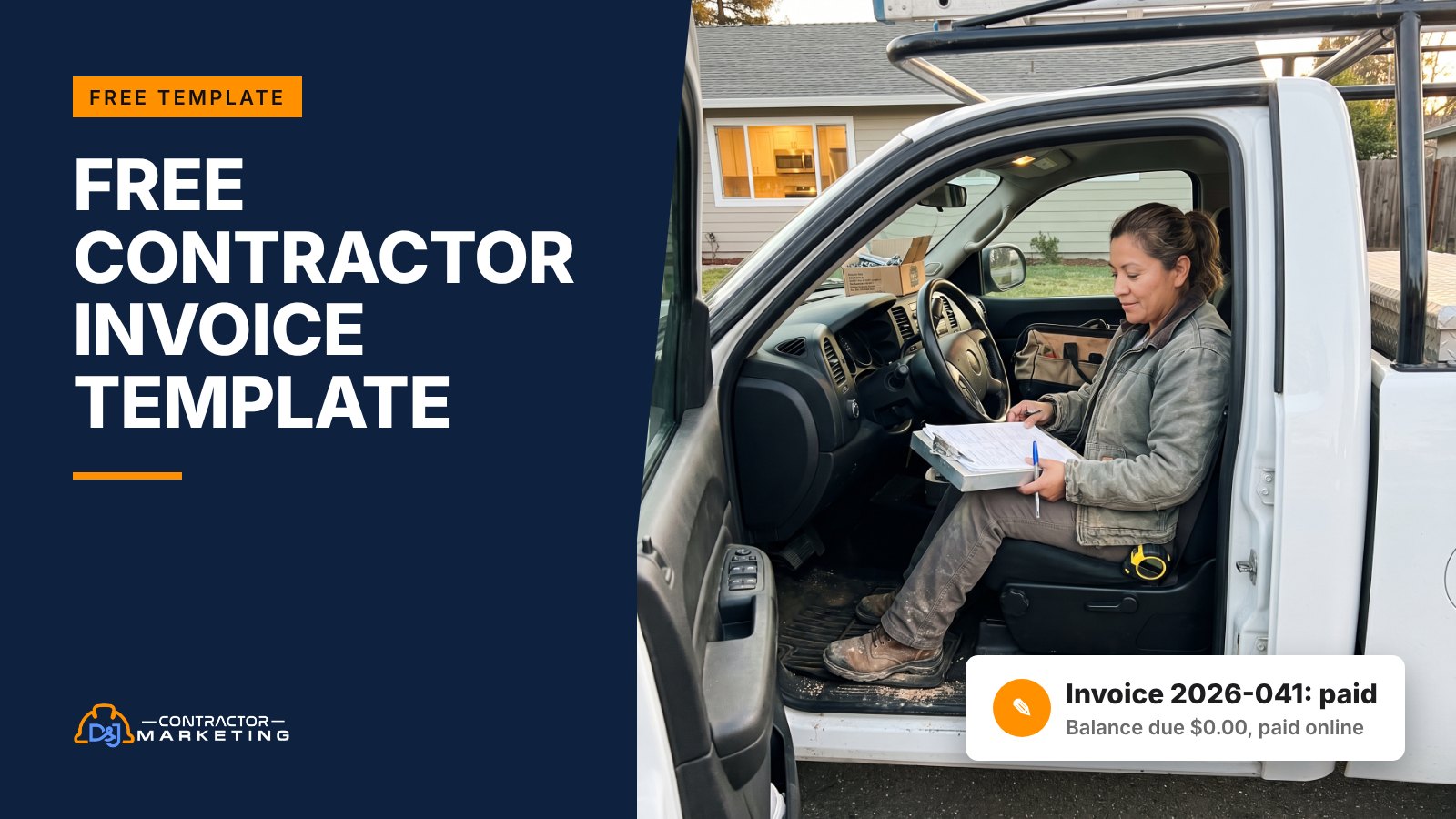
You finished the job three weeks ago and the check still hasn’t come. Often the invoice is part of the problem: it went out late, it was vague, or it forgot the deposit the customer already paid, so it sat in a kitchen drawer. Our free contractor invoice template fixes the paperwork side. It comes in Word, Excel and PDF, and the Excel version does the math for you, including draws and change orders.
The short answer: a good contractor invoice lists your business and license number, a unique invoice number, the customer and job site, the work done with dates, itemized lines, tax, any deposit or payments already made, the balance due, a real due date and how to pay. Download the template below, set it up once, and send each invoice the day the job ends.
Key takeaways
- The template comes in Excel, Word and PDF, and the Excel file subtracts deposits and past payments for you. Get the files
- Write a real due date, not just “Net 30,” and show every payment the customer has already made. What to include
- Our kitchen example shows every add and every payment between the $40,030 total and the $13,030 balance. See the example
- California caps home improvement down payments at $1,000 or 10%, whichever is less. Deposits and draws
- Write line items like “Replace 50-gallon gas water heater, new expansion tank,” not “Water heater.” Wording by trade
- Visa caps US credit card surcharges at your actual card cost or 3%, whichever is lower, and some states ban them. Payment terms
- The 1099-NEC threshold is $2,000 for payments made in 2026, up from $600. Billing a GC
- Put your Google review link on the invoice. Almost every customer looks at it the day it arrives. Review ask
Download the free contractor invoice template
Grab whichever file fits how you work. The Excel version is the one we’d use. You type your line items, and it adds them up, figures the tax, subtracts what the customer already paid and shows the balance due in orange at the bottom.
Here’s what’s in each one:
- Excel (.xlsx): four tabs. A blank invoice, a blank progress billing sheet for jobs you bill in stages, and a filled-in example of each. The deposit and up to three payments get their own dated lines (insert rows above BALANCE DUE if a job has more draws), line types come from a dropdown (labor, materials, change order, allowance and so on), and a Y/N column marks which lines get sales tax.
- Word (.docx): a one-page invoice with the same fields, but no formulas and no taxable Y/N column. You do the math and type the tax yourself. Good if you like to type over a clean page and send it as a PDF.
- PDF: the Word layout, ready to print and fill in by hand. Handy to keep a few in the truck for small jobs paid on the spot.
No Microsoft Office? You don’t need it. Upload the file to Google Drive, double-click it, then click Open with Google Docs. Google’s help page says your changes save to the original Office file. The Excel file works the same way, since Google Sheets can edit Office files too.
Set it up once. Put your logo where it says [Your logo] (top left in Word, top right in Excel), fill in your license number, payment methods and warranty, then save it as your master copy. Every new invoice starts from that copy. Want to see one filled in first? Here’s the finished example as a PDF.
What a contractor invoice should include
A contractor invoice needs enough detail that the customer can pay it without calling you. That means who you are, who’s paying, where the work was done, what you did, what it costs, what’s already been paid and how to pay the rest.
Here’s the checklist we’d hold every invoice to. Our template has a spot for all of it.
- Your business name, address, phone and license number. The license number is one less thing a GC or adjuster has to ask for.
- An invoice number that never repeats. Use the year and a count, like 2026-041. When a customer calls about “the bill,” you can find it in five seconds.
- Invoice date and due date. Write the actual due date. “Net 15” makes the customer do math. “Due November 5” doesn’t.
- Bill to and job site. They’re often different. A landlord, a property manager or a grown kid paying for a parent’s roof all live somewhere else.
- A PO, job or claim number. Commercial customers usually match bills to a PO number, so a missing one can stall payment. On insurance jobs, the claim number is how the file gets found.
- What you did, in plain words, with dates. Use the same wording as your estimate or contract so the customer can match them up.
- Line items. Labor, materials, subs, equipment, permits, change orders and allowances, each on its own line with quantity and rate.
- Subtotal and sales tax. Whether you charge tax on labor, materials or neither depends on your state. Ask your accountant once, then set it in the template.
- Deposit and payments already made. Show each one on its own “Less” line with its date.
- Balance due, in the biggest type on the page, so nobody has to add anything up.
- How to pay. Who to make the check out to, plus your card or ACH link.
- Warranty terms. Your workmanship warranty and where the manufacturer warranty lives.
That’s 12 items, which sounds like a lot. But most of it is filled in once and never touched again. On a normal job you’re only typing the customer, the dates and the line items.
One more thing we always add: the job’s model and serial numbers when you install equipment. A furnace or water heater swap is a lot easier to warranty two years later when the invoice says exactly what went in.
A filled-in construction invoice example
Here’s a filled-in construction invoice so you can see how the pieces fit. It’s a made-up kitchen remodel in California, billed in three draws, with one change order and one allowance that ran over. Every number below is an example, not a price guide.
The setup: a $38,400 fixed-price contract. The homeowner paid a $1,000 deposit at signing. Then $14,000 after demo and rough-in, and $12,000 once the cabinets were set. Midway through, they signed a change order for under-cabinet lights. The tile they picked also cost more than the allowance in the contract.
This is the final invoice:
| Line | Amount |
|---|---|
| Kitchen remodel per contract dated 7/20/2026 (fixed price) | $38,400.00 |
| CO-01 Under-cabinet LED lighting, signed 9/2/2026 | $1,150.00 |
| Tile allowance $2,500, actual $2,980 (overage) | $480.00 |
| Invoice total | $40,030.00 |
| Less deposit received 7/20/2026 | −$1,000.00 |
| Less draw 1 paid 8/14/2026 | −$14,000.00 |
| Less draw 2 paid 9/25/2026 | −$12,000.00 |
| Balance due by 11/5/2026 | $13,030.00 |

The customer can check every line against paperwork they already have: the contract, the signed change order and the tile receipt. (Get an allowance overage approved in writing when the customer picks the tile, the same way you would a change order.) Every dollar they’ve paid shows up. So the only question left is “when do I pay the $13,030?”
Show every dollar the customer has already paid. If your invoice forgets a payment, the customer won’t.
Now picture the lazy version. “Kitchen remodel, balance due: $13,030.” Same number. But now the homeowner has to dig through their checkbook, their texts and the contract to figure out whether that number is even right. If they get a different answer, you’re on the phone, and the check waits while you sort it out.
The Excel file has this same job on the “Example invoice” tab, with each payment on its own dated line and the formulas live. Change a number and watch the balance update. That’s the fastest way to learn how it works before you load your own job.
You’ll notice there’s no sales tax line in this example. Sales tax rules for contractors vary a lot by state, so ask your accountant how yours works and set the tax column to match. In the example file, the whole fixed-price contract sits on one line. If your state taxes materials and labor differently, split that line so the Y/N column works.
How to bill deposits, progress draws and change orders
Big jobs get billed in pieces. Each draw should show the contract price, every change, what you’ve billed so far and what’s due now. Contractors call this progress billing, and the invoice for each piece is usually called a draw or a pay request.
Here’s how we’d set up a job you’ll bill in stages:
- Split the contract into milestones the customer can see with their own eyes. “Cabinets set” works. “Phase 2” doesn’t.
- Give each milestone a dollar value. The values should add up to the contract price.
- Each draw, mark how far along each milestone is. The “Progress draw” tab in our Excel file turns that into dollars earned to date.
- Subtract the deposit and everything you’ve already billed. What’s left is this draw. We’d give the deposit its own invoice number too, so it shows up cleanly in your books.
- Add signed change orders as new milestones, so the contract total on every draw stays honest.
Check your state’s deposit rules first
Some states limit how much you can collect up front on home improvement work. California is a clear example. The state’s licensing board says the down payment can’t be more than $1,000 or 10 percent of the contract price, whichever is less, with no exception for special-order materials. After that, payments to the contractor can’t exceed the value of the work performed.
That’s why our example job took only $1,000 at signing. On a $38,400 kitchen, 10 percent would be $3,840, so the $1,000 cap wins. Other states have their own rules, so check yours before you write “50% down” on anything.
Change orders get their own line
Number every change order (CO-01, CO-02) and put the date it was signed on the invoice line. Never fold extra work into the base price. When a customer sees “$40,030” where the contract said “$38,400,” they need to see the change order and the allowance that explain it, right there on the page.
Allowances and retainage
Allowances (a set budget for tile, fixtures or lighting the customer picks later) get settled on the invoice. We’d settle them on the final bill, which is why our example draw tab totals $39,550 and the final invoice shows $40,030. Show the allowance, the actual cost and the difference. If they came in under, show it as a minus line. It’s the homeowner’s money, and it makes the final bill easier to trust.
Retainage is money the customer holds back, often until the punch list is done. You’ll see it mostly on commercial jobs and when you work for a GC. The Excel draw tab has a retainage percent box. Leave it at zero if your contract doesn’t have it.
Line item wording by trade
The fastest way to start a dispute is a line that says “Labor, $2,400.” Here’s how we’d word line items in five trades so the customer sees exactly what they bought. Swap in your own quantities and prices.
| Trade | Vague line | Clear line | Worth adding |
|---|---|---|---|
| Roofing | Roof replacement | Tear off 1 layer, install synthetic underlayment, ice and water shield at eaves and valleys, architectural shingles (32 squares) | Squares, decking sheets replaced, permit number, insurance claim number if there is one |
| HVAC | New AC | Remove old condenser and coil, install 3-ton condenser and matching coil, new line set and pad, startup and test | Model and serial numbers, refrigerant added, warranty registration date |
| Plumbing | Water heater | Replace 50-gallon gas water heater, new expansion tank, haul away old unit | Brand and size, permit, emergency or after-hours rate if charged |
| Electrical | Panel work | Replace 100A panel with 200A panel, 8 new breakers, grounding and bonding | Permit and inspection date, utility coordination fee |
| Restoration | Water mitigation | Extraction, 3 air movers and 1 dehumidifier for 4 days, moisture readings daily | Claim number, date of loss, policyholder name, matching line codes from the approved estimate |
The pattern is the same in every trade. Say what came out, what went in and how much of it. Then add whatever the customer, their insurance company or a future tech will want to look up later.
A note on flat-rate pricing. Lots of HVAC and plumbing shops price by the task, not by the hour, and that’s fine. You don’t have to show your hourly rate. But still list the parts and the work in words. Take a made-up $689 repair. “Flat rate repair, $689” gets questioned. “Replace failed capacitor and contactor, test system, flat rate $689” usually doesn’t.
For restoration jobs billed to insurance, we’d keep the invoice matched to the approved estimate line for line. Whoever reviews it can then check one against the other without calling you. If you wrote the estimate in claims software, use the same line names on the invoice, even if they read stiff.
Payment terms that get you paid faster
Payment terms tell the customer when the money is due and what happens if it isn’t. Write the actual due date on the invoice, not just “Net 30.”
Which terms to pick depends on who’s paying:
| Customer | Terms we’d start with | Why |
|---|---|---|
| Homeowner, service call or small repair | Due on completion | The tech is standing there. Take the card before the van leaves. |
| Homeowner, project with draws | Due within 10 to 15 days of each milestone | Matches your contract schedule and keeps cash moving between stages. |
| Property manager or commercial account | Net 30, or whatever their payables run on | They pay in batches. Fighting their system just puts you at the back of the pile. |
| GC paying you as a sub | What your subcontract says | Your subcontract sets the terms, so read it before you send the first bill. |
Then make paying easy. Put every way you take money on the invoice: check, ACH, card and a payment link. If they have to find a stamp, they’ll do it next week.
Card fees and late fees
Want to pass card fees to the customer? There are rules. Visa’s US rules cap a credit card surcharge at 3.00%. Its merchant Q&A says the fee can’t be more than what the card actually costs you (your merchant discount rate) or 3%, whichever is lower. You can only surcharge credit cards, not debit or prepaid.
It also says to tell your payment processor at least 30 days before you start, and to post the fee where customers come in (your website or door) and where they pay, then show it as its own line on every receipt. On an invoice, that means its own “Card surcharge” line, not a fee buried in the total.
Visa also notes some state laws ban or limit surcharges. Mastercard, Amex and Discover have their own rules too, so ask your processor and check your state before you add the line, or just build card costs into your prices.
Late fees work the same way. They’re only worth having if they’re in your signed contract and allowed where you work. If they are, print the exact fee on every invoice so it’s never a surprise. If you’re not sure, leave it off and lean on the follow-up schedule below instead.
How to follow up on an unpaid invoice
Plenty of late invoices come from a busy homeowner who forgot, or an email that went to spam. A simple follow-up schedule clears those up without anyone getting angry, and it shows you fast which ones are real problems.
Here’s the schedule we’d put on the office calendar:
| When | What | Channel |
|---|---|---|
| Day the job ends | Send the invoice with the payment link, and put your lien deadline on the calendar | Email and text |
| 2 days before the due date | Friendly reminder | Text |
| Day after the due date | “Just checking it came through” | Text, then email |
| 7 days late | Phone call from the owner or office manager | Phone |
| 14 days late | Written notice by letter or email. If your lien deadline is close, call your attorney now | Letter or email |
And here are scripts you can copy. Change the names and numbers, keep the tone.
Reminder text (before the due date)
“Hi Pat, it’s Dana from Example Remodeling. Quick reminder that invoice 2026-041 for $13,030 is due Thursday. You can pay here: [your payment link]. Thanks again for having us in your home!”
Day-after text
“Hi Pat, just checking that invoice 2026-041 came through OK. It was due yesterday. If anything on it looks off, call or text me and I’ll sort it out today.”
7-day phone call
“Hi Pat, it’s Dana. I’m calling about the kitchen invoice, which is now a week past due. Is there a question about the bill, or is it a timing thing?”
If it’s timing, offer to split it into two payments. Don’t offer that before you know the reason.
Slow payers often have a reason: a line they don’t understand, a punch list item, money tight this month. Ask, and you find out which one it is. Then you can fix the line, finish the punch list or set up a plan. If one line is wrong, send a corrected invoice numbered 2026-041-R1, mark the old one void and add a short note saying what changed, so the customer isn’t paying off two versions.
Two weeks late with no real answer? Stop texting and get advice. Lien deadlines vary by state, and some are short. Fidelity National Title’s state-by-state lien chart lists 60 days for residential projects in Indiana and 120 days in Arkansas, for example.
In Arkansas, the clock runs from when materials were furnished or work was completed, not from your invoice or due date. So write your lien deadline on the calendar the day you finish, and talk to your attorney before the job if you’re not sure what notices your state wants.
Billing a GC as a sub or independent contractor
If you’re billing a general contractor or a property manager instead of a homeowner, a few things change. They’ll want paperwork, and they’ll want your invoice to fit their system. The same template works. You just fill in a few more boxes.
First, expect a W-9 request before your first check. The IRS says Form W-9 is used to get your correct name and taxpayer ID number from you, so the business paying you can file information returns. Send it with your first invoice and you skip a round of back and forth.
Second, the 1099 reporting threshold went up. Per the IRS, the reporting threshold was $600 for payments made before 2026 and $2,000 for payments made in 2026. The Form 1099-NEC instructions say that amount includes parts and materials, not just labor.
Only payers acting in the course of their trade or business file these, so a homeowner paying for work on their own house doesn’t. Many payments to corporations aren’t reported either. This isn’t tax advice, so run the details by your accountant. The threshold decides whether the payer files a form. It doesn’t change what you owe on your own taxes.
Then match their system:
- Put their PO or job number in the box at the top. On commercial work, that’s often how your bill gets routed.
- Bill on their schedule. If they cut checks off pay requests due the 25th, send yours by the 20th.
- Show retainage if your subcontract has it, so the amount you’re owed at the end is clear.
- Attach lien waivers if they ask for them, and read each one before you sign.
Last, keep copies of everything. The IRS says the window to assess more tax is generally 3 years from when you filed the return, and 6 years in some cases, such as when income left off the return is more than 25% of the gross income shown on it. Keep invoices at least 3 years, and longer if any of those cases could apply.
Use your contractor invoice to ask for a review
Almost every customer looks at the invoice, usually the day it arrives, which makes it a good place for the ask. Put your review link on it, and have the tech ask in person on the last day, before the bill is even opened.

Our template has a “Thank you” line built in for this. Make it one click. Use our free Google review link generator to get a clean link that drops them right on the star box, then paste it on the line. On a PDF or email invoice, it’s clickable. On paper, print the QR code the tool makes for you.
Keep the ask short, and ask every customer, not just the ones you think loved it. Something like: “How did we do? A Google review helps a small business like ours more than you know.” We cover the rest of the playbook in our guide on how to get more Google reviews.
The other line we add is “How did you hear about us?” with a few boxes to check. It’s already on the template. Tally a year of answers and you’ll know where your leads come from and which ones turn into paid jobs. That’s the number we’d want before spending another dollar on ads. If you’d rather not ask on the invoice, put the question on your intake form and copy the answer over.
Contractor invoice FAQ
What should a contractor invoice include?
Everything the customer needs to pay without calling you: who you are, who’s paying, the job site, the work done, itemized lines, payments already made, the balance due, a real due date and how to pay. The checklist above walks through all 12 items, and our template has a spot for each one.
How do I write an invoice for construction work?
Start from your estimate or contract so the wording matches. List the base contract price, then each signed change order and any allowance difference on its own line. Subtract the deposit and every payment received, each with its date. Put the balance due and the due date where they can’t be missed, then send it the day the job or stage ends.
Is an invoice the same as an estimate?
No. An estimate comes before the work and says what the job should cost. An invoice comes after the work, or after a stage of it, and asks to be paid. Keep the same job name and line wording on both. That way the customer can lay them side by side, see what changed and pay without calling you to ask why the numbers are different.
What is a construction invoice called?
It depends on how you bill. A one-time bill for a finished job is just an invoice. When a bigger job is billed in stages, each bill is usually called a progress billing, a draw request or a pay application. Commercial GCs often have their own pay application form. Our Excel template has a progress draw tab for jobs you bill in stages.
How long does a contractor have to send an invoice?
Your contract usually sets the timing, and there’s rarely a reason to wait. Send it the day the job or stage ends, while the work is fresh. Waiting can also hurt you, because in many states lien deadlines run from when you finish the work or the project is completed, not from your invoice date. In Arkansas, for example, the lien has to be filed within 120 days after the work is done. Ask your attorney before the job, not after.
Can I use this as an independent contractor invoice template?
Yes. If you’re a sub or a one-person shop billing a GC, a property manager or a business, the same fields work. Add their PO or job number, send a W-9 with your first invoice and match their billing schedule. Leave the progress draw tab alone unless your subcontract bills by percent complete.
What to do this week
Setting this up takes about an hour:
- Download the Excel or Word template and add your logo, license number, payment methods and warranty.
- Ask your accountant one question: what gets sales tax in your state? Set the tax column once.
- Make your review link and paste it on the “Thank you” line.
- Put the follow-up schedule on the office calendar and save the three scripts as text shortcuts.
- Send your next invoice the same day you finish the job.
- Optional: run last year’s expense export through our free QuickBooks expense analyzer to see where job costs go.
Faster invoices help cash flow, but they won’t book next month. That’s the part D&J helps with: SEO, Google Ads and reviews for contractors. If you want to see where your next jobs could come from, start with our free local SEO audit, or browse more contractor marketing ideas.


