

Local Services Ads put your business in the box at the very top of Google, and you pay when a customer actually calls, messages or books you. What’s new: there’s a new badge, the account is moving into Google Ads, and since October 1 Google can bill you for calls nobody picked up.
This guide covers what the ads cost by trade, how to get approved, the settings that decide what you pay for, and when we’d pick them over regular search ads.
The short answer: Local Services Ads are Google’s pay-per-lead ads for contractors and other local services. You pay for valid calls, messages and bookings, not clicks. Home service leads averaged $53 in SearchLight’s February 2026 data, from about $39 for electrical to $59 for drain work. To run them you need Google Verified screening, a Google Business Profile with reviews, and someone who answers the phone.
Key takeaways
- You pay for valid calls, messages and bookings from the ad. Clicks are free. How the ads work
- Google Verified replaced Google Guaranteed and Google Screened, and accounts are moving into Google Ads as Performance Max campaigns. What changed
- Leads averaged $39 for electrical to $59 for drain work in SearchLight’s February 2026 data. Judge them by cost per booked job. Costs by trade
- Since October 1, 2026, a missed call in business hours can be billed if the caller waits past 20 seconds. The missed call rule
- Verification checks ownership, license, insurance and background, and Google recommends at least 5 reviews. Getting verified
- Google no longer credits leads for jobs you don’t do or areas you don’t serve, so tight job types and honest hours protect your budget. Settings that matter
- Most shops do best running Local Services Ads for urgent calls and search ads for bigger jobs. LSA vs search ads
How Local Services Ads work
A homeowner searches “water heater repair” or “electrician near me,” sees your name, your stars and a Google Verified check above the regular ads, and calls you from there. That call is what you pay for.
Google spells out what counts as a lead in its help article on how leads work. A lead is a potential customer reaching you through the ad in one of three ways:
- Phone calls through a Google forwarding number, so Google can track and record them.
- Messages, if you turn message leads on.
- Bookings, if you use a scheduling tool that connects to Google.
Clicks on your ad are free. Someone can open your profile, read every review and leave without costing you a dime.
You don’t pick keywords like you do with regular Google Ads. You pick the job types you do, the area you cover and a budget, and Google matches you to searches that fit. It saves you time, but Google decides which searches you show for, so your settings are the only real control you have.
The ads run on Google Search and Google Maps, and they pull your reviews from your Google Business Profile. So the profile you already have does a lot of the selling. A plumber with 140 reviews at 4.8 stars and a plumber with 6 reviews can sit in the same box, and you can guess which one gets the call.
What changed in 2026 (and late 2025)
If you set up Local Services Ads a few years ago and haven’t looked since, three things are different. The badge is new, the account is moving into Google Ads, and the billing rules for phone calls got stricter.
| When | What changed | What it means for you |
|---|---|---|
| Announced August 2025, live October 2025 | Google Verified replaced Google Guaranteed, Google Screened, License Verified and the Money Back Guarantee | One badge for everyone. Homeowners can no longer claim money back from Google. |
| August 2026 onward | Local Services Ads start moving into Google Ads as a Performance Max campaign with a pay-per-lead goal | You manage it inside Google Ads. The old manual “max per lead” bidding goes away. |
| October 1, 2026 | Missed calls during business hours can be charged if the caller stays on the line more than 20 seconds | Unanswered calls can now show up on your bill. |
The badge change came straight from Google’s announcement: Google Verified replaces the older badges and programs. If an article still walks you through choosing between Google Guaranteed and Google Screened, it’s out of date. Same goes for any estimate or truck wrap that still promises customers Google’s money-back guarantee. Take that line off. For the full badge history and the checks each trade faces, see what happened to Google Guaranteed.
The move into Google Ads started on August 1, 2026, according to Google’s community announcement, with more groups added through 2027. Some of it stays put. You still pay only for valid leads, and the ads still show on Search and Maps. What changes is the dashboard and the bidding. Google says legacy manual bidding isn’t supported in these campaigns, so automated bidding takes over.
One thing to do before your account moves: download your old reports. Trade coverage of the announcement says historical campaign reports don’t come with you, and we haven’t seen Google promise otherwise. Export your lead history, cost per lead by job type and charge status as CSV files while you still can. You’ll want that baseline when you’re trying to tell whether the new setup is better or worse.
Budgets change shape too. The same coverage reports that your weekly LSA budget turns into a daily Google Ads budget, roughly the weekly amount divided by seven, and Google says bidding defaults to Maximize Conversions. If you had a max per lead you liked, write it down. If you later set a target cost per lead, start near what you were really paying, not what you wish you paid, or the ads can go quiet.
What a Local Services Ads lead costs by trade
In SearchLight’s numbers, the average lead ran from $39 for electrical to $59 for drain and sewer work, and your own price can land outside that. The data comes from SearchLight’s February 2026 benchmark, which tracked $6.72 million in Local Services Ads spend across 888 home service contractors and 126,650 leads. Google doesn’t publish its own price list, so a sample this size is the best public number we’ve found.
The number that matters more is what you pay per booked job. We added that column ourselves by dividing the cost per lead by the book rate.
| Trade | Cost per lead | Book rate | Average ticket | Cost per booked job (our math) |
|---|---|---|---|---|
| Electrical | $39 | 43.4% | $1,434 | about $90 |
| HVAC | $51 | 44.0% | $2,110 | about $116 |
| All home service trades (blended) | $53 | 43.9% | $1,826 | about $121 |
| Plumbing | $57 | 44.5% | $1,714 | about $128 |
| Drain and sewer | $59 | 39.5% | $1,521 | about $149 |
A booked appointment isn’t a paying customer, though. Some estimates don’t close. SearchLight puts the blended cost per paying customer at $233, which is the honest number to hold up against your margin.
Here’s how to run it for your own shop. Say you’re an HVAC company paying $51 a lead. Your office books 4 of every 10 leads, and you close 6 of every 10 booked calls. That’s 24 paying customers per 100 leads, or $5,100 in lead spend for 24 jobs. About $213 per job.
If your average repair ticket is $450 with a 50% gross margin, that’s $225 a job. Take out $213 in ads and you keep $12. If a few of those calls turn into a $9,000 system replacement, the math works.
Judge Local Services Ads by what you pay per booked job, not per lead. Two shops can pay the same $55 a lead and get very different results.
A note for roofers, landscapers and remodelers: SearchLight’s sample doesn’t break out your trades. Prices vary a lot by market too. A metro market packed with verified competitors can cost a lot more than a small town with two. Use your own first 30 days as the real benchmark and do the same math. Landscapers can see how LSA and organic search split the work in our guide to SEO for landscapers. Roofers can compare LSA with every other source in our guide to roofing leads by cost per signed roof.

Missed calls now cost money
Since October 1, 2026, a call you miss during business hours can be billed as a lead if the caller hangs on for more than 20 seconds. Search Engine Land reported the change when Google emailed advertisers about it. So an unanswered call in business hours can show up on your invoice if the caller waits past 20 seconds.
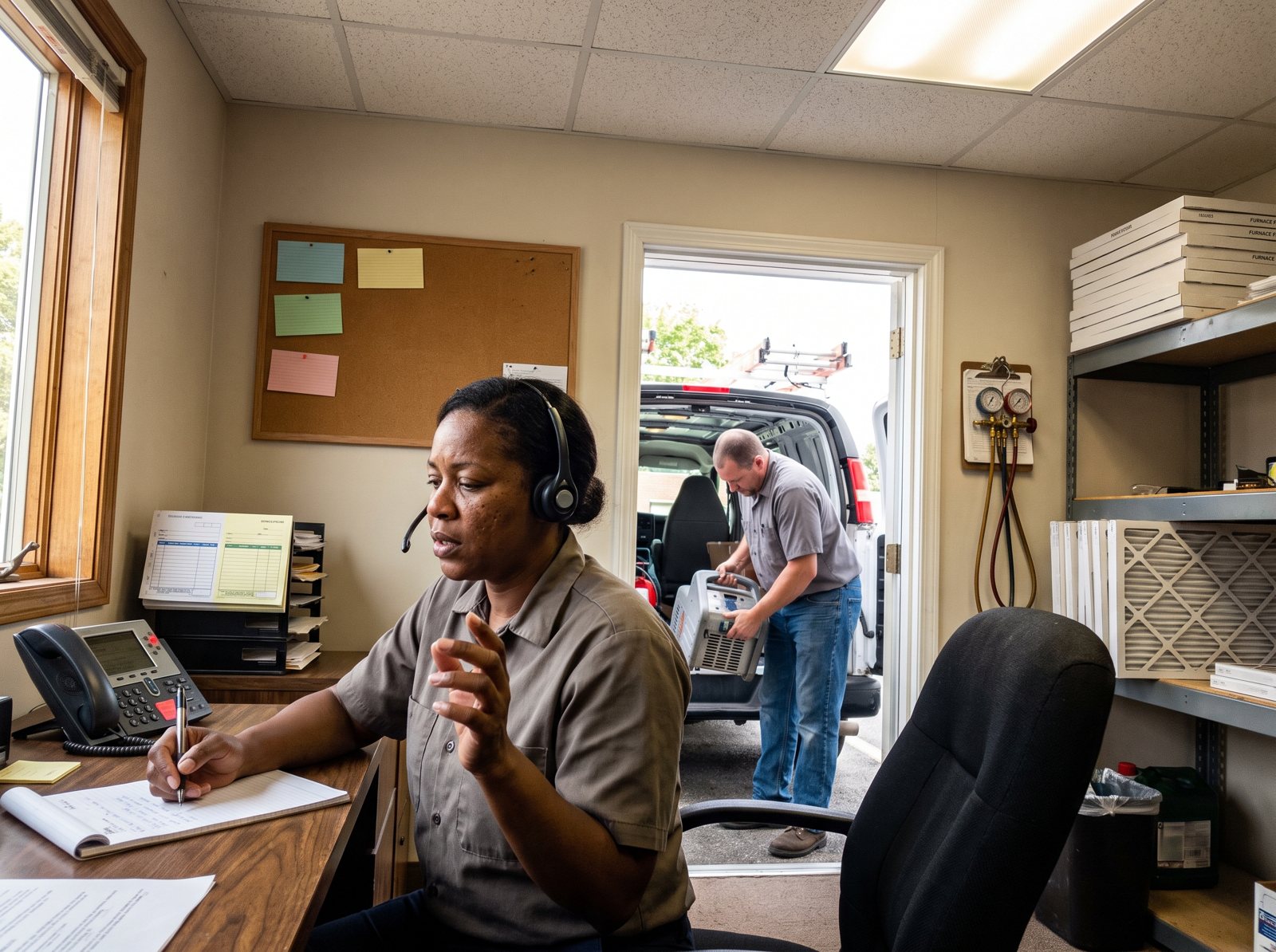
Google’s lead billing rules fill in the details. Here’s what they say, in plain terms:
| Situation | Are you charged? |
|---|---|
| Nobody answers, it’s within your business hours, the caller stays on more than 20 seconds | Yes |
| You answer | Billed under the normal answered call rules. How long it rang doesn’t matter. |
| It goes to voicemail during business hours and the caller stays on more than 20 seconds | Yes, whether or not they leave a message |
| Your phone menu asks them to press a key and they hang up without pressing one | No |
| They press a key, then stay on more than 20 seconds | Yes, the timer restarts at the first key press |
| The same person calls back within 15 days | You’re charged once for that lead |
“Business hours” means the hours on your Google Business Profile. If you run a narrower ad schedule, unanswered calls only count when they land inside both.
Think about what that does to a two-person plumbing shop. You’re on a slab leak, your helper is under a house, and three calls roll to voicemail before lunch. Under the old rules you’d lose the jobs. Now you could lose the jobs and pay for them.
Here’s the call plan we set up with contractors running these ads:
- Make your posted hours honest. If nobody answers after 5 p.m., don’t list yourself as open until 8 p.m.
- Name a backup for every hour you’re open. Office manager first, a second phone second, an answering service or an AI receptionist third.
- Keep a phone menu short or skip it. A key press protects you from hang-ups, but a long menu still loses impatient callers.
- Call back missed leads within minutes. You already paid for them.
- Check missed calls in the lead list every week. If the number keeps climbing, fix coverage before you raise the budget.
For restoration companies and anyone listed as open 24 hours, this matters most. A 3 a.m. water damage call that rings out past 20 seconds is now a charge. We built our own AI receptionist, Frontline, for exactly this kind of after-hours call, but any coverage that picks up beats a voicemail you pay for.
How to get Google Verified and set up Local Services Ads
You can’t run Local Services Ads until Google checks out your business. The checks change by trade and by state, but most contractors go through the same handful: who owns the company, the license, the insurance, background checks and a few reviews. Google lists them in its screening and verification guide.
Step 1: Check that your trade and area qualify
Enter your ZIP code and category on Google’s sign-up page. Most home service trades qualify in the US, but not every category is open everywhere. Locksmiths and garage door companies face extra checks, which we cover in our home service SEO guide.
Step 2: Connect your Google Business Profile
Your ad uses the name, hours and reviews from your profile. Fix anything wrong there first, because a mismatch between the two slows everything down.
Step 3: Prove you represent the business
Google confirms the person signing up using Dun & Bradstreet data. If your name isn’t on that list, you’ll upload a document that shows your full name and the company’s legal name, like your Secretary of State registration or your IRS EIN letter. This step trips up small shops when the LLC was filed by a spouse, a partner or an accountant.
Step 4: Upload your license and insurance
Have a current general liability certificate and any state or local trade license ready as clean PDFs. An expired certificate can knock a working account offline months later, so put every renewal date on a calendar the day you upload.
Step 5: Get background checks done
Owners and, in many categories, field workers go through identity and criminal history checks. Google says they’re free and don’t pull your credit. Start them early so they don’t hold up your launch.
Step 6: Get to five reviews
Google recommends 5 or more reviews, and some categories need 5 before the ad will show at all. If you’re short, text your last ten happy customers this week. Our guide on how contractors get more Google reviews has the exact wording we use.
Step 7: Set a budget you can afford to learn with
Plan for 30 days of data before you judge anything. At $50 a lead, 20 leads costs $1,000. That’s enough for a rough booking rate and to spot junk job types. Don’t change budgets on fewer leads than that.
Settings that control your cost and your ranking
Google used to credit you for a lead on a job you don’t do or in a town you don’t serve. It doesn’t anymore. Its lead credit page says plainly that it “no longer supports credits for ‘job type not serviced’ and ‘geo not serviced’ leads.” That makes your job types, service area and hours the most important settings in the account.
Job types: turn off what you don’t want
Go through every job type and switch off anything you won’t take. A hardwood flooring company that leaves carpet installation on will pay for carpet calls. An HVAC shop that doesn’t do ductwork should say so. Select every job you perform, and that’s it.
Service area: where you win, not everywhere you’d drive
Google’s best practices say not to set your area more than two hours of driving from your business. Google also suggests setting the area broadly, like a whole county. We’d still start with the towns where you already have reviews and a truck nearby, then widen once the numbers hold.
Hours: only the hours someone answers
Because missed calls in business hours can now be billed, your posted hours are a cost setting. Match them to real coverage.
Message leads: usually worth turning on
Google says message leads typically cost less than phone leads, and they catch people who won’t call at 10 p.m. Once you’ve had at least two message leads in 90 days, Google may show your average reply time right on the ad. Reply fast or that number works against you.
What moves you up the box
There’s no keyword bidding here. Between Google’s help pages and what we see in accounts, these are the things that move you:
- How close you are to the person searching
- Your review count and rating
- How fast you answer calls and messages
- Whether your hours and services are accurate
- Your budget and how likely your ad is to turn into a lead
Of those, reviews and responsiveness are the two you control week to week. A smaller shop that picks up every call and adds a couple of reviews a month has a real shot at passing a bigger competitor who lets calls ring. If a bad review is dragging your rating down, here’s what you can do about removing a fake or unfair review.
Local Services Ads vs Google search ads
For most shops we’d run both. In SearchLight’s data, Local Services Ads leads cost $53 on average, against $104 blended and $149 for non-branded Google search ads. LSA cost per paying customer came in at $233, about half the $472 for search ads. The trade-off is ticket size: $1,826 on LSA versus $2,465 on search ads.
That lines up with what the two ads are good at. LSA catches the “I need someone now” call. Search ads send people to a page on your website where you can sell the bigger job, show financing and explain why you cost what you cost.
| Your situation | Where we’d start |
|---|---|
| Emergency repair work (no heat, burst pipe, power out) | Local Services Ads first |
| High ticket replacements and installs | Search ads to a strong landing page, LSA alongside |
| Brand new business with fewer than 5 reviews | Search ads while you build reviews, LSA once you qualify |
| Nobody can answer the phone during the day | Fix coverage before LSA, or lean on message leads |
| Established shop with strong reviews | Both, with LSA carrying repair calls and search ads carrying big jobs |
One more thing to weigh: with both, you’re renting the lead from Google. The day you stop paying, the calls stop. That’s fine for filling the schedule this month. For the long run you want a Google Business Profile and website that bring in calls on their own. We wrote more about renting leads versus owning them if you’re weighing where the next dollar should go.
And if you’re in a trade with its own seasonal swings, our HVAC marketing ideas and plumbing marketing ideas cover what to run next to your ads when the phone slows down.
The weekly lead review we run
Twenty minutes a week on the lead list keeps junk leads from piling up. Here’s the routine:
- Sort by charge status. Note what’s charged, not charged, in review and credited. Google says credits usually land within 30 days.
- Listen to a handful of recorded calls. You’ll hear fast whether Google is matching you to the right jobs.
- Rate every lead. Google says that feedback helps it send you the leads that fit your business, and it gives you a clean record of the junk.
- Write down any job type you paid for and don’t do. Then switch it off.
- Count missed calls. A missed call in business hours where the caller waited past 20 seconds is now billable, so this number gets its own line.
- Match leads to booked jobs in your CRM. Cost per booked job is the number you manage to, not cost per lead.
After a month of this you’ll know which job types to cut and whether missed calls are costing you.
Local Services Ads FAQ
Are Local Services Ads leads exclusive?
The customer contacts you directly through your ad, so the call or message comes to you, not to a list of contractors. That’s different from lead sites that sell the same request to several companies. The homeowner can still contact other businesses in the ad box, though, so speed matters. Answer first.
Is Google Guaranteed still a thing?
No. In October 2025 Google replaced Google Guaranteed, Google Screened and License Verified with a single Google Verified badge. The money-back guarantee for customers ended with it. If your business was already verified, the new badge shows on your ad once your screening is complete.
Can I get a refund for a bad lead?
Google screens leads when they come in, then reviews charged leads on its own and credits the ones it decides were low quality, usually within 30 days. It no longer credits leads for job types you don’t do or areas you don’t serve, so tight settings are your best protection.
How many reviews do I need for Local Services Ads?
Google recommends at least 5, and some categories need 5 before the ad will show. More helps, because review count and rating are part of how Google ranks the ads. A steady flow of new reviews matters more than one big push.
Do I need a website to run Local Services Ads?
No. The ad uses your Google Business Profile, and customers contact you from the ad itself. A good website still helps, because many homeowners check it before they call, and it’s where your regular search ads and organic traffic land.
Are Local Services Ads worth it for roofers?
Often for leak and repair calls. Full replacements tend to sell better from a landing page with photos, reviews and financing, so for roofers we’d pair LSA with search ads. SearchLight doesn’t publish roofing numbers, so track your first 30 days and work out cost per signed job before you scale. For the organic side, see our roofing SEO page.
What to do this week
- Download your Local Services Ads reports before your account moves into Google Ads.
- Compare your posted hours to the hours someone really answers, and fix the gap.
- Switch off every job type you don’t want to pay for.
- Pull your last 30 days of leads and work out cost per booked job.
- Ask five recent customers for a Google review.
Your Local Services Ads ride on your Google Business Profile, so that’s where we’d look first. Our free local SEO audit checks your profile, reviews and local rankings and tells you what to fix before you put more money into ads.


