
PPC for Contractors That Gets Judged by Booked Jobs
Google Ads and Local Services Ads management for contractors, set up by trade, tracked to booked jobs, and run in an ad account you own.
5.0on Google- Google Partner
- Meta Business Partner
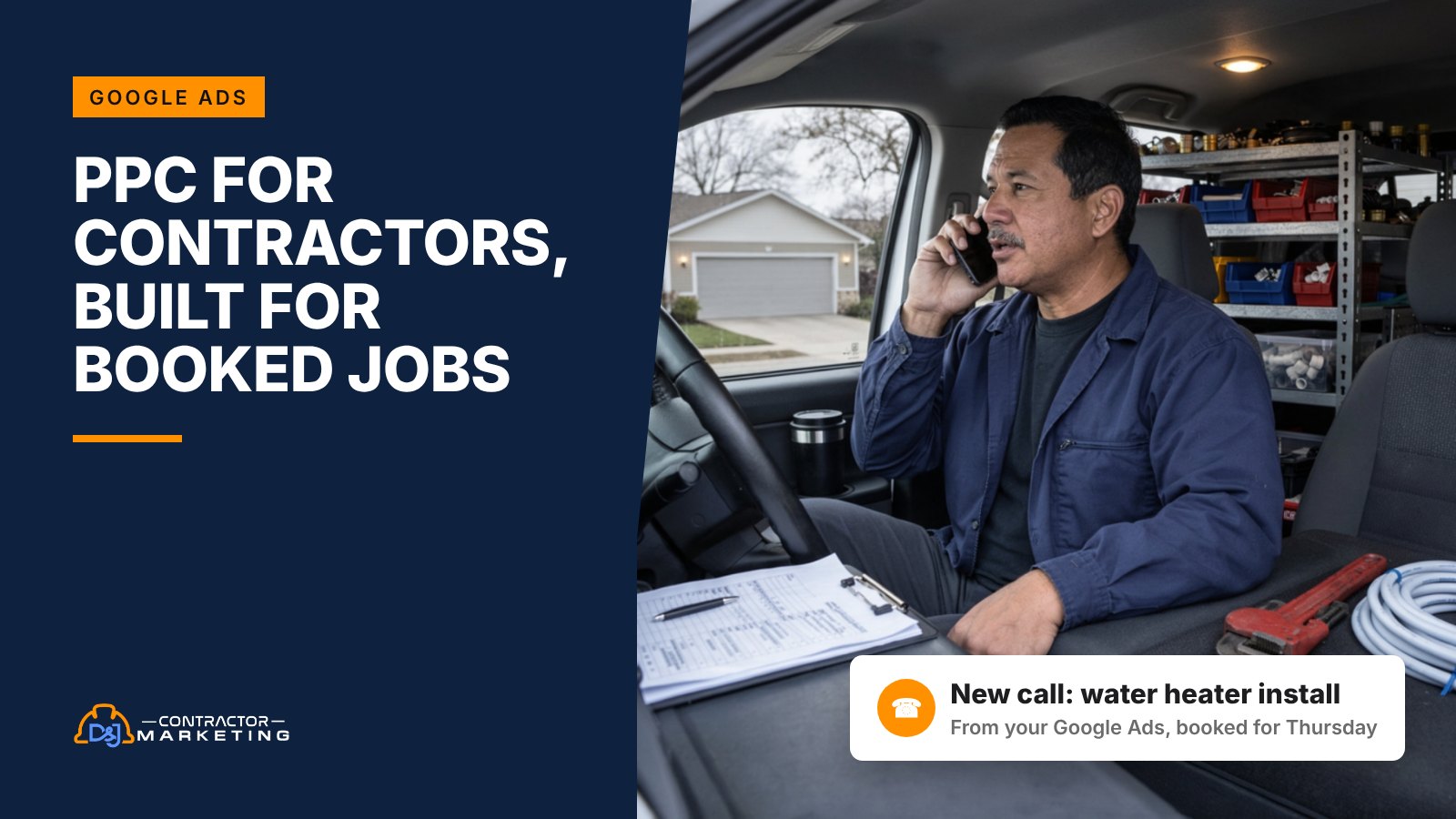
When we open a contractor’s ad account, we keep finding the same two problems: Google’s default settings spending money outside the service area, and a report that counts clicks instead of calls. Good PPC for contractors starts by fixing both. We’re a Google Partner that runs Google Ads and Local Services Ads for contractors and home service businesses, and this page shows what we’d fix, build and measure in yours.
The short answer: start with what a lead is worth to you, then build campaigns around the jobs you want more of. Fix the default settings that spend outside your service area, track calls and forms from day one, and judge the ads by cost per booked job. Keep the ad account in your own name.
Key takeaways
- For the eight contractor trades in our table, a typical click costs $5 to $14 and a typical lead $94 to $228, and roofing leads cost the most of any home services category LocaliQ tracked. Costs by trade
- Google’s default location option also reaches people who only showed interest in your area, so we switch to Presence on day one. Settings we fix first
- Break-even math beats averages: a roofer who clears $3,000 a job and turns 1 in 5 leads into a signed job can pay up to $600 a lead. How we measure it
- Existing call-only ads stop showing in February 2027, and Local Services Ads accounts are being moved into Google Ads in phases that started in August 2026. Google changes to plan for
- Only an Admin can give or change access to a Google Ads account, so make sure you’re one. Owning your account
What PPC for contractors costs by trade
For the contractor trades in the table below, a typical click costs $5 to $14 and a typical lead costs $94 to $228. Those numbers come from LocaliQ’s 2025 home services benchmarks, which looked at 3,211 US search campaigns that ran from April 2024 to March 2025. Your trade decides where you land.
LocaliQ calls these figures averages, but its notes say they’re medians. So read each row as “a typical account,” not a quote for yours.
| Trade (LocaliQ category) | Cost per click | Conversion rate | Cost per lead |
|---|---|---|---|
| Electricians | $12.18 | 9.08% | $93.69 |
| Plumbing | $10.49 | 7.63% | $129.02 |
| Heating and furnaces | $9.30 | 7.48% | $129.02 |
| Air conditioning | $9.68 | 6.56% | $127.74 |
| Landscaping | $8.76 | 6.42% | $117.92 |
| Painting | $13.74 | 10.80% | $138.38 |
| General contractors | $5.31 | 2.61% | $165.67 |
| Roofing and gutters | $10.70 | 3.70% | $228.15 |
| All home services | $7.85 | 7.33% | $90.92 |

Look at the gap between roofing and electrical. A roofing click costs less than an electrical click, but roofing leads cost more than twice as much. That’s because fewer roofing clicks turn into a call or a form. A new roof is a big, planned buy, so people compare. A buzzing panel gets a call today.
So don’t set a budget off cost per click. Set it off cost per lead and what a job is worth to you.
Prices also aren’t standing still. LocaliQ found cost per click went up for 75% of home services businesses in that report. That was a one-year change. If nobody has touched your bids or keywords in a while, compare what you pay per click now with a year ago.
Want to turn your own numbers into a monthly budget? Try our free marketing budget calculator.
What our contractor PPC management covers
We run the ads, the pages the ads send people to, and the tracking that shows which ads booked work. Without the pages and the tracking, you pay for clicks and can’t tell which ones booked work.
 Google Ads search campaigns
Search ads are the text ads that show when someone types “water heater replacement” or “electrician near me.” We build campaigns around the jobs you want more of, write the ads, pick the keywords, set the service area and set bids.
Every week we read the search terms people actually typed and block the junk. We move budget to the campaigns booking jobs and away from the ones that only get clicks.
Local Services Ads management
Local Services Ads are the pay-per-lead ads that show on Google Search and Google Maps, and verified businesses get the Google Verified badge. With these, Google says you pay only for leads related to your business and services, not for clicks.
We set your job types and service area to match what you really do. Google no longer supports manual lead disputes for accounts that have moved into Google Ads, so we review every lead and fix the settings behind the junk ones instead. And we keep an eye on how fast you answer, because Google warns that if you regularly fail to answer calls or messages, your ad ranking may suffer. Our guide covers how Local Services Ads work now in more detail.
 Website and service pages
Sending every ad to your homepage wastes the click. Someone searching “AC not blowing cold air” should land on a page about AC repair, with your phone number at the top and a short form.
We build or fix those landing pages, one per main job. Each one gets proof you’re local, your service area, real photos and one clear way to book.
 Call tracking and reporting
A lot of contractor leads come in as phone calls, so we track calls first. We set up call tracking on the ads and the website, count form fills, and tie both back to the campaign and keyword that sent them.
Then we listen. A recording shows whether that “lead” was a vendor pitch, a wrong number or a homeowner ready to book.
 Answering and booking
Missed calls waste paid clicks. If your crew can’t pick up on a roof or after hours, we can add Restoral, our own AI system that answers calls and chats and books jobs right onto your calendar.
It works with Google Calendar, Calendly, Cal.com, Jobber and most trade CRMs, and our team sets up the connection. You don’t have to use it, and an answering service for contractors is another way to cover the phones. But if you’re missing calls now, fix that before you spend more on ads. Our missed call calculator shows what those calls may be costing you.
The settings we fix in the first two weeks
A lot of the contractor accounts we audit leak money through default settings, not bad keywords. Google sets up new campaigns to reach as many people as it can. That suits an online store. It doesn’t suit a plumber who covers 20 miles. You need calls from people inside your service area who can actually hire you.
These are the first things we check, in order, and they’re the same settings we’d want any owner to know about even if they never hire anyone. You can look at most of them yourself. It takes about 15 minutes per campaign.
- Location option. By default, Google’s location setting reaches people in your area plus people who have only shown interest in it. A plumber can’t fix a drain for someone two states away who looked up your town. We switch to the Presence option, which Google describes as reaching people “in or regularly in your targeted locations.” Google says most campaigns get fewer impressions after that switch. For a local service business, that’s the point.
- Search partners and Display. New Search campaigns include search partners by default, and Google doesn’t tell you which partner sites showed your ad unless you’re running Performance Max. We turn partners off at launch and leave the Display Network box unchecked, and if we ever test either one later, it gets its own campaign and its own budget so you can see exactly what it did.
- AI Max. Google says new Search campaigns have AI Max turned on by default, with “Text customization” and “Final URL expansion” on too. Those let Google write extra ad text from your site and send people to other pages on your site that it thinks fit the search. AI Max also adds a search term matching control, so we check the search terms it pulls in every week. We decide on each feature per campaign instead of taking the default, and we block pages that should never get ad traffic, like your careers page.
- Auto-apply recommendations. Google can apply some of its suggestions for you, and the switch sits in the top bar of the Recommendations page. It works on the whole account at once. We review which ones are on, and we usually turn off the ones that widen your reach, like “Add broad match keywords” and “Expand your reach with Google search partners,” so a fix we made doesn’t get quietly undone.
- Negative keywords. We add a starter list on day one: jobs, salary, training, DIY, free, parts, and brands or job types you don’t serve. Google won’t add plurals and synonyms to negatives for you. Its help page says you need to add singular or plural versions yourself, so “job” and “jobs” are two entries.
- What counts as a conversion. For calls from ads, Google counts a conversion when a call lasts at least the minimum call length you set. Set it too short and wrong numbers count as leads. Too long, and quick bookings get missed. We set it for your trade, then check it against real call recordings.
- Ad schedule. If nobody answers after 6 p.m., we either limit ads to answered hours or keep them running and point night clicks to a booking form. A paid click that ends in voicemail is the worst click you can buy, because a homeowner with a leak isn’t going to wait long for a call back.
This work gets skipped a lot, so we do it before we build anything new. If you’d rather do it yourself, our do-it-yourself guide to contractor Google Ads walks through each setting.
How we split contractor PPC campaigns by trade
A plumber at 2 a.m. and a remodeler planning a kitchen need different campaigns. So we build the account around the jobs you sell and how fast people buy them, not one big campaign with every keyword in it.
Here’s a starting layout for six common trades. We change it once we see your call data.
| Trade | Campaigns we usually start with | What we watch closely |
|---|---|---|
| Plumbing | Emergency repair, drains, water heaters, planned jobs (repipes, remodels) | After-hours calls and whether someone answers them |
| HVAC | AC repair, heating repair, replacement and installs, maintenance plans | Budget shifts as the weather turns hot or cold |
| Roofing | Repair, replacement, storm damage, gutters | Low conversion rate and long time from lead to signed job |
| Electrical | Repairs, panel upgrades, EV chargers, generators | High cost per click, so tight keywords matter more |
| Remodeling | Kitchens, baths, additions, one per main service | Lead quality, since many people are still just pricing |
| Restoration | Water damage, fire and smoke, mold | 24/7 answering, because a flooded basement can’t wait until morning |
Why split at all? Because a water heater swap and a slab leak repair have different prices, different margins and different searchers. When they share one campaign, the cheaper clicks can soak up the budget and you can’t tell which job paid. Separate campaigns let us give more money to the work you want more of.
We go deeper by trade in our HVAC PPC playbook and our roofing PPC guide, including seasonal budgets and negative keyword lists for each.
Contractor PPC keywords we bid on, and the ones we block
We bid on searches from people who want a job done, and we block searches from people who want a job. “Plumber near me” is a lead. “Plumber jobs near me” is a resume.
We sort every search into one of four groups, and each group gets treated differently.
| Search type | Examples | What we do |
|---|---|---|
| Urgent, ready to call | emergency plumber, AC repair near me, roof leak repair | Bid the most, show the phone number, run during answered hours |
| Planned, ready to price | water heater replacement cost, panel upgrade, bathroom remodel contractor | Send to a service page with a form and proof, follow up fast |
| Brand searches | your company name, your name plus “reviews” | A small campaign so a competitor’s ad isn’t the first thing people see when they look you up |
| Not a customer | jobs, salary, training, how to, DIY, parts, free | Block as negative keywords from day one |
The “how to” group is the tricky one. Someone searching “how to fix a running toilet” might call you after they give up. But they might not, and you pay for the click either way. We block most how-to searches in paid ads and win them with blog posts and contractor SEO instead, where the click is free.
The real negative list comes from your account, not ours. Every week we read the search terms report, the list of what people typed before your ad showed, and add anything that wasted money.
How we measure it: booked jobs, not clicks
We judge your ads by one number first: what each booked job cost. Clicks and impressions tell you the ads are running. They don’t tell you the ads paid for themselves.
Start with what a lead is worth to you
Before we set a budget, we work out the most you can pay for a lead and still make money. Here’s an example calculation with round numbers.
Say you’re a plumber. A water heater install leaves you about $900 after parts and labor, and 1 out of every 3 leads turns into a paid job. That means each lead is worth about $300 to you ($900 divided by 3).
If many of your leads never get as far as a quote, use your real lead-to-job rate, not your quote close rate. Pay less than that per lead and the ads cover their cost on that job. That’s before overhead and before any management fee, so aim well under it. Pay more and they don’t.
Now compare it to the market. LocaliQ’s typical plumbing lead cost $129.02. So in this example there’s room to work with. Run the same math for a roofer who turns 1 in 5 leads into a signed job and clears $3,000 a job, and the break-even is $600 a lead, well above LocaliQ’s $228.15 typical roofing lead. A lead that costs more than average can still be a great deal.
Count real calls, then real jobs
Step one is counting calls the right way. Google counts a call from an ad when it lasts at least the minimum length you set, so we pick a length that filters out hang-ups and wrong numbers.
Step two is closing the loop. If your CRM or job software records which calls turned into paid jobs, Google lets you import those call conversions and count only the calls that included a sale, with the sale amount. Once that’s in place, you can see which ads bring in paid jobs, and automated bidding can work toward those instead of toward every call that ran long enough.
Not every shop has clean CRM data on day one, and that’s fine. We start with tracked calls and forms, and add job data when you’re ready.
What your monthly report shows
- Spend, leads and cost per lead, split by campaign and by trade service
- Calls answered and calls missed, with a few recordings worth hearing
- Booked jobs and cost per booked job, once job data is connected
- The search terms we blocked and why
- What we changed this month and what we’re testing next
If a report only shows clicks, impressions and click-through rate, ask what happened to the phone calls. Calls and booked jobs are what pay you.
Google Ads changes contractors should plan for
Google is changing three things that touch a lot of contractor accounts. The call-only change has a hard date, and the LSA move is already rolling out.
| Change | What Google says | What we do about it |
|---|---|---|
| Call-only ads are going away | New call-only ads can’t be created as of February 2026, and existing ones stop getting impressions in February 2027 | Rebuild them as responsive search ads with a call asset, and test before the old ads go dark |
| Local Services Ads are moving into Google Ads | Existing LSA campaigns are being moved to Performance Max with pay-per-lead goals: select US home service categories from August 2026, broader groups in late 2026 (including service-area businesses without a storefront), the rest in 2027. Old LSA reports won’t carry over, and manual bids and lead disputes go away | Save your LSA performance reports before the move, then check settings and job types after it |
| AI Max is on by default | New Search campaigns start with AI Max, text customization and final URL expansion turned on | Choose each feature on purpose and block pages that shouldn’t get ad traffic |
The LSA move takes the most prep. Google emails the account admin 14 days before your migration date, so check whose email is on your LSA profile.
Your old performance reports won’t move over, and Google suggests taking screenshots if you need them now. Two settings also change on their own: your historical average weekly budget is divided by 7 and becomes a daily average budget, and you can no longer set a maximum cost per lead.
Google says to allow up to two weeks for the move to finish and for performance to get back to stable levels. That’s a long time if LSA is where most of your calls come from. So if your leads dip right after the move, give it time before you pause anything.
Call-only ads matter most for emergency work, where the whole goal is a phone call. Still using them? Google’s fix is to rebuild them as responsive search ads with a call asset. Do it before February 2027, or those ads just stop showing.
You should own your Google Ads account
Your ad account holds years of data on what your customers search and what each call cost. It should be in your business’s name, with you as an admin, no matter who runs it. That includes us.
Google has five access levels: Email-only, Billing, Read-only, Standard and Admin. Only Admin users can give account access, change access levels and cancel invitations. So if an agency is the only admin, they decide who gets in, including you.
When we take over an account, we check these five things first:
- The account is billed to your card or invoice, in your business’s name.
- You, or someone you trust in-house, have Admin access with your own login.
- There’s more than one admin. Google itself warns that with only one admin, you may lose access to your tags if that person becomes unavailable.
- You know which manager accounts are linked. If a manager account has ownership, its admins can edit user access in your account.
- Your call tracking numbers, landing pages and conversion settings are documented, so they don’t vanish if you ever switch.
If you can’t log in to your own ad account today, fix that before anything else. Ask your current agency to add you as an admin. A good one will do it the same day.
What the first 90 days look like
PPC can ring your phone in the first week. Getting it to a cost per job you’re happy with usually takes two to three months of cutting waste and testing. Here’s how we pace it.
Month 1: Fix, track and launch
We audit what you have, confirm you’re an admin, and fix the settings from the list above. Call tracking and form tracking go live before we spend more. Then we launch or rebuild campaigns for your top two or three jobs, with landing pages to match. Expect the first weeks to be noisy. We’re collecting search terms and call data, and blocking a lot of junk.
Month 2: Cut what doesn’t book
Now there’s real data. We pull money from keywords and areas that bring calls but not jobs, and push it toward the ones that book. We test new ad copy against the old. We listen to calls and tell you what we hear, like price shoppers from one town or leads going cold because nobody called back in time.
Month 3 and on: Grow what works
Once cost per lead is steady, we add the next service, the next part of your area, or Local Services Ads next to search ads. We plan budget around your busy and slow seasons. And we connect job data if it isn’t connected yet, so we can report cost per booked job, not just cost per lead.
One thing we won’t do is promise a number of leads before we’ve seen your account. Anyone who quotes you a lead count on the first call is guessing.
Why work with D&J on your ads
We do marketing for contractors and home service businesses. Google Ads is one piece, next to SEO, reviews, websites and the phones. That matters for PPC, because the ads are only as good as the page they land on and the person who answers.
- We’re a Google Partner, a Meta Business Partner and a Yelp Partner.
- We manage both Google search ads and Local Services Ads, so one team sees which one books jobs cheaper and moves budget between them.
- We set up call tracking and reporting ourselves, so you see calls and jobs, not just clicks.
- We built Restoral, our own AI system that answers calls and books jobs, for the shops that miss calls.
- We’ve worked with 30+ SERVPRO franchises and have never lost a SERVPRO client.
You can see more of our work on our case studies page.
What to do this week
You can check most of this yourself in an hour, before you talk to anyone.
- Log in to Google Ads and open Admin, then Access and security. Make sure you’re listed as an Admin.
- Open one campaign’s settings. Check the location option, search partners and the Display Network box.
- Open the search terms report for the last 30 days and count how many searches had nothing to do with your work.
- If you run call-only ads, plan to replace them before February 2027.
- If you run Local Services Ads, download or screenshot your reports now.
- Work out your break-even cost per lead for your top job, using the math above.
If that turns up more than you want to fix alone, we’ll look at it with you. Start with a free local SEO audit, or book a strategy call and bring your ad account.
PPC for contractors FAQ
How much should a contractor spend on PPC?
Start from your break-even cost per lead, not a round number. Work out what a lead is worth for your main job, then budget for enough leads to judge the results in a month. With typical plumbing clicks around $10 in LocaliQ’s 2025 data, $1,500 buys roughly 140 clicks, and at LocaliQ’s 7.63% plumbing conversion rate that’s about 10 or 11 leads (an example, not a promise). Spread that across five services and you’ll learn very little, so start narrow.
Is PPC worth it for contractors?
It can be, when the account is tracked to booked jobs and the phones get answered. For urgent jobs it’s hard to beat: the person searching “burst pipe” wants someone today. It’s not worth it when you can’t tell which calls came from ads, or when nobody picks up. Fix those two things first.
Should I run Local Services Ads or Google search ads?
Many contractors should run both. If you’re on LSA only, add a small search campaign for your highest-margin job and compare cost per booked job after 60 days. With Local Services Ads you pay per lead and can earn the Google Verified badge once you pass Google’s checks. Search ads charge per click but give you more control over keywords, ad copy and landing pages.
How long does contractor PPC take to work?
Calls can start in the first week. Getting to a steady cost per lead usually takes two to three months, because the account needs real search terms and call data before we can cut the waste. Seasonal trades like HVAC and roofing also need a full busy season before the budget plan is dialed in.
Do I own my Google Ads account if D&J manages it?
You should, and we set it up that way. The account stays in your business’s name and billed to you, and you keep Admin access with your own login. We work in it as users on your account. If you ever leave, the account, its history and its settings stay with you.
What’s the difference between PPC and SEO for contractors?
PPC can put you above the regular results as soon as the ads are live, and you pay for every click. SEO earns free clicks from Google’s regular results and the map, but it takes months to build. Run ads for calls this month, and build SEO so next year you pay for fewer of them.