

A lot of HVAC owners try Google Ads for one summer and quit. They spend a couple thousand dollars, field calls from job seekers and parts shoppers, and book a handful of tickets. The shops that stick with HVAC PPC split campaigns by job type, move budget as the season turns and count booked jobs, not clicks.
This guide shows the setup we use, the 2025 cost and search data behind it, and two 2026 Google changes that hit any shop running call-only ads or Local Services Ads.
The short answer: For HVAC PPC, plan on about $9 to $10 a click and roughly $128 a lead from search ads, based on LocaliQ’s 2025 averages. Run separate campaigns for AC repair, heating repair, replacement, maintenance and your brand. Shift money toward AC repair from spring through early fall, heating repair in fall and winter, and replacement and tune-ups in the quiet weeks your own call log shows. Judge it all by cost per booked job.
Key takeaways
- LocaliQ’s 2025 averages put AC search leads at $127.74 and heating leads at $129.02, with clicks around $9 to $10. What it costs
- Five campaigns (AC repair, heating repair, replacement, maintenance, brand) let you control where the money goes. Campaign setup
- In 2025, AC repair searches peaked in July at about 237,000, while furnace repair bottomed out in May and peaked in October. Seasonal demand
- Furnace repair bottoms out April through June. Move that money to tune-ups and agreements, and to replacement if your install crew has open weeks, instead of pausing. Shoulder season plan
- “hvac jobs” and “hvac technician salary” each get about 14,000 searches a month, and job words tacked onto your own terms still slip in, so load a job-seeker negative list before you launch. Negative keywords
- Google stopped new call-only ads in February 2026, and existing ones stop showing in February 2027. Use call assets instead. Ads and pages
- LSA is moving into Google Ads as Performance Max with pay-per-lead goals, and manual bidding goes away. LSA changes
- Judge your ads by cost per booked job. If you keep about half of a $450 repair ticket, paying $200 per booked call roughly breaks even, so the later work matters. Tracking
What HVAC PPC costs, in real numbers
Plan on paying around $9 to $10 a click and well over $100 a lead for HVAC search ads. That’s what LocaliQ found when it looked at more than 3,200 home service search campaigns that ran from April 2024 to March 2025.
| LocaliQ category | Avg. cost per click | Avg. conversion rate | Avg. cost per lead |
|---|---|---|---|
| Air Conditioning Installation & Repair | $9.68 | 6.56% | $127.74 |
| Heating & Furnaces | $9.30 | 7.48% | $129.02 |
| All home services | $7.85 | n/a | n/a |
These are averages from LocaliQ’s own customers, so your market will differ. Each column is averaged separately, so cost per click divided by conversion rate won’t land exactly on the cost per lead shown. LocaliQ counts leads, not booked jobs. And a big metro in July will cost more than a small town in April.
At $128 a lead and a 50% booking rate, each booked job costs about $256 in ads. If your first ticket, plus the tune-ups and replacements that follow, can’t cover that, fix the phones or the offer before you add budget.
We’ve seen published HVAC budget tables that work out to about $20 a lead, a sixth of LocaliQ’s average, with no source given. When we plan a budget, we start from the sourced averages above and let the account’s own data take over after the first 60 to 90 days.
Split the account into five campaigns
A common setup in HVAC accounts is one campaign with every keyword in it. On a hot day the budget is gone by noon, spent mostly on repair calls, and the replacement ads barely show. Split the account by job type and each part gets its own budget, schedule and page.
We start most shops with this setup:
| Campaign | Sample search terms | What you want | Where the click lands |
|---|---|---|---|
| AC repair | ac repair near me, ac not cooling, emergency ac repair | A phone call, fast | An AC repair page with the number at the top and your service area |
| Heating repair | furnace repair near me, no heat, furnace not working | A phone call, fast | A heating repair page built the same way |
| Replacement | ac installation near me, furnace replacement, heat pump installation, new ac unit cost | A quote request or call | A replacement page with brands, financing and a short form |
| Maintenance | ac tune up, furnace tune up, hvac maintenance plan | A booked visit or plan sign-up | A tune-up page with the price and what’s checked |
| Brand | your company name, your name plus “reviews” | Cheap calls from people already looking for you | Your homepage or contact page |
Why split it? The jobs behave differently. A repair call is worth a few hundred dollars and needs an answer in minutes. A replacement lead can be worth many thousands and might take a week to close. A tune-up is cheap but can lead to a service agreement and, later, a replacement.
Cooling and heating repair also peak in different months, as the next section shows. A single repair campaign can’t follow both curves on its own, so it ends up with too much money in one season and too little in the other.
If one campaign holds all of it, the budget follows the volume. In July 2025, “ac repair near me” hit about 237,000 US searches while “ac installation near me” peaked near 39,000 (Ahrefs). That’s about six repair searches for every install search, so on a 95-degree afternoon, repair calls eat the day’s budget and replacement ads barely show. With separate campaigns, you set the split instead of Google.
Keep the brand campaign small. It protects your name when a competitor bids on it, and those clicks tend to be cheap. Don’t count brand calls as proof that your ads are working, though. Those people were already looking for you. Roofers can see the same campaign split in our roofing PPC guide.
Local Services Ads are a separate product with their own budget and pay-per-lead pricing. They don’t use your keywords, ads or landing pages. We’ll cover how they’re changing further down, and our Local Services Ads guide covers setup.
Starting settings for each search campaign
- Networks: Google Search only. We turn off the Display Network on search campaigns and leave search partners off until the core campaign is profitable.
- Locations: “Presence” targeting on the towns or zip codes you actually want to drive to (more on this below).
- Match types: phrase and exact match to start. Broad match can work later, once bidding has real conversion data to learn from.
- Tracking first: set up call and form tracking before launch (see tracking).
- Bidding: manual CPC or Maximize Clicks with a bid cap for the first couple of weeks only. Move to Maximize Conversions once you’ve confirmed tracking works, and add a target CPA (cost per lead) only after the campaign has a month of steady conversions. At $1,500 a month you may never have enough for a target, so Maximize Conversions without one is usually the better long-term choice there.
- Phone: a call asset on every ad group, scheduled to your answered hours.
Then fence the campaigns off from each other with negatives.
Add your full company name as a phrase negative everywhere except Brand. If your name uses common words like “comfort,” “air” or “heating,” never add those words alone, and check the search terms report the first week. Add install, installer, installing, installation, “new unit”, “new ac”, “new furnace” and “system replacement” as phrase negatives in the repair campaigns, and fix and “not working” in Replacement. Don’t add “replacement” or “quote” by themselves, because “capacitor replacement” and “ac repair quote” are repair buyers.
Using phrases like “new unit” instead of the word “new” also keeps searches from towns like New Braunfels from getting blocked. Leave “cost” alone, since “furnace repair cost” is a repair buyer, and let “repair or replace” searches go to Replacement on purpose.
Add furnace and heater in AC repair, and “ac” and “air conditioner” in heating repair. Don’t use “heat” or “cooling” as negatives, or “heat pump not cooling” ends up with nowhere to show.
Searches that name both, like “furnace and ac repair,” get blocked in both repair campaigns. Those, heat pump repair and broad terms like “hvac repair near me” (about 114,000 US searches a month, per Ahrefs) need a home too. We put them in whichever repair campaign is in season, or give them their own ad group with a page that covers both heating and cooling. Otherwise Google decides which campaign pays for each search.
Follow the demand curve, month by month
AC and furnace repair searches peak in different months. In 2025, US searches for “ac repair near me” peaked in July at about 237,000, more than double December’s 105,000. “furnace repair near me” bottomed out in May and peaked in October. Those numbers come from Ahrefs’ monthly search estimates.

What the full year shows:
- Cooling ramps early. “ac repair near me” was already about 121,000 in February and 149,000 in March. The first warm days bring calls well before summer. (Ahrefs shows an unusually low January, about 39,000, so treat that month with caution.)
- September and October overlap. In September 2025, AC repair searches were still around 166,000 while furnace repair had already climbed to about 157,000. You’re paying for both at once.
Give each campaign its own budget and move each one on its own schedule. AC repair demand stays high from March through October and peaks June through August, so keep it well funded through September. Heating repair climbs from September and peaks October through December.
The lull you can count on is furnace repair from April through June. That’s where shoulder money comes from first, and it goes to tune-ups and replacement. Trim AC only in the weeks your own call log goes quiet. Nationally, that was November and December.
Monthly estimates are noisy. Treat the chart as a rough guide. Your own call log sets the budgets. Ahrefs even shows more furnace repair searches in July than in January. Use the shape of the curves, not the exact month-to-month numbers. Your own weather matters more than a national average.
A shop in Phoenix and a shop in Minneapolis won’t share a calendar. Pull your own call log by month for the last two years and line it up with the chart above.
Average those years by month and set budgets from that, since it reflects your own climate and the weeks your phones actually got busy. Two years keeps one odd summer from setting your whole plan. Use three if you have them. For a single heat wave or cold snap, watch the 10-day forecast and raise budgets the day before.
Peak season settings that stop the waste
In peak weeks, money goes out the door in three places: calls nobody answers, clicks from outside your area and budgets that run dry before lunch. Fix those before you raise bids.
Show your number only when someone picks up
If your repair ads show your number 24 hours a day but your phones go to voicemail at 6 p.m., you’re paying for calls you can’t take. Google lets you schedule a call asset to show only when your business can accept calls. Do that first.
Then decide whether the ads should keep running after hours for form fills and online booking, or go dark. If you do offer nights and weekends, make sure the after-hours line goes to a live person or an answering service for contractors that can book the job.
Check who your location setting reaches
Google’s default location option reaches people who are in your area, regularly in it, or who have shown interest in it. For a service business, that last group can bring clicks from people far outside your area.
Google recommends that default, but for most HVAC shops “Presence,” people “in or regularly in your targeted locations,” is safer. It will miss the son in Dallas booking a repair for his mom, so compare the location report before and after you switch. Then check the location report each month for strays.
Know what your repair budget can really spend
Google treats your daily budget as an average. On a busy day, actual spend can reach up to 2 times the daily budget, so a $500 budget can become a $1,000 day. You won’t be charged more than 30.4 times the daily budget in a month.
On a heat wave day, that extra spend is often worth having. If cash is the limit, use an automated rule to pause the campaign at a spend cap. Rules don’t run in real time and spend data lags, so set it below your real ceiling. If the limit is how many jobs your techs can run, plan by capacity instead.
Run the math before the heat wave. Say you can take 6 more repair jobs a day and your office books half its leads. That’s 12 leads, or about $1,500 a day at LocaliQ’s $128 average for AC. Most shops can’t fund that every day, so decide ahead of time which days get the money.
When techs are booked out two days, trim the AC repair campaign first. Those are calls you can’t run. Keep replacement live if someone other than the service techs runs quotes. If nobody can get out for a quote this week, trim it until the schedule opens, then bring it back first, because that homeowner will call the next shop.
Shoulder season: change the offer, don’t go dark
A lot of shops pause their ads in spring. That’s the stretch when your techs finally have time to sell tune-ups and installs. Furnace repair is at its low, and AC hasn’t peaked. In early fall, don’t pause either. Both curves run high, so shift money from AC to heating as your calls change.
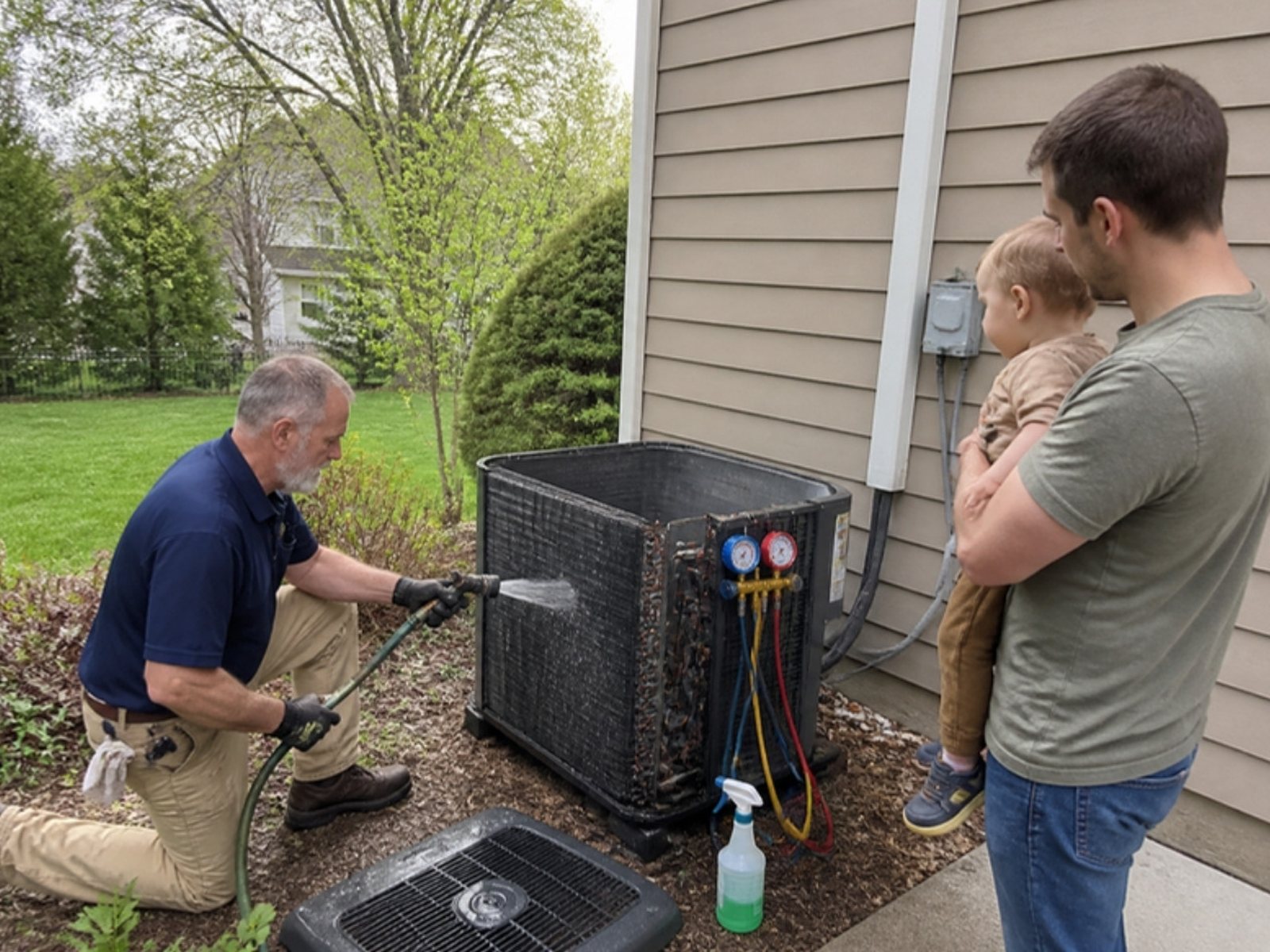
Spring ads aren’t about peak demand. They fill the weeks your crews would otherwise sit.
Where we move the money when repair slows:
- Replacement. Furnace replacement searches dip much less than furnace repair in spring. In 2025, “furnace replacement” never dropped below about 50,000 US searches a month, half its October peak, while furnace repair fell to about a third of its peak. AC installation swings harder. “ac installation near me” hit about 36,000 in March 2025, fell by nearly half in April and May (AC repair dipped only about 11%), then peaked near 39,000 in July (Ahrefs estimates). So the case for spring AC replacement ads is crew time, not demand.
- Tune-ups. Spring AC checks and fall furnace checks fill the gaps in the schedule. Price them clearly on the landing page.
- Service agreements. A tune-up visit is the easiest time to sell a plan. If you don’t have one written up, start with our free HVAC service agreement template.
- Remarketing to past visitors. People who looked at your replacement page last season and didn’t call are still out there. Add that visitor list to your Search campaigns as an audience in observation mode. On Maximize Conversions, manual bid adjustments don’t move bids the way they do on manual CPC, but you’ll see how those people convert. If they convert far better, give them their own ad group with replacement-focused ads. A separate Display remarketing campaign is a bigger-budget move. When you build the audience, set a long membership duration, like 365 days, and build it well before you need it, since it fills as people visit. If your site gets little traffic, the list may be too small to serve, so skip this at low budgets.
Keep the repair campaigns running in the shoulder months too, just with smaller budgets. A warm week in April still breaks AC units, and if you went dark, those calls go to whoever kept running.
Negative keywords every HVAC account needs
Some HVAC searchers are looking for a job with you. Ahrefs estimates “hvac jobs” and “hvac technician salary” at about 14,000 US searches a month each, and “hvac certification” at about 5,600. Phrase match keeps most of these out, but job words tacked onto your own terms (“furnace repair jobs near me”) still get through, and broad match lets in far more.
Negative keywords tell Google which searches to skip. Google won’t block synonyms or plurals for you. It says you need to add synonyms and singular or plural versions yourself. So “job” and “jobs” are two entries.
This is the starter list we load into a shared negative list on new HVAC accounts, grouped by the kind of searcher it blocks:
| Who you’re blocking | Negative keywords to add |
|---|---|
| Job seekers | job, jobs, career, careers, “now hiring”, “we’re hiring”, salary, salaries, wage, wages, “hourly pay”, apprentice, apprentices, apprenticeship, resume, resumes |
| Students | school, schools, course, courses, class, classes, certification, certifications, license, licensing, training, epa 608 |
| Do-it-yourselfers | diy, “how to” (as phrase match, or it blocks any search with both words), youtube, video, videos, manual, manuals, diagram, diagrams |
| Parts shoppers | “parts store”, “parts near me”, thermostat wire, “capacitor for sale”, wholesale, supply house |
| Car owners | car, auto, truck, vehicle, automotive |
| Wrong trades or products | window unit, portable ac, rv, refrigerator, freezer (unless you service them) |
Use judgment on a few of these. Even as a phrase, “how to” blocks some real buyers (“how to get a new furnace”).
If you’re tempted to add “troubleshoot,” “reset” or “thermostat” on its own, don’t. (“thermostat wire” in the list only blocks searches with both words.) Those searchers are often one failed reset away from calling you.
And never block “capacitor” by itself, since a failed capacitor is a common summer service call. Before you add any negative, search your last 90 days of search terms for it so you don’t block searches that turned into jobs. If you install mini splits but not window units, keep “mini split” live and block “window unit.”
You’ll add to this list every week. Once a week in peak season, open the search terms report and read what people actually typed before they clicked. In an account nobody’s watched, that report is usually where the first savings show up.
Ads and landing pages now that call-only ads are ending
Google removed the option to create new call-only ads in February 2026, and existing ones stop receiving impressions in February 2027. A lot of HVAC repair campaigns were built on those ads. Google’s fix is to add your phone number as a call asset on responsive search ads, so check your repair campaigns now.
One catch: a call asset isn’t guaranteed to show with every ad, and a tap on the headline goes to your page, not the dialer. So the repair landing page needs a tap-to-call number at the top.
Write ads that match the job
Each campaign gets ads that match its searches. Headline ideas we’d test. Swap in only what’s true for your shop:
- Repair: “AC Repair Today in [Town]”, “Calls Answered 24/7”, “Upfront Price Before We Start”
- Replacement: “New AC or Heat Pump Quotes”, “Financing Options Available”, “Licensed & Insured, [County]”
- Maintenance: “Spring AC Tune-Up $[price]”, “Join Our Maintenance Plan”, “Book Online in 2 Minutes”
Headlines max out at 30 characters, so shorten town names where you need to. And only promise what you deliver. If you don’t answer at 2 a.m., don’t say 24/7. If an answering service or AI receptionist picks up after hours, don’t say “live person.” If you don’t do same-day, say “next day.”
Drop the federal tax credit lines
A lot of heat pump ads leaned on the federal energy efficient home improvement credit, known as 25C. The IRS says that credit will not be allowed for any property placed in service after December 31, 2025. If an old ad, sitelink or landing page still promises it, pull it. Utility or state rebates may still apply in your area. Check them before you advertise them.
Send each campaign to its own page
Sending every click to your homepage is one of the most common money wasters in HVAC accounts. A repair click should land on a page with a big tap-to-call number, your service area and a line about how fast you show up. A replacement click needs brands, financing, photos of real installs and a short quote form. If your site can’t do that yet, our team builds pages like these as part of our HVAC marketing services.
Local Services Ads are moving into Google Ads
If you run Local Services Ads, the dashboard you know is going away. Google is moving LSA into the main Google Ads platform as Performance Max campaigns with pay-per-lead goals.
Google’s first phase began in August 2026 with select home and storefront service advertisers, HVAC among them. The next wave, which includes service-area businesses without a storefront (a lot of HVAC shops), is scheduled for late 2026. So take your screenshots now rather than waiting for the notice.
Some things don’t change. You still pay per valid lead, like a call or message, not per click. The ads still show only on Google Search and Maps, and there are still no keywords to manage. Your verified status and Google Verified badge carry over.
What changes:
- Manual bidding is gone. Google says setting a maximum cost per lead “is no longer supported in Google Ads.”
- Weekly budgets become daily. Your average weekly budget is divided by 7, and monthly spend is capped at the daily budget times 30.4.
- Old reports don’t move. Your past LSA performance reports won’t carry over, so Google suggests screenshots before you migrate. Your past leads and call recordings do carry over.
- BBB callouts are gone. Google asks you to pick at least six other structured callouts, like business hours, specialties or accepted payment methods, on the campaign’s assets tab.
- Mixed shops need separate campaigns. If you run plumbing and HVAC under one LSA account and want separate bidding, Google says to set up a separate campaign for each.
Also, Google no longer gives credits for leads marked “job type not serviced” or “geo not serviced.” So set your service area and job types exactly. You pay for those leads, and you can’t get them credited.
Track booked jobs, not clicks
Set up tracking so Google counts real calls, and if you can, the jobs that came from them. Without that, Google’s bidding chases whatever is cheapest to get, which is rarely what you want.
Set a real call length
Google counts a call as a conversion when it lasts at least the minimum call length you set. Set it too low and wrong numbers and robocalls count as leads. Set it too high and quick “can you come today?” bookings get missed.
If your call tracking records calls, listen to 20 of them. If you only have Google’s call details, match call times and lengths against your office’s booking log. Find the shortest call that turned into a real booking and set the bar just under it, unless that one is an odd outlier.
Count forms and calls from the website too
Turn on call reporting so calls from your call assets go through a Google forwarding number and get counted. Many people also click the ad, read the page, then call the number on your site. Google’s website call tracking swaps in a forwarding number for ad visitors so those calls count too. Add form fills and online bookings as conversions as well.
If you already use a call tracking service that swaps numbers on your site, use it or Google’s swap, not both, and import its calls into Google Ads so each call counts once.
Do the cost per booked job math
For example, say a repair campaign spends $3,000 in a month and brings in 24 leads. That’s $125 a lead, close to LocaliQ’s AC average. Your office books 15 of those 24, so each booked call costs $200.
Now say your average repair ticket is $450 and you keep about half of it after parts and labor. You keep about $225, so paying $200 per booked call leaves about $25 on the first visit. The tune-ups, plans and replacements those customers buy later are where the profit is, so track those too.
If the office had booked only 8, each job would have cost $375, and the first place to look is the phones. Listen to the calls that didn’t book. If they were real homeowners who weren’t closed, it’s a phone problem. If they were out of area or junk, it’s the targeting.
Replacement needs its own math. Say the replacement campaign in a $5,000 account spends $1,500 and gets 8 quote requests, or about $188 each. You run 6 in-home quotes and sell 2 systems, so each sold system cost $750 in ads. On an example $12,000 install, $750 in ads is easy to carry. On a $450 repair it would sink you. That’s why replacement gets judged on cost per sold system, not cost per lead.
When you can, bring those results back into Google Ads from your CRM so bidding learns which calls turned into jobs. Ask whoever runs your ads, in house or an agency, for a monthly report that shows cost per lead by campaign, booked jobs, cost per booked job, new negatives added and calls reviewed. If it only shows clicks, impressions and click-through rate, ask for more.
What we’d do with $1,500, $5,000 or $15,000 a month
We’d spend three common budgets like this. These are search ad budgets. LSA is billed separately. The lead counts divide the budget by LocaliQ’s average AC cost per lead of about $128, so treat them as starting estimates.
| Monthly ad budget | Example leads at about $128 each | What we’d run | What we’d skip |
|---|---|---|---|
| $1,500 | About 12 | One repair campaign whose keywords follow the season (AC terms in spring and summer, heating terms in fall and winter) in your tightest, most profitable area, staffed hours only, plus a small brand campaign. At this budget we accept the trade-off. Put AC and heating keywords in separate ad groups inside the one campaign and pause or enable each as the season turns. In September and October, when both run high, follow whichever one your call log says pays. LSA if you qualify. | Replacement search, display, YouTube, remarketing |
| $5,000 | About 39 | AC repair, heating repair, replacement and brand campaigns, plus a small seasonal tune-up campaign and LSA. Shift repair money to tune-ups and replacement in the shoulder months. | Display and YouTube, and any city you don’t love driving to |
| $15,000 | About 117 | All five campaigns funded year-round, LSA, remarketing to replacement page visitors, and booked jobs imported from your CRM | Broad “awareness” campaigns with no call or form goal |
Twelve leads a month spread across five towns and three job types is noise. Put all twelve on repair in your best zip codes and within a couple of months you’ll know your real cost per booked call.
At $5,000, replacement can have its own budget. At our example numbers that’s about 8 quote requests and 2 sold systems a month, so judge it over a full quarter, not one month.
At $15,000, a bad week can burn $3,000 before anyone notices. Weekly search term reviews, call listening and CRM data matter most here. This is also where it pays to compare paid leads with what organic search brings in. Calls from organic rankings don’t cost you per click, which is why we pair big ad budgets with HVAC SEO work.
HVAC PPC questions we hear a lot
How much should an HVAC company spend on Google Ads?
Start from the number of booked jobs you want and work back. If you want 20 more booked repair calls a month and your office books about half of its leads, you need about 40 leads. At LocaliQ’s average of about $128 a lead, that’s roughly $5,100 a month. Then adjust once your own cost per lead shows up.
What is a good cost per lead for HVAC PPC?
LocaliQ’s 2025 benchmarks put the average at $127.74 for air conditioning and $129.02 for heating and furnaces. A good cost per lead is one your booked jobs can pay for. A $188 replacement lead that turns into a sale one time in four costs $750 per sold system. Even if you keep only a quarter of a $12,000 install, that’s $3,000 of margin against $750 in ads.
Is LSA or Google Ads better for HVAC?
For most HVAC shops, both. Local Services Ads charge per lead and show above the regular pay-per-click ads. Search ads let you choose keywords, ad text and landing pages, which helps with replacement and tune-up offers. LSA is also moving into the Google Ads platform. Google’s first phase began in August 2026 with select HVAC and other home service advertisers, and service-area businesses without a storefront are scheduled for late 2026.
Should I pause HVAC ads in the shoulder season?
We wouldn’t. Trim the out-of-season repair budget and move that money to tune-ups and maintenance plans, and to replacement if your install crew has room. The shoulder season section shows where it goes.
Can I still run call-only ads?
You can’t create new ones. Google removed that option in February 2026, and existing call-only ads stop receiving impressions in February 2027. Add your phone number as a call asset on responsive search ads in each repair ad group, and put a tap-to-call number at the top of the landing page, since a call asset won’t show every time.
How long before HVAC PPC works?
Ads can bring calls in the first week. Getting the account efficient takes longer. We plan on 60 to 90 days of search term cleanup, call listening and bid changes before we judge a new account. Starting a month or two before your busy season gives you time to clean up search terms before the expensive clicks arrive.
What to do this week
- Open your account and count the campaigns. If AC repair, heating repair, replacement and tune-ups share one budget, plan the split.
- Check the location setting on every campaign and switch it to Presence. In snowbird or vacation-home markets, test it against the location report first.
- Pull last month’s search terms report and add the junk to a shared negative list.
- Find any call-only ads and rebuild them as responsive search ads with call assets.
- Search your ads, sitelinks and landing pages for “tax credit” and “25C” and remove what no longer applies.
- If you run LSA, take screenshots of your reports before your account moves.
- Ask your office for last month’s booked and sold numbers from paid leads, and do the cost per booked job math.
If you’d rather not pay for every call, here are other ways to get HVAC leads, and our guide to PPC for contractors in general covers the basics for other trades.
D&J is a Google Partner, and we manage Google Ads and Local Services Ads for HVAC and home service companies. Want a second set of eyes on your Google Ads or LSA setup? Contact us. If you also want to see where you rank in the map pack, start with a free local SEO audit.


