

Plumbing website design that books jobs
Nobody browses plumbing websites for fun. They land on yours because there’s water on the floor, the water heater died, or the sewer line backed up again. Good plumbing website design gets that call today, and the planned water heater or sewer job next month, from the same site.
We build plumbing websites around the jobs that pay your bills: emergency calls, drains, water heaters, sewer lines, leaks and commercial work. Then we track the calls and forms each page brings in, and match them to booked jobs where your software allows it. Below you’ll find six example pages (a homepage, an emergency page, a water heater page, a sewer page, a booking form and a backflow page), plus a fill-in outline for the emergency, water heater and sewer pages.
The short answer: a plumbing website that books jobs gives each kind of customer their own page. Emergency callers get a tap-to-call button and shut-off steps. Water heater, sewer and leak shoppers get the details they’d ask your tech about, plus a quote form that takes photos. Back it up with a license number people can check, real reviews and photos, fast pages, and tracking that counts booked jobs, not clicks.
Key takeaways
- Ahrefs estimates “clogged drain” searches run 66% on phones and “sewer line replacement” only 26%, so build each page for the screen its searchers use. Searches by job
- Give every job you want more of its own page, from emergency plumbing to water heaters, sewer lines and commercial work. The page map
- An emergency page needs a tap-to-call button, honest hours, shut-off steps and four quick triage questions. The emergency page
- Copy the three-page outline for emergency, water heater and sewer pages, then write the bracket parts in your own words. The page template
- Let people book drain cleaning online, but send burst pipes and gas work straight to a phone call. Forms and booking
- Texas requires the Responsible Master Plumber’s license number on all plumbing ads, in any media, and on the first page of estimates and invoices. Proof and license rules
- Many backflow assemblies need a test every year, as rules in California and Miami-Dade show, and the EPA’s lead line rule starts its first program year on November 1, 2027. Backflow and lead lines
- We judge a plumbing site by calls and booked jobs by type, not page views. How we measure it
What people search for, and on what screen
How much of a plumbing search happens on a phone changes a lot by job. Drain clogs and even tankless installs are mostly phone searches. Sewer and slab leak work mostly gets searched on a computer. Ahrefs data for ten common plumbing searches shows how wide the swing is:
| Search (US) | Searches a month | Share on phones | Cost per ad click |
|---|---|---|---|
| plumber near me | 550,000 | 51% | $7.00 |
| water heater replacement | 139,000 | 55% | $4.50 |
| drain cleaning near me | 99,000 | 56% | $10.00 |
| emergency plumber near me | 92,000 | 44% | $10.00 |
| water softener installation | 81,000 | 52% | $1.00 |
| tankless water heater installation | 38,000 | 63% | $0.60 |
| clogged drain | 37,000 | 66% | $1.90 |
| slab leak repair | 15,000 | 31% | $0.60 |
| sewer line replacement | 11,000 | 26% | $3.50 |
| backflow testing | 3,000 | 38% | $8.00 |
“Clogged drain” and “tankless water heater installation” run close to two thirds on phones. “Sewer line replacement” and “slab leak repair” run around a quarter to a third.

Sewer and slab leak searches mostly happen on a computer, which often means someone is reading before they call. One surprise: even “emergency plumber near me” is only 44% phones by Ahrefs’ count, so the desktop view of your emergency page matters too.
The ad prices show how hard plumbers compete for these visitors. Ahrefs estimates a click on “drain cleaning near me” or “emergency plumber near me” costs advertisers about $10. If you pay that and your page loses the visitor, they call the next plumber.
So we don’t design one homepage and hope. Every page works on a phone first, with the call button and a short form up top. Pages where most searches come from a computer, like sewer and slab leak, carry more reading, photos and video below that.
The pages a plumbing website needs
A plumbing site needs a page for each kind of job that pays your bills. One “Services” page with twelve bullet points rarely ranks for any of them, and it doesn’t answer anyone’s question. This is the set we start from.
| Page | Who lands on it | Its one job |
|---|---|---|
| Emergency plumbing | Water on the floor, no water, gas smell | Get the call in one tap |
| Drain cleaning | Slow tub, backed-up kitchen sink | Book a visit, online or by phone |
| Sewer line repair and replacement | Repeat backups, roots, an old clay or cast iron line | Sell the camera inspection |
| Water heater repair and replacement | No hot water, a leaking tank, an aging unit | Get the model and age, then quote |
| Tankless water heaters | Planned upgrade | Explain fit and gas or electric needs |
| Leak detection and repiping | High water bill, wet slab, pinhole leaks | Book the leak detection visit |
| Water treatment | Hard water, softener shoppers | Book a water test |
| Fixtures and remodel plumbing | Toilets, faucets, bathroom remodels | Quote request with photos |
| Commercial plumbing | Property managers, restaurants, GCs | Start an account or bid |
| Service area | “Do you come to my town?” | Answer yes or no fast |
| About, reviews, license | Anyone checking you out | Prove you’re real |
You don’t need all of them on day one. If you don’t do water treatment, skip it. If sewer work is half your revenue, we’d split it into repair, replacement and trenchless pages so each one can answer its own questions.
The rule we follow: one page per job a customer would search for by name. That’s the same rule that drives our plumber SEO work, so the site and the SEO plan line up from the start.
A good-looking site that hides the call button still loses the job.
An emergency page that works at 2 a.m.
The emergency page has one job: get the call. Everything at the top should help someone with wet socks do that. Below that, tell them what to do until your truck shows up.
We build it in this order, top to bottom:
- A big tap-to-call button with your real hours next to it. If you’re not truly open 24/7, don’t say so. Say when you are open and what happens after hours.
- Two lines on what counts as an emergency for you: burst pipe, sewage backup, no water, a leaking water heater. That cuts down on dripping-faucet calls at midnight.
- “While you wait” steps. Where the main shut-off valve usually is, and how to shut the cold water valve on the water heater and turn off its gas or breaker. And if they smell gas: don’t flip any switches or use the phone inside. Get everyone out, then call 911 or the gas company from outside.
- A short form for people who can’t talk, like a renter at work or someone in a loud basement.
A customer who stopped the water using your page is already glad to see your truck.
Four questions that sort the call
Whether it’s the form or the person on the phone, we use the same four questions, on top of the address and callback number:
- Is water running right now, and can you shut it off?
- Is it one fixture or the whole house?
- Do you own the home or rent it?
- Is sewage coming up anywhere, or is there any gas smell?
The “own or rent” question matters more than it looks. Renters often can’t approve the work, so your dispatcher needs the landlord’s number before the truck rolls.
Then there’s the call itself. A great emergency page is wasted if the phone goes to voicemail. Some shops run an on-call rotation. Others use an answering service. We also offer Restoral, our own AI system that answers calls and chats and books jobs onto your calendar. Whatever you pick, call your own number at 2 a.m. once and see what a customer hears.
Water heater, sewer and repipe pages that sell the big jobs
Water heater, sewer and repipe jobs are your bigger tickets. The people searching for them usually aren’t in a panic, so they compare. These pages have to answer the questions they’d ask your tech, before your tech is there.
Water heater pages
“Water heater replacement” is one of the biggest plumbing searches in the table above, at about 139,000 a month. Plenty of plumbing sites give it two sentences. A page that books the job covers:
- Repair or replace: the signs you look for, in plain words (age, a leak at the tank, rusty water, no hot water after a reset).
- Tank, tankless and heat pump: who each one fits, and what changes with gas, venting or electrical work.
- What’s in your price: haul-away, permit if your area needs one, new valves or pan, and the warranty you stand behind.
- A form that asks for a photo of the label, because the model and age tell your tech most of what they need.
Sewer line pages
About three in four “sewer line replacement” searches happen off a phone, by Ahrefs’ estimate. That’s often a homeowner reading on a laptop, comparing options before they call. Give them the reading.
We build the sewer page around the camera inspection, because that’s the first thing you actually sell. Explain what the camera shows, that you’ll send them the video, and what each finding can lead to: cleaning, a spot repair, lining or a full dig. Put short clips of real camera footage on the page if you have them.
Leak detection and repipe pages
“Slab leak repair” draws about 15,000 searches a month, and about two out of three happen off a phone, by the same estimate. These folks are worried about their floors and their water bill. Show how you find the leak, what reroute or repair options look like, and how you handle the drywall or flooring you have to open. If you work with a restoration company when there’s water damage, say so.
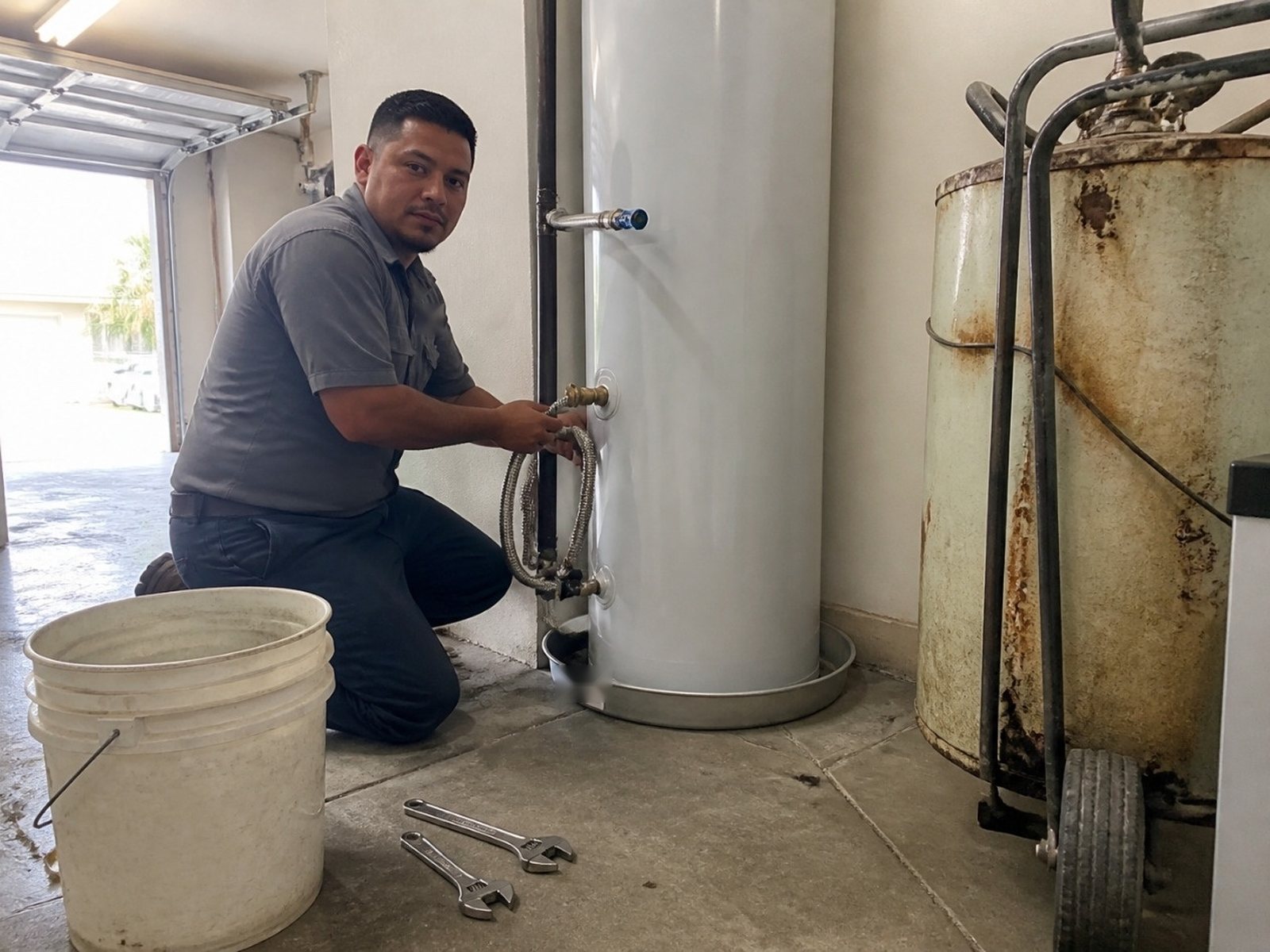
A plumbing website template you can fill in
This is the copy outline we start from for the emergency, water heater and sewer pages. Swap the words in brackets for your own, keep the order, and cut any block that isn’t true for your shop. It works on any builder, from a free one to a custom WordPress site.
Emergency plumbing page
- Headline: “Emergency plumber in [your town]. Call now: [number].”
- Under the button: “Phones answered [your real hours]. After that, [what happens].”
- “We treat these as emergencies: [burst pipe, sewage backup, no water, leaking water heater].”
- “While you wait”: the shut-off steps and the gas warning from the example above.
- “Can’t talk? Send us a message”: your phone, address and what’s happening.
- Footer line: “[Company name], [state] license [number],” linked to the state lookup.
Water heater page
- Headline: “Water heater repair and replacement in [your town].”
- “Repair or replace?” Three or four signs your techs actually check.
- “Which one fits”: a short paragraph each on the types you install, and only those.
- “Your price includes: [haul-away, valves, pan, permit if needed, warranty terms].”
- Quote form: name, phone, address, label photo, gas or electric, own or rent.
- Two or three real reviews that mention water heater work, plus one photo from a real install.
Sewer line page
- Headline: “Sewer line inspection and repair in [your town].”
- “It starts with a camera”: what the inspection shows, and that you send them the video.
- “What we might find”: roots, a belly, a crack or a collapse, each with its usual fix.
- “What moves the price”: depth, length, what’s on top of the line, and whether trenchless will work.
- A short clip or still from a real camera inspection, if you have one.
- Two buttons: “Book a camera inspection” and “Backed up right now? Call [number].”
Write the bracket parts in your own words. If three plumbers in town use the same copy, none of them stands out, and Google has no reason to pick yours.
Forms, photo texts and online booking
Some plumbing jobs are fine to book online. Others need a person on the phone in the first minute. A good site knows the difference and sets up each path on purpose.
| Job | Online booking? | Why |
|---|---|---|
| Drain cleaning (single fixture) | Yes | Simple, short visit, easy to price ahead |
| Water heater check or flush | Yes | Planned, and the label photo helps |
| Fixture install (toilet, faucet, disposal) | Yes, with photos | Photos show the shut-offs and space |
| Camera inspection | Yes | Planned visit with a set scope, easy to schedule |
| Water heater replacement | Request, then call | You need the model, venting and access first |
| Main line backup or burst pipe | No, call | Water is running or sewage is coming up |
| Gas smell or gas line work | No | Gas smell: leave and call 911 or the gas company. Gas line work: book by phone |
| Slab leak or repipe | Request, then call | Needs a talk about the home and options |
Most field service software has an online booking tool. We set it up on the pages where it fits and leave it off the ones where it doesn’t. One booking button on every page sounds simple, but it fills your board with burst pipes booked for next Tuesday.
What the quote form asks
Keep the form short, and ask only what your dispatcher needs. We keep it to these, with the job type picked from a list so the form changes with it:
- Name, phone, address
- Job type (drain, water heater, leak, sewer, fixture, other)
- Own or rent
- Rough age of the home or the water heater
- Photo upload, plus “Is this urgent?” which flips the page to the call button
The photo and own-or-rent fields also help a busy office screen calls. Your dispatcher can see a water heater swap with a label photo, or a renter with a running toilet, before calling back.
Texting customers back? Register the number first
A “text us a photo of the leak” button lets your office see the problem before anyone drives out.
But if your texts go through a business texting app on a normal 10-digit number, US carriers expect that number to be registered. Twilio, one of the big texting platforms, says anyone sending SMS over a 10DLC number from an application to the US must register for A2P 10DLC. Twilio’s help center says review can take up to 10 business days, and its setup guide says 10 to 15 days. The rule covers the texts you send back, like replies and appointment reminders.
So start that paperwork early in a build, not the week the site goes live. Twilio says registered traffic gets better delivery quality and lower filtering risk, and you don’t want a customer’s leak photo stuck in a filter.
Should a plumbing website show prices?
Posting prices cuts some tire-kicker calls. It can also lock you into a number for a job you haven’t seen yet.
Our usual advice: post the prices you already quote the same way every time, like a set trip or diagnostic fee, if you have one. For bigger jobs, skip the price and explain what moves it instead.
On a water heater page, that’s tank size, fuel type, venting, access and code updates. On a sewer page, it’s depth, length, what’s on top of the line and whether trenchless will work. A homeowner who understands why the price changes is easier to talk to than one who saw a low “starting at” number and expects it.
If you do show a range, make it one you’d honor on most jobs, and keep it current. A price from three years ago on your site is worse than no price.
Proof a homeowner can check
Lots of plumbing sites say “licensed and insured.” Few let a homeowner check it in ten seconds. Make the proof checkable. In some states, showing it is also the law.
License numbers, and the Texas rule
Texas is the clearest example. Its plumbing board rule, 22 Tex. Admin. Code 367.10, says all advertisements by a plumbing company “designed to solicit plumbing business” must state the license number of the Responsible Master Plumber (RMP), “regardless of the type of media used.” Since the rule covers any media, treat your website like an ad and show the number. The state board’s consumer page even tells homeowners that a Master Plumber license number starts with the letter M.
The same rule covers paperwork. The first page of each written or electronic proposal, invoice or contract, written estimates included, has to show, in at least 12-point font:
- the RMP’s first and last name and license number
- the phrase “regulated by the Texas State Board of Plumbing Examiners”
- the board’s mailing address, phone number and website
So if your site sends an automatic estimate, or your booking tool emails a quote, those templates need it too. Other states have their own rules for license numbers in ads, so check your state board before launch. This isn’t legal advice. When in doubt, ask your board or your attorney.
Even where it isn’t required, put the license number in the footer of every page and link it to the state’s license lookup.
Reviews and real photos
Pull real Google reviews onto the job pages they talk about. A review that mentions a water heater swap belongs on the water heater page. Link to your Google profile so people can read the rest. If you need more of them, our guide to getting more Google reviews has the texts we use.
Then add faces. Your techs, your trucks, your shop. Homeowners are letting a stranger into the house, and a photo of the actual person makes that easier.
Backflow, lead lines and property managers
Commercial customers buy differently. A property manager wants to know you can handle backflow tests, after-hours calls and their paperwork. They don’t want to dig through homeowner pages to find it, so we give them their own section with its own contact form.
Backflow testing pages
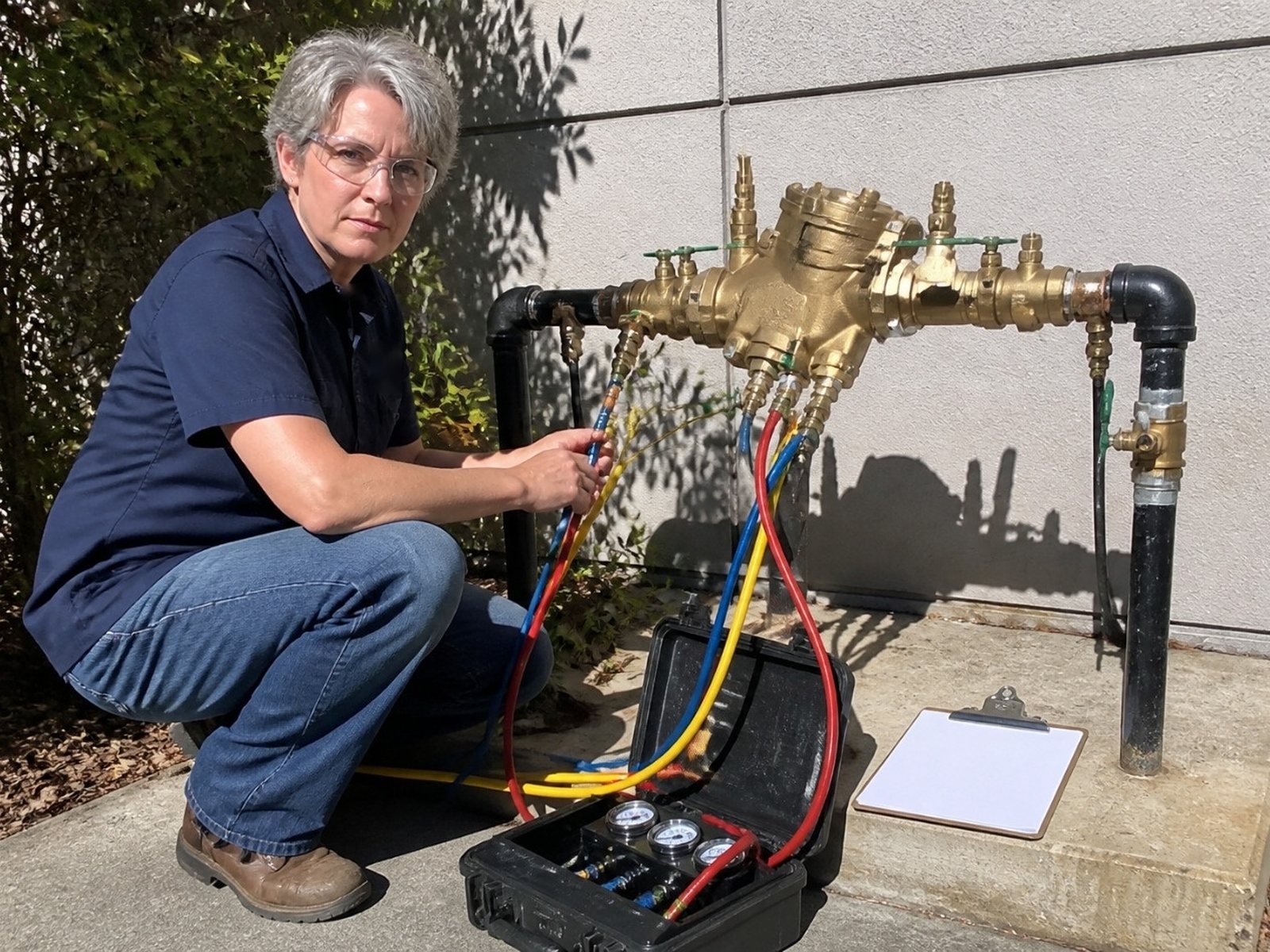
Backflow testing is repeat work. In California, the State Water Board’s Cross-Connection Control Policy Handbook, which took effect in July 2024, says backflow assemblies “must be field tested at least annually.” Miami-Dade’s water department says certain assemblies must be tested when installed and every year after by a certified tester.
The page needs who needs a test in your area, your tester certification, the device types you test, and a “remind me next year” sign-up, so the retest comes back to you. Also ask your water utility whether it keeps a list of approved testers, and get on it.
Lead service line pages (mostly for homeowners)
Under the EPA’s Lead and Copper Rule Improvements, water systems have to replace lead service lines under their control within 10 years. The EPA fact sheet says the first program year starts November 1, 2027. The American Water Works Association, a water utility group, has challenged the rule in federal court, so the timeline could still change.
Ahrefs shows only about 100 searches a month for “lead service line replacement” right now. That’s small. But water systems already have to send a notice every year to people whose line is lead, galvanized that needs replacing, or of unknown material, under EPA’s notification rule. A clear page catches the people who search after reading one.
Keep it factual: how a homeowner can find out what their line is made of, how your local utility’s program works, and what part of the work, if any, falls to the homeowner and a private plumber. Don’t promise anything about cost-sharing you can’t back up.
Property manager pages
Property managers and restaurants want different things than homeowners. Show response times you’ll commit to, and offer a certificate of insurance on request. Say whether you work to a not-to-exceed amount, how you handle purchase orders and invoices, and who answers after hours. A simple “set up a service account” form beats “contact us” here.
Service area, schema and speed
Three behind-the-scenes things to get right: where you say you work, the code that tells Google what you are, and how fast the page loads on a phone.
Service area. If customers don’t come to your shop, Google’s own guidelines say a service-area business should hide its address, and that the service area “shouldn’t extend farther than about 2 hours of driving time” from where you’re based.
Your website should match your Google profile. We build one clear service area page with the towns you really cover, not a stack of copy-paste city pages. Build a town page only when you have real jobs, reviews or photos from that town to put on it.
Schema. Schema is code that tells search engines what a page is about. Schema.org has a Plumber type, listed under LocalBusiness and HomeAndConstructionBusiness. We use it with your name, phone, hours and service area, plus your license as a credential. It won’t rank a page on its own, but it keeps your details clear and consistent.
Speed. Google’s web.dev team sets the targets. A page is in good shape when the main content loads within 2.5 seconds, taps respond in 200 milliseconds or less, and the layout doesn’t jump around (a score of 0.1 or less). Those are measured at the 75th percentile of real visits. On plumbing sites, the usual speed killers are huge photo files, chat widgets and video that plays on load. The fix: shrink and lazy-load photos, and load chat only after the page is up.
How we measure a plumbing website
We count calls and booked jobs by type, not page views.
- Calls by page. Call tracking numbers show which page and which source the call came from, while your main number stays on Google.
- Forms and texts by job type. Because the form asks for the job type, we can see whether the water heater page sends water heater work.
- Booked jobs. Match calls and forms to booked jobs in your field software where it allows it, or to a simple weekly check with your office.
- Missed calls. Every missed call during open hours shows up in the report, because that’s a lead you already paid to get.
When we audit a plumbing site, we check first whether calls from the site are tracked at all. A good report answers three questions: how many calls and forms, which jobs, and which pages brought them.
How a plumbing website build runs
The parts that usually wait on you are photos, license details and texting registration, so the faster those come in, the faster you launch. A typical build runs in five steps once the logo, license details and any job photos you have are in.
- Kickoff. We go over which jobs you want more of, your service area, hours, license details and what your phones look like after hours. Texting registration starts here too.
- Page plan. We map the pages from the table above to your real services and agree on the order.
- Content and photos. We write the pages from a call with you and your lead tech. If you don’t have job photos, we tell you which ones to snap on your next few jobs.
- Design and build. Phone layouts first, then desktop. Forms, booking and call tracking get wired in.
- Launch. Redirects from your old pages, so you keep what already ranks. Then we test every form and call button on a real phone.
Whoever builds it, make sure you own the domain, the site and the content. Before you hire anyone, ask who holds the domain login and what happens to the site if you leave. If the answer is fuzzy, or they tell you the site lives on their own platform and can’t be moved, walk away. Our contractor website design page has the full list of what to ask any web designer.
A new site doesn’t rank by itself. It gives SEO and ads a better place to send people. Pair it with plumbing marketing like SEO, Local Services Ads or Google Ads.
Why D&J for your plumbing website
We do marketing for contractors and home service businesses. D&J Contractor Marketing is based in Stamford, CT, and we’re a Google Partner, a Meta Business Partner and a Yelp Partner.
The website is one piece. We also handle SEO, Google Ads, Local Services Ads, reviews, social media and call tracking, plus Restoral, the AI answering system mentioned above, which works with Google Calendar, Jobber and most trade CRMs. Our case studies page shows some of our work.
Plumbing website design FAQ
How much does a plumbing website cost?
It depends on a few things, roughly in this order: how many job pages you need, who writes the content, whether you have photos, and what we connect, like booking, your field software, call tracking and texting. A five-page site and one with separate sewer, water heater, leak and commercial sections are very different builds. We quote after a short call about your services.
How long does a plumbing website take to build?
It depends mostly on how fast content and approvals come in. The slow parts are usually photos, license and insurance details, and texting number registration, which can take a couple of weeks to clear review. We start those first so they don’t hold up launch day.
Do I need a separate page for every service?
You need one for every job people search for by name and that you want more of. Water heater replacement, drain cleaning, sewer line work and leak detection each deserve a page. Small add-ons, like hose bib repair, can live on a related page. If you don’t want a job, don’t build a page for it.
Should I put prices on my plumbing website?
Only the ones you’d stand behind on almost every job, like a set trip fee if you charge one. A water heater swap or sewer repair changes too much from house to house, so list what drives the price instead. Whatever you post, check it every few months so an old number doesn’t come back to bite you.
Can I keep my current domain and phone number?
Yes. The new site goes on your domain, with redirects from your old page addresses so you keep what already ranks. Your main number stays on your Google profile. Visitors on the site see a tracking number that rings the same phone, so you can see which pages bring calls.
Will a new website rank on Google by itself?
No, and anyone who promises that is selling something. A good site gives Google clear pages for each job and gives visitors a reason to call. Ranking still takes local SEO, reviews and a strong Google Business Profile, and many plumbers add Local Services Ads or Google Ads for faster calls.
What to do this week
You don’t need a new site to start. Check these on your current one this week. If you’re a one-truck shop on a free builder site, these five checks are your whole list for now:
- Open your site on your phone. Can you call in one tap from the top of the page?
- Call your own number after hours and listen to what a customer hears.
- Search for “water heater replacement” plus your town. Do you have a page that could show up?
- Check that your license number is on the site and on every estimate template.
- Ask your office which jobs came from the website last month. If nobody knows, that’s your first fix.
On a free builder site, the next step is two pages: an emergency page and a water heater page built the way this page describes. That’s often enough to see whether the site can book real jobs before you pay for a rebuild.
Not sure where your site stands? Start with our free local SEO audit. For more ideas beyond the website, see our list of plumbing marketing ideas.


