

Electrician website design that books service calls and bids
A good electrician website does three jobs. It gets the person with half a house dark to call you in under a minute. It answers EV charger and panel questions well enough that a homeowner books the visit. And it gives a GC or property manager enough proof to send you a bid set.
A lot of electrician sites only try to do the first job, with a stock photo of a lightning bolt on top. We build electrician websites around the jobs you actually want more of, then track which ones turn into booked work.
The short answer: electrician website design should be built around job types, not a single homepage. You want a call-first mobile layout, a page for each job you want more of, quote forms that ask for a panel photo, and a separate commercial section if you bid work. Add your license number on every page, real reviews and tracking that shows booked jobs by type.
Key takeaways
- Ceiling fan searches are 83% on phones and panel upgrade searches are 81% on computers, so a panel page can carry more detail than a fan page. Every page still has to work on a phone. Three buyers
- Build one page per job you want more of, plus one service area page, not forty copy-paste town pages. The page map
- A panel label photo on the quote form tells you more than a “message” box ever will. What we build in
- Only say 24/7 if someone really dispatches at night, and put “smoke or fire, call 911” at the top. Emergency page
- The home EV charger credit ended for chargers placed in service after June 30, 2026, so take it off your pages. EV and panel pages
- GCs want license, insurance on request, project types and a bid form with plan upload. Commercial pages
- Florida law says your license number goes on every advertisement, in any medium. License and reviews
- Judge the site by booked jobs by type, not by call count. How we measure
Three buyers land on an electrician website
A fan install and a panel upgrade get searched very differently. Ahrefs search data shows the phone versus computer split changes a lot from one electrical job to the next. That should change how each page is built.
Here’s what Ahrefs estimated for US searches when we pulled the numbers in October 2026:

So you’ve got three kinds of visitors, and each needs a different page.
- The urgent homeowner. Half of emergency searches come from phones, and when the power’s out, a phone may be all they’ve got. They need your number, your area and proof you’re licensed. They won’t scroll far.
- The planner. Reading about a panel upgrade or an EV charger. Panel searches happen mostly on computers. EV charger and generator searches still lean to phones, so the photo upload on those forms has to work one-handed. They want to know what the job involves, whether their house can handle it and what happens at the visit.
- The commercial buyer. At a desk, comparing a few shops. They want license, insurance, project types and a way to send plans.
A single homepage can’t serve all three. The urgent caller gets lost in panel content. The GC sees ceiling fan specials and leaves. Fix the page map before you pick colors.
The pages an electrician website needs
Start with a page for each job you want more of. Not a long list of everything you’ve ever wired. If you love panel work and hate chasing outlet calls, the site should say so.
Here’s the page map we start from. We cut or add pages based on your license, your crew and the work that pays.
| Page | Who it’s for | Main button | The one thing it has to show |
|---|---|---|---|
| Homepage | Everyone, mostly on phones | Call now | Phone number, service area, license number, top 3 jobs |
| Emergency and no-power calls | Urgent homeowner | Call now | When you really answer, and what to check first |
| Panel upgrades and service changes | Planner | Book an estimate | What drives the job: amperage, utility work, permit |
| EV charger installation | Planner | Send your panel photo | Capacity check and what the install includes |
| Generators and transfer switches | Planner, often after a storm | Book an estimate | Standby vs portable hookup (interlock or transfer switch), and who does the gas line |
| Lighting, fans and small jobs | Homeowner with a project list | Book online | What you’ll do in one visit |
| Rewiring and old wiring | Buyer or owner of an older home | Book an inspection | How you check and what a rewire involves |
| Commercial electrical | GC, property manager | Request a bid | Project types, license, insurance on request |
| Reviews | Anyone checking you out | Call or book | Real reviews that name the job |
| About and license | Careful buyers | Call | Who owns it, license, how long in business |
| Careers | Electricians and apprentices | Apply | Pay, schedule, trucks and training |
| Service area | Everyone | Call | The towns you cover, on one page |
Notice what’s missing: forty pages called “Electrician in [Town].” Google’s spam policy calls this doorway abuse: pages built to rank for similar searches that send people to a page less useful than the real one. They don’t help a homeowner anyway.
One honest service area page plus real job pages works better. If you serve two very different markets, a real page for each can make sense, as long as each one has its own substance. If you want the long version of why, our electrician SEO page covers it.
A one-truck shop doesn’t need all twelve on day one. Homepage, your top three job pages, reviews and about is a fine start, with a short contact form on every page. Add the rest as the work grows.
What we build into an electrician website
Everything below either gets a call, saves a site visit or keeps the licensing board off your back.
A call-first top of every page
On a phone, the first screen gets a tap-to-call button, the towns you cover and one line about what you do. The button stays stuck to the bottom of the screen as people scroll. Your license number sits in the footer of every page, so nobody has to hunt for it.
We skip sliders, autoplay video and pop-ups on the first screen. They slow the page and push the phone number down, and the urgent caller is the one who leaves first.
Quote forms that ask electrical questions
Most contractor forms ask for name, email and “message.” That gets you a lead you still can’t price. An electrician form can do better with a few fields that change by page. A photo of the panel label is the big one.
| Page | Extra form fields | What it saves you |
|---|---|---|
| EV charger | Charger brand and amps (or “need one”), hardwired or plug-in, photo of the panel and its label, main breaker size if they can read it, garage or driveway, rough distance from panel to parking spot | A first look at capacity and run length before the visit |
| Panel upgrade | Photo of the panel and label, photo of the meter, home age, what’s driving it (EV, addition, insurance, heat pump) | Knowing if you’re quoting a swap or a service change |
| Generator | Whole house or a few circuits, gas or propane on site, photo of the meter area | Knowing if you need a gas partner on the visit |
| Small jobs | A checklist (fans, fixtures, outlets, switches) and a count of each | Booking the right amount of time |
| Commercial | Building type, square footage, plan upload, bid due date | Sorting real bids from tire kickers |
Keep each form short. Name, phone, town and two or three of these fields. Make photos optional so nobody bails because they’re not at home.
Photos that prove the work
Homeowners can’t judge a splice. They can judge a clean panel with a typed directory, neat wire runs and a tidy jobsite. Those are the photos that sell, and your techs already have phones in their pockets.
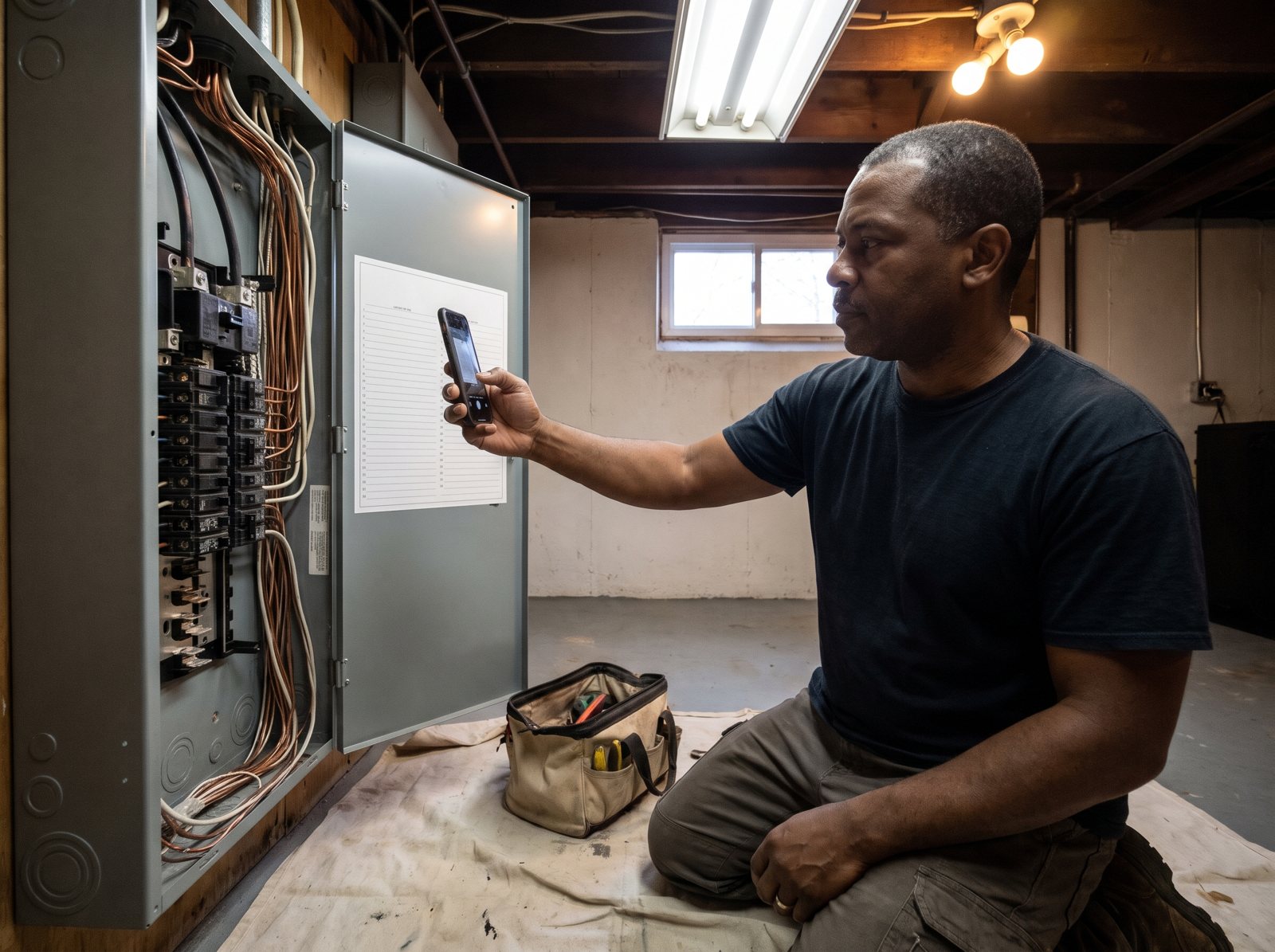
We give crews a short shot list: the old panel, the new panel with the cover off, the labeled directory, the finished charger on the wall and the van in the driveway. Ask the customer before you post anything from inside their home, and don’t show house numbers or faces without a yes.
The Electrician schema type
Schema is code that tells search engines what your business is. Schema.org has a specific Electrician type under LocalBusiness, and Google’s own guide says to use the most specific LocalBusiness sub-type possible. So we mark you up as an Electrician, with your name, address, phone and hours matching your Google Business Profile exactly.
Speed you can check yourself
Google publishes targets for its Core Web Vitals. The main content should load within 2.5 seconds. Taps should get a response in 200 milliseconds or less. The page shouldn’t jump around while it loads (a layout shift score of 0.1 or less). Those are measured on real visits, at the 75th percentile, for phones and computers separately.
We build to those numbers, and we compress the job photos so a page full of panels still loads fast on one bar of signal.
A plan for calls you can’t answer
A website lead that hits voicemail while you’re in a crawl space is a lead for the next shop. If you want help there, we set up Restoral, our AI system that answers calls and chats and books jobs onto your calendar. It works with Google Calendar, Calendly, Cal.com, Jobber and most trade CRMs, and our team sets up the connection.
An emergency page that sorts calls before the truck rolls
“No power” calls are the hardest to price over the phone. Sometimes it’s a tripped main. Sometimes the whole street is out and it’s the utility’s problem. Sometimes it’s a burnt meter socket. A good emergency page helps sort that out before you send a van at 11 p.m.
It also has to be honest. If you don’t dispatch overnight, don’t say 24/7. Say what you do: “We answer until 9 p.m. and take emergency calls on weekends,” or whatever’s true. A homeowner who calls a “24/7” number and gets voicemail at midnight is going to call the next name on the list.
If your site says 24/7, someone has to answer at 3 a.m. If nobody does, take it off the site tonight.
Here’s what we put on the page, top to bottom:
- A red-flag line first: smoke, fire or sparks means call 911, then call you.
- The phone button, and the hours you really answer.
- “Are your neighbors out too?” with a link to your local utility’s outage map. If the street is dark, it’s probably not you they need yet.
- A plain note on breakers: if one keeps tripping, don’t keep resetting it. Call.
- The warning signs that mean “book an inspection soon,” in plain words.
- What your after-hours visit costs to start, if you’re willing to publish it. Even “after-hours rates apply” beats a surprise.
For the warning signs, we borrow from the Electrical Safety Foundation. It says that if you see lights that flicker or dim, notice discolorations, hear buzzing, feel warm switches or outlets, or smell burning, you should have a qualified electrician inspect the system. Coming from a safety group, it doesn’t read like a sales pitch.
That page also catches searches like “breaker keeps tripping.” Ahrefs puts that at about 4,600 US searches a month, with 63% on phones.
EV charger and panel pages that explain the job
These are planned jobs with real tickets, and people read before they call. Ahrefs shows about 44,000 US searches a month for “ev charger installation” and 12,000 for “electrical panel upgrade.” The panel searches are 81% on computers. That’s someone researching, so the page should answer what they’d ask at the visit.
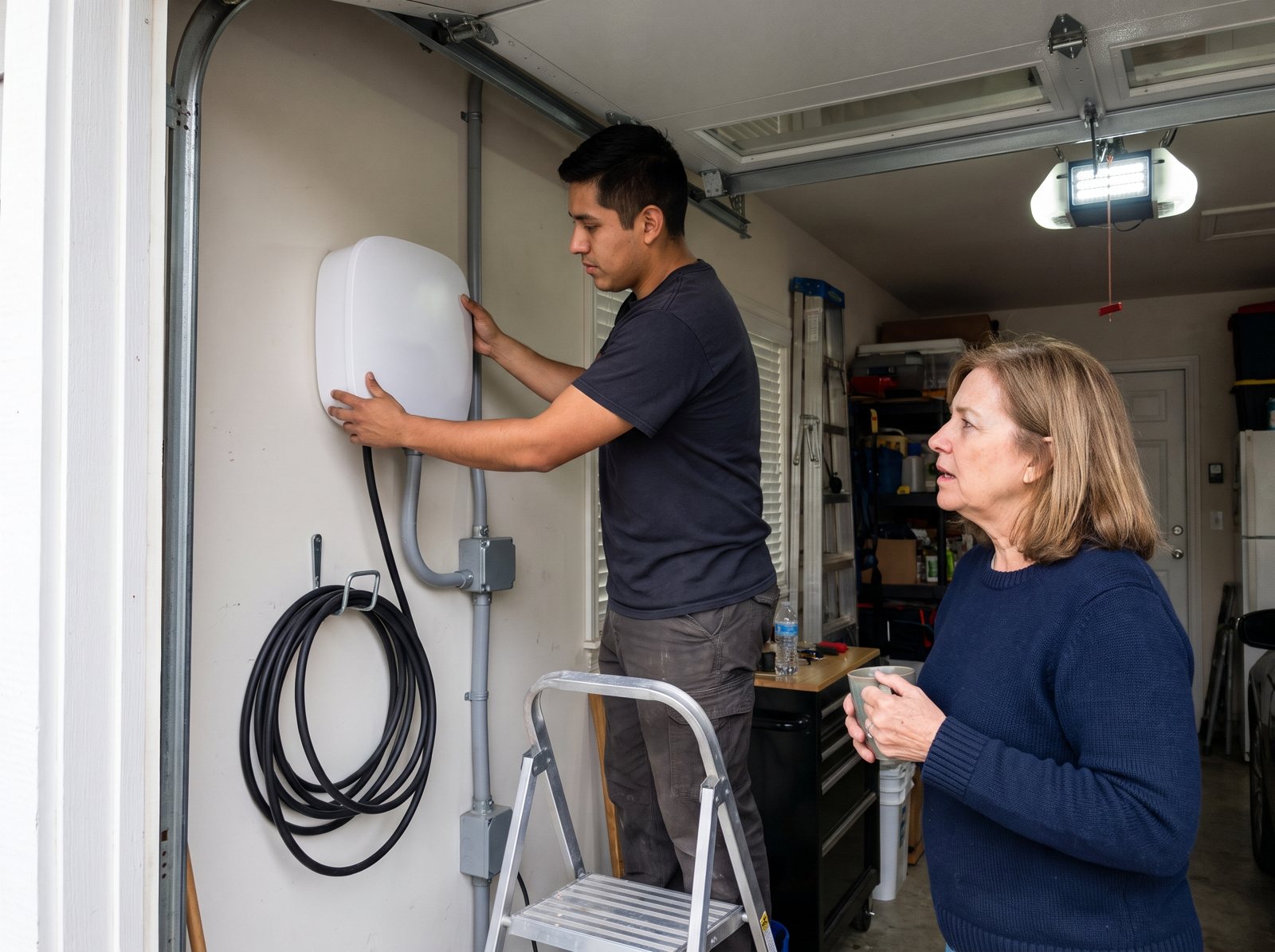
Explain capacity in one example
The U.S. Department of Energy’s charging guide says it plainly: some homes might have insufficient electric capacity for Level 2 equipment, and an electrician can tell the owner if theirs does. That’s the whole reason the page exists. It turns “how much for a charger?” into “let’s check your panel.”
We like to show one simple example. The National Electrical Code treats EV charging as a continuous load. Section 625.41 of the NEC, as quoted in NFPA’s own committee report, says the breaker feeding the charger has to be rated at not less than 125 percent of the maximum load.
So a charger set to pull 48 amps needs at least a 60 amp breaker (48 x 1.25 = 60), with wire sized to match. Set it to 32 amps and the minimum is a 40 amp breaker (32 x 1.25 = 40).
A homeowner reading that gets why you ask for a panel photo. Add a line that your area’s code edition and the inspector have the final say, and that you’ll do the load math at the visit.
Take out the tax credit lines that ended
If your site still says “save with the federal tax credit,” it’s out of date. For a job booked today, both credits are done:
- Home EV chargers. The IRS Form 8911 instructions say you can’t claim the credit for property placed in service after June 30, 2026.
- Panel upgrades. Panels only counted when they went in with other qualifying gear. The Form 5695 instructions say that credit is gone for property placed in service after December 31, 2025.
We swap those lines for something true: “Check your utility and state for rebates.” The same DOE page notes that state and utility incentives may be available. We aren’t tax advisors, so the page doesn’t promise any credit. Our electrician SEO page has more on cleaning those pages up.
What the visit looks like
End each of these pages with the steps: send a photo, we look at your panel, we visit and do the load math, you get a written price, we pull the permit, we install, the inspector signs off. Planners like knowing what happens next. It also explains why your price isn’t a number you’ll give over the phone.
Commercial pages for GCs and property managers
A general contractor doesn’t care about your ceiling fan special. They want to know if you can carry the job, pass inspection and show up when the schedule says. Ahrefs shows “commercial electrician” at about 14,000 US searches a month, with two out of three on a computer. That buyer sits at a desk. They’re comparing a short list of shops, and they’ll read.
If commercial work is part of your plan, give it its own section of the site with its own menu item, so a property manager never has to dig through ceiling fan pages to find out whether you do tenant work. Keep it plain. Here’s what goes in it:
- Work types, named. Tenant fit-outs, service upgrades, parking lot lighting, generator hookups for buildings, whatever you really do. Skip what you’d sub out. Be exact.
- Building types. Retail, office, restaurant, warehouse, multifamily. GCs look for “has done this before.”
- A prequal block. License number, a line that insurance certificates are available on request, and who to contact for a bid. Don’t post the certificate itself. It shows your policy numbers and limits, and a GC will want one that names them as the holder anyway.
- Project photos with a short note each. “Panel and lighting for a two-unit retail fit-out.” Real switchgear and real ceilings, not renderings.
- A bid request form with a plan upload, a bid due date and the building address.
Write the commercial pages shorter and drier than the homeowner pages. A facilities lead wants to see that you return emails and close out permits. They don’t need to be told you treat their building like family.
If you only do residential, say that too. It saves you calls from people you’d turn down, and it tells homeowners they’re in the right place.
A careers page, because you’re hiring too
Your website gets read by electricians, not just customers. If you’re trying to add a van, a real careers page earns a spot on the site.
The Bureau of Labor Statistics projects electrician jobs to grow 9 percent from 2024 to 2034, much faster than the average job. It also expects about 81,000 openings each year over that decade. That’s a lot of shops chasing the same journeymen, so your careers page has to answer their questions before they call someone else.
A careers page doesn’t need to be fancy. It needs the things a journeyman checks before they bother to apply:
- What kind of work they’d do: service, new construction, commercial or a mix
- Schedule and on-call rotation, said plainly
- Take-home truck or not
- Whether you sponsor apprentices and pay for license prep
- A pay range, if you’re willing to post one
- A short form that works on a phone, with a résumé upload that’s optional
Keep the careers page out of your customer menu clutter. It lives in the footer and the About menu. Customers don’t need it in their face, and job seekers will find it.
Reviews and license numbers on the site
Two rules trip up a lot of electrician sites.
Your license number, everywhere
Some states put it in the law. Florida’s statute for electrical contractors covers every ad in any medium, which includes your website. It says the registration or certification number shall be stated in each offer of services, business proposal, or advertisement, regardless of medium. The same section tells the board to fine a contractor not less than $100, or issue a citation, for leaving it off an ad.
Texas and California have their own versions, which we cover on our electrician SEO page. Your state or city may differ, so check with your licensing board. Our default is simple: the number goes in the footer of every page, on every quote form confirmation and on the About page, with a link to your state’s license lookup if it has one.
Reviews you didn’t write
Some cheap web packages come with a “testimonials” block full of glowing quotes from first names only. Don’t use them.
In 2024 the FTC announced a final rule against fake reviews. It covers reviews that misrepresent that they are by someone who does not exist, such as AI-generated fake reviews. It also covers reviews from people who never actually used the business, which is what template testimonials are.
It also covers reviews by company insiders that don’t clearly disclose the connection. So a five-star review from your office manager, with no clear note that she works for you, is the kind of review the rule targets. It’s simpler to leave staff reviews off.
What we put on the site instead: real Google reviews, pulled in with the reviewer’s name as shown on Google, and a link to see them all.
The best ones name the job, the town and how it went. A real review that mentions a panel swap and a passed inspection sells a panel page better than anything we could write. To get more like that, send a review link right after the inspection passes. Our guide to getting more Google reviews has the texts we use.
Electrician searches we build pages around
Here’s the search demand behind the page map. These are Ahrefs estimates for the whole US, pulled in October 2026. Your town will be a small slice of each, but the mix tells you which pages carry weight.
| Search | Monthly US searches | What the searcher wants | Page it lands on |
|---|---|---|---|
| electrician near me | 216,000 | Someone local, now | Homepage and Google Business Profile |
| ev charger installation | 44,000 | A planned install | EV charger page |
| generator installation | 32,000 | Backup power, often after an outage | Generator page |
| ceiling fan installation | 28,000 | A small job, booked fast | Lighting and small jobs page |
| emergency electrician | 27,000 | Help right now | Emergency page |
| whole house surge protector | 18,000 | Research, then an add-on | Panel page or its own short page |
| knob and tube wiring | 18,000 | Worry about an older home | Rewiring page |
| commercial electrician | 14,000 | A shop that can carry a project | Commercial section |
| electrical panel upgrade | 12,000 | A planned upgrade | Panel page |
| 24 hour electrician | 6,900 | Help after hours | Emergency page (only if you dispatch) |
| electrical inspection | 3,400 | A home sale or an insurance ask | Rewiring or inspection page |
The money searches aren’t “best electrician.” They’re job names. Ads also tell you what a click is worth. Ahrefs estimates advertisers pay about $9 a click for “24 hour electrician” and about $4 for “generator installation.” If you’re paying that for a click, the page it lands on had better be built for that job.
How we measure an electrician website
We don’t judge a site by how it looks. We judge it by booked jobs, split by job type. A higher call count can still hide a bad month.
Here’s what we track and report on, in plain numbers:
- Calls from the site, using tracking numbers that swap in by traffic source, so you can tell a Google search call from an ad call. We set it up so your business name, address and main number stay the same everywhere Google looks.
- Form leads by page. An EV form and a panel form count separately.
- Booked jobs by type. Your office tags each call or form as a booked panel, charger, generator, small job, commercial bid or no-book. That quick tag is what makes the report worth reading.
- Missed calls. How many website calls rang out, and when. If it’s all after 6 p.m., that’s a staffing or answering fix, not a website fix.
- Cost per booked job for any paid traffic, by job type.
- Page speed against the Core Web Vitals targets, checked after each change.
You get one short monthly report: what came in, what booked, what it cost and the one change we’d make next. If the panel page gets visits but no forms, we fix that page before we write a new one.
How an electrician website build works
Here’s how we run an electrician build, start to finish. Timing depends on how many pages you need and how fast we get photos and answers from you, so we set the dates together at kickoff.
First: plan the pages around your jobs
We start with a call about the work you want more of, the work you want less of and how your office handles calls. Then we pull your current site’s numbers, if there are any, and build the page map. You approve the pages before we write a word.
We also send the photo shot list to your crew on day one. Photos are the slowest part of most builds, so they start first.
Next: write, build and connect
We write each page from a short interview with you, so it sounds like your shop and not a template. Then we build it, set up the forms with the electrical fields that fit, connect call tracking and add the Electrician schema. Before launch we test every form and phone button on a real phone.
If you’re replacing an old site, we map every old page to its new home with a redirect. That way you keep as much of the old site’s search value as you can.
After launch: let the calls tell us what’s next
The first reports show which pages bring booked work and which don’t. Then we add what the data asks for. That might be a generator page before storm season, a surge protector page because panel buyers keep asking, or a stronger commercial section.
Whoever builds your site, make sure you own the domain, the hosting login, the site files and the analytics. Ask up front whether the tracking numbers can go with you if you ever leave. Our contractor website design page has the full list of what to ask any web designer.
Why D&J for your electrician website
We’re D&J Contractor Marketing, based in Stamford, Connecticut. We do marketing for contractors and home service businesses.
We build the site and the system around it: SEO, Google Ads and Local Services Ads management, reviews, call tracking and reporting, and Restoral for the calls you can’t pick up. Your ads, Google profile and review requests all send people to the site, so we build and track it as part of your electrician marketing, not as a one-off.
We’re a Google Partner, a Meta Business Partner and a Yelp Partner. We’ve worked with more than 30 SERVPRO franchises, and you can see results for other trades on our case studies page. We have an HVAC website playbook too, if you run both trades.
Electrician website design FAQ
How much does an electrician website cost?
It depends on the page count, who writes the copy, whether you have job photos, the forms, call tracking, any booking or CRM hookup, and monthly hosting and care. Ask every web designer to break their quote out that way. If a quote is one number with no page list, ask for the list. We quote after we build your page map.
Should my electrician website list prices?
For small, repeatable jobs, a starting price or a price range can help people book. For panels, EV chargers and generators, a fixed price on the page usually backfires, because the panel and the run length change the job. Explain what drives the price and offer a photo-based first look instead.
Do I need separate pages for residential and commercial work?
Yes, if you do both. A homeowner and a GC look for different proof. Keep one website and one Google Business Profile, but give commercial work its own section with project types, a prequal block and a bid form. Your homeowner pages stay focused on fast calls and clear visits.
Can customers book electrical work online?
Some jobs book well online, like fan and fixture installs, outlet adds and estimate visits for panels or chargers. Anything urgent, like no power, a burning smell or a breaker that won’t stay on, should go to a phone call. Let the booking page say which is which.
How long does an electrician website take to build?
It mostly depends on the number of pages and how fast you can send photos and answer questions. Photos are usually the slowest part, so start the shot list on day one. Agree on a launch date at kickoff, and don’t launch until every form and call button has been tested on a phone.
Will a new website get me more calls on its own?
Not by itself. The site turns visits into calls, but you still need people finding it through Google, your Business Profile, reviews and sometimes ads. A good site makes every one of those channels work better. That’s why we track booked jobs by page and keep improving the pages after launch.
What to do this week
You don’t need a new site to start. Here’s what we’d do on your current one in the next few days:
- Open your site on your phone. Can you tap to call in one move from the first screen? If not, fix that first.
- Search your own site for “tax credit.” Take out any line that promises the panel or EV charger credit.
- Put your license number in the footer.
- If you say 24/7, make sure it’s true tonight. If it’s not, change it to your real hours.
- Ask your techs for five photos this week: two panels, a charger, a van, a clean jobsite.
- Write down the three jobs you want more of. Those are your first three pages.
Our free local SEO audit shows how your business shows up in local search. Run it, then tell us which jobs you want more of.
Ready to talk about a new build? Contact our team and tell us about your shop.


