
HVAC website design that books repair calls and replacements
Good HVAC website design has two very different calls to catch: the family with no heat at 9 p.m., and the couple pricing a new system over the weekend. We build HVAC websites for both, with tracking that ties calls and forms back to the page they came from.
A good HVAC website has repair pages built for a phone, and a replacement page for each system you sell that explains sizing, efficiency rules and what drives the price. Any payment line on it carries the APR and terms the law requires, in your lender’s approved wording. It offers online booking only for jobs you can really schedule. And it tracks every call, booking and estimate request by page.
Key takeaways
- Near-me repair searches and problem searches lean to phones: “furnace repair near me” is 63% mobile and “ac not blowing cold air” 80%, while “hvac replacement cost” is 29%. Three HVAC visitors
- A replacement page should say how you size the system, show your region’s federal minimum (13.4 or 14.3 SEER2 for most home AC), and offer the AHRI certificate. Replacement pages
- On an installment loan ad, a line like “$89 a month” is a triggering term, so the APR, repayment terms and down payment must show too. The rule covers merchants, not just lenders. Financing wording
- Let people book tune-ups online, take no-heat calls live, and treat replacements as estimate requests. Online booking
- If a plan auto-renews and you sell to California homeowners, a plan they joined online must be cancelable online, so build the cancel path with the join button. Plan sign-ups
- Count calls, bookings and estimate requests by page type, then match them to booked jobs in your field software. How we measure
Three HVAC visitors, three different screens
The person searching “furnace repair near me” and the person searching “hvac replacement cost” want different things. They’re often holding different devices, too. We pulled US numbers from Ahrefs for a batch of HVAC searches on October 25, 2026. These are Ahrefs estimates, so read them as a direction, not an exact count.
Near-me repair searches lean to phones. Ahrefs puts “furnace repair near me” at 63% mobile and “ac repair near me” at 59%. “AC not blowing cold air” is 80% mobile. Our guess: that’s a homeowner trying to fix it before paying for a visit. One surprise: “emergency ac repair” is only 39% mobile, so don’t assume every urgent search comes from a phone.
Price searches are all over the place. “New ac unit cost” runs 75% mobile, and “furnace replacement cost” 61%. But “hvac replacement cost” is only 29% mobile, and “ac replacement cost” 38%. Our read: some people check a price on the phone when the tech says “repair or replace,” and others sit down at a laptop to compare. Your replacement page has to work for both.

Then there’s commercial. “Commercial hvac” gets about 23,000 US searches a month in Ahrefs’ estimate, and only 24% of them happen on a phone. It’s a broad search, and some of it is research or job hunting. We’d bet the buyers in that group are mostly facility managers at a desk, who compare before they call. They want proof you handle rooftop units and service contracts.
So we don’t design one HVAC page and copy it. We design three kinds:
- Repair pages built for a thumb: call button first, a few lines of proof, a short form.
- Replacement pages that read well on a laptop and still put the “get an estimate” button in reach on a phone.
- Commercial and plan pages written for people who compare before they call.
The HVAC website pages that bring calls
Here’s the page map we start from. Every page on it should end in a call, a booking or an estimate request. The numbers are Ahrefs’ estimates of average monthly US searches, checked October 25, 2026.
| Search | US searches a month | On a phone | Page that should catch it |
|---|---|---|---|
| furnace repair near me | 132,000 | 63% | Furnace repair page |
| ac repair near me | 120,000 | 59% | AC repair page |
| ac replacement | 31,000 | 58% | AC replacement page |
| emergency ac repair | 24,000 | 39% | AC repair page, with the after-hours line up top |
| commercial hvac | 23,000 | 24% | Commercial HVAC page |
| ductless mini split installation | 11,000 | 35% | Mini split page |
| ac not blowing cold air | 11,000 | 80% | Troubleshooting article that links to AC repair |
| furnace replacement cost | 7,100 | 61% | Furnace replacement page, cost section |
| hvac financing | 3,700 | 49% | Financing page |
| hvac maintenance plan | 2,400 | 35% | Maintenance plan page |
The page most owners skip is the troubleshooting article. “AC not blowing cold air” showed an AI answer and no map pack in Ahrefs’ check. A short, honest article can catch that homeowner before they pick a company. It walks through the filter, the breaker and the thermostat, then says when it’s time to call, with a link to your AC repair page.
What’s not on the map: a page for every town. Twenty copies of “AC repair in [town]” with only the name swapped can count as what Google’s spam policies call doorway abuse. What we do instead: one service area page that lists the towns you cover, and a town page only where you have real jobs, photos and reviews there. Our contractor website design page has more.
What we build into an HVAC website
The basics every contractor site needs are on our contractor website design page: tap-to-call, speed, your license number where your state requires it, and owning your domain. Everything below is the HVAC part.
Repair pages that answer the phone questions
Your CSRs hear the same questions all summer. Do you charge to come out? How soon can you get here? Do you work on my brand? A repair page answers those before the call, so your CSR spends the call setting a time instead of selling.
The form asks for four things: name, phone, address and “what’s it doing?” Then we say plainly what happens after hours. If someone (or an AI system like ours, covered below) picks up at night, the page says so.
A replacement page for each system you sell
AC, furnace, heat pump and mini split each get their own page, because each one gets searched on its own. What goes on them is the biggest section of this page, below.
Financing and plan pages written to the rules
A financing page that explains your options in plain words, where any payment line carries the APR and terms the law requires. A maintenance plan page people can join from, with a cancel path that matches. Both are covered further down.
A commercial page for a different buyer
If you do commercial work, it gets its own page with its own form. Building type, number of units, and whether they want a service contract. Residential coupons stay off it.
A homepage that changes with the season
In July the top of your homepage should be about cooling. In November, heat. We set the site up so whoever runs it can swap the main headline, photo and offer on the same URL, without rebuilding the page.
We’d also add a short line you can update when the board is full, like “Booking AC repairs about two days out.” In our view, an honest wait time beats a “same day service” badge you can’t keep in a heat wave.
What an HVAC replacement page has to explain
Replacement pages bring in the biggest jobs. Yet on plenty of HVAC sites we look at, the replacement page is a paragraph and a stock photo. A buyer about to spend thousands wants to know three things. Will you size it right? What rules apply where they live? And how can they check what you put in?
Say how you size the system
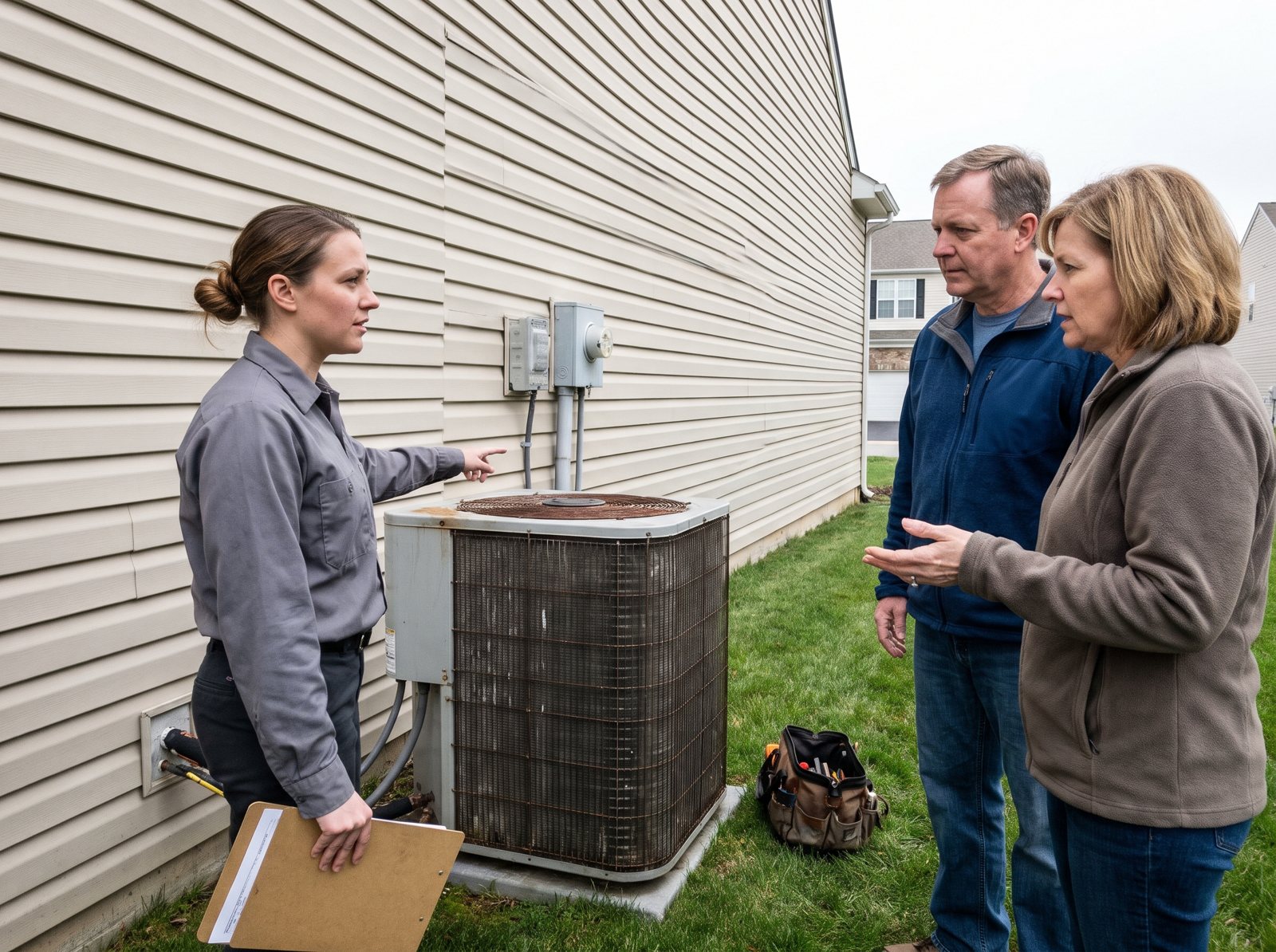
“We’ll match your old unit” is not a sizing method. The 2021 International Residential Code, a model code many local codes build on, says equipment “shall be sized in accordance with ACCA Manual S or other approved sizing methodologies,” based on loads “calculated in accordance with ACCA Manual J or other approved” methods. Codes vary by town, so check yours.
If you do a load calculation, say so in one line: “We run a room-by-room load calculation (Manual J) before we pick the size.”
Show the efficiency minimum for your region
Federal minimums for central AC depend on where the system is installed. The current numbers took effect January 1, 2023, when the ratings also got new names, SEER2 and HSPF2, under a new test. If your page still quotes old SEER minimums, it’s out of date. Here’s the short version for split systems:
| System | Federal minimum | Where |
|---|---|---|
| Split AC, any size | 13.4 SEER2 | Everywhere outside the Southeast and Southwest |
| Split AC under 45,000 Btu/h | 14.3 SEER2 | Southeast, including Texas, Florida and Georgia |
| Split AC under 45,000 Btu/h | 14.3 SEER2, plus 11.7 EER2 (or 9.8 EER2 if rated 15.2 SEER2 or higher) | Southwest: Arizona, California, Nevada and New Mexico |
| Split heat pump | 14.3 SEER2 and 7.5 HSPF2 | Nationwide |
One line on your page covers it, with your numbers filled in: “The federal minimum here is [14.3] SEER2. We’ll show you what each step up costs, using the rating for your matched system.”
Offer the AHRI certificate
The efficiency rating belongs to the outdoor unit and indoor coil together, not the outdoor unit alone. AHRI, the group that certifies those ratings, tells homeowners to “ask your installer for an AHRI Reference Number or an AHRI Certificate of Certified Product Performance.” For higher efficiency systems, it says the certificate “can be used in some areas to obtain a rebate.” If you match systems to an AHRI listing, say so: “You get the AHRI certificate with every AC and heat pump install.”
Talk about price, even without a price list
People search for prices whether you post them or not. Ahrefs estimates “furnace replacement cost” at about 7,100 US searches a month and “new ac unit cost” at 5,300. If your page never mentions money, they’ll read a competitor’s that does.
You don’t need a price list. We’d at least explain what moves the number: system size, efficiency tier, duct changes, electrical work and how hard the old unit is to get out. A typical range from your own past jobs is even better, if you’re comfortable sharing one. Put your good, better and best options side by side. A phone reader should be able to compare them without zooming.
Add one line on the refrigerant your new systems use. Buyers ask, because EPA rules changed which refrigerants new systems can use. Since January 1, 2025, new home and light commercial AC and heat pump systems face a refrigerant limit (a global warming potential of 700). Systems whose parts were all made or imported before 2025 can still be installed.
And take down any “claim your federal tax credit” banner: the IRS says the 25C credit “will not be allowed for any property placed in service after December 31, 2025.” Our HVAC SEO page has more on both.
Financing on your website: the words that trigger more disclosure
Financing sells replacements, so it belongs on an HVAC site. “HVAC financing” gets about 3,700 US searches a month in Ahrefs’ estimate. But put certain numbers on the page, and federal Truth in Lending rules say more has to go with them.
And yes, they apply to you, even though a lender makes the loan. The CFPB’s official commentary says “all persons must comply with the advertising provisions,” not just lenders. It names “home builders, merchants, and others who are not themselves creditors.” These are rules for consumer credit, so a commercial equipment loan is a different story.
First, ask your lender what kind of financing you offer. Some HVAC financing is a store credit card, not a loan. That falls under a different section (1026.16) with its own list. “No interest if paid in full” promotions on those cards have their own disclosure rules too.
For installment loans, Regulation Z section 1026.24 lists four triggering terms. They are a down payment amount or percent, the number of payments or how long you pay, the amount of any payment, and the amount of any finance charge. Use one, and three more things must show up. Those are the down payment, the terms of repayment, and the annual percentage rate (writing “APR” is fine), plus a note if the rate can go up.
Some lines we see on HVAC sites, and how the rule treats them:
| Line on the page | Triggers more disclosure? | Why |
|---|---|---|
| “Financing available. Ask us about options.” | No | It names no terms |
| “No money down” | No | Per the commentary, saying no down payment is needed doesn’t trigger it. “$0 down” is close, but ask your lender first. |
| “New AC for as low as $89 a month” | Yes | Amount of a payment |
| “Pay it off over 60 months” | Yes | Period of repayment |
| “7.99% APR” | No | A rate isn’t a trigger, but it has to be called the APR. “Low 7.99% rate” alone isn’t enough. |
It also catches numbers a reader can work out. Per the commentary, it applies “even if the triggering term is not stated explicitly but may be readily determined.”
On our builds, the financing page names your lender and explains how to apply. Want a payment example? We use the lender’s own approved wording. Your lender or your attorney gets the final word. Our job is making sure no banner says “$89 a month” with nothing under it.
Which HVAC jobs to let people book online
Online booking is great for some HVAC jobs and a mess for others. So we decide job by job. What can a customer pick a time slot for? What should be a phone call? And what should be an estimate request?

ServiceTitan (through Scheduling Pro) and Housecall Pro both offer online booking, so check whether your plan includes it. In ServiceTitan’s Scheduling Pro, you pick eligible job types and booking zones, then install a widget on your site. ServiceTitan’s help page says “jobs are created automatically in ServiceTitan and appear on the dispatch board.”
Housecall Pro’s booking shows “real, bookable time slots” based on your team’s schedule, service area and job length. ServiceTitan works with Reserve with Google, and Housecall Pro says customers can book “directly from Google,” so people can book from Search too.
The software won’t decide which jobs belong online. This is the split we start from:
| Job | How the site handles it | Why |
|---|---|---|
| AC or furnace tune-up | Book online | Fixed length, easy to schedule, fills slow weeks |
| Repair visit during business hours | Book online or call | Works if your board really has the slots |
| No heat or no AC at night | Call, answered live | Someone needs to hear the problem now |
| System replacement | Estimate request | You need to see the house before you quote |
| Commercial service | Contact form or call | Unit count and building type change the visit |
Check the job types and zones every season. In July, you may want repairs off the online menu.
A booking widget that offers time slots your dispatcher can’t keep is worse than having no widget at all.
Not on ServiceTitan or Housecall Pro, or want someone to pick up at night? Restoral, our AI system, answers calls and chats and books jobs onto your calendar. It works with Google Calendar, Calendly, Cal.com, Jobber and most trade CRMs, and our team sets up the integration.
Selling maintenance plans on the site
If customers can join your maintenance plan online, plan the sign-up and the cancel steps together. Ahrefs estimates “hvac maintenance plan” at about 2,400 US searches a month, so it’s worth a real page with a real join button.
Many plans renew on their own, and some states have rules for that. California’s is a good example. Its automatic renewal law, Business and Professions Code 17602, says a business that lets a consumer sign up online “shall allow a consumer to terminate” online too. That has to happen “without engaging any further steps that obstruct or delay” it.
The same section adds more. If you show a discount to keep someone who is canceling online, a “click to cancel” button has to stay on screen right next to it. Yearly plans, and plans that run until canceled, need a yearly reminder.
Those two rules came with 2024 amendments. A law firm summary says they apply to contracts made, amended or extended from July 1, 2025.
So when a plan is sold online, we build the cancel path at the same time as the join path. We also show the price, how often you bill, and when it renews, right next to the button. Rules differ by state, so your attorney should look over the terms. What the plan page itself should say (visits, perks, timing) is on our HVAC SEO page.
How we measure an HVAC website
We judge an HVAC site by calls, bookings and estimate requests, split by the kind of job. Then we check which of those became jobs in your field software.
In Google Analytics 4, the actions that matter are called key events. We set one up for each action that means money, and tag it with the page type it came from:
| Page type | What we count | What it tells you |
|---|---|---|
| Repair pages | Call taps, tracked calls, repair forms | Whether the phone visitor found the button |
| Replacement pages | Estimate requests, calls from the page | Whether the page earns a visit to the house |
| Financing page | Clicks to the lender’s application | How many shoppers start a loan application from your site |
| Plan page | Plan sign-ups, tune-up bookings | Whether plans are filling your slow months |
| Commercial page | Commercial forms and calls | Whether commercial work is coming from the site |
Next, we match those leads to what your office booked. So your report says how many estimates the AC replacement page set and how many of those sold. Calls get counted with tracking numbers. They swap in only for visitors from tracked sources. Your main number stays on your Google profile. Our website measurement notes explain the setup.
If you run Google Ads, the pages matter there too. Google’s help page lists landing page experience as a factor in Quality Score. It’s judged on things like “the usefulness and relevance of information provided on the page.” An ad for “furnace replacement” should land on the furnace replacement page, not the homepage. Our HVAC marketing page covers how we split ad budgets across the year.
How an HVAC website build works
A new HVAC site takes planning, a build, and then months of adding pages. The season you launch into decides which pages go first.
First: plan around the next rush
First we check which of your pages get visits and calls. Then we list every old URL, so nothing gets lost when the new site goes live. Then we agree on the page map. Timing drives the order. If we start in October, the furnace pages get fixed first, and the AC pages get planned so they’re live well before the first hot week of spring.
We’ll talk with your best tech or CSR. They tell us what customers ask, how you price a diagnostic, and what the install day looks like. You send logins and photos of real installs, the old equipment coming out, and your trucks.
Next: build, connect and launch
We write and build the pages and connect booking to your field software. Your lender and your attorney review the financing page wording, which can push the date. We set up tracking, test every form and call button on real phones, and redirect old URLs to their closest new page at launch.
After launch: add what the data asks for
- Build the next season’s pages a few months early.
- Add troubleshooting articles where calls show demand.
- Swap the homepage for the season.
- Update booking job types before each rush.
New pages take months to rank, often longer in crowded metros. Anyone who promises page one by a date is guessing. A clearer site can bring more calls from the visitors you already get, well before new rankings show up.
What you keep, whoever builds it
Get these in writing before you sign:
- The domain, registered in your company’s name, in an account you can log in to. Ask which registrar it’s at, and make sure you can get the transfer code yourself.
- Admin logins to the site, the hosting, Google Analytics and Search Console.
- Your Google Business Profile with you as primary owner, your Google Ads account, and your call tracking numbers or the right to move them.
- Your photos and page content, in a folder you keep if you leave.
Why D&J for your HVAC website
D&J does marketing for contractors and home service businesses. We build the site and can run the ads and the call answering too, so one team owns the path from search to booked job. On every HVAC build, we test each form and call button on real phones before launch. We use your lender’s approved financing wording. And we redirect every old URL.
We’re a Google Partner, a Meta Business Partner and a Yelp Partner.
See the kind of work we do in our case studies. If you run paid leads too, our Local Services Ads guide and our breakdown of what each HVAC lead channel costs are worth reading before you set an ad budget.
HVAC website design FAQ
How much does an HVAC website cost?
You’ll see two pricing models: a one-time build fee, or a monthly fee where you’re often renting the site. Ask which one you’re getting, what the monthly fee keeps paying for after launch, and whether you keep the site, domain and content if you leave. Compare quotes on the same points: pages and who writes them, booking setup, call tracking, hosting and contract length.
Should HVAC customers be able to book online?
For some jobs, yes. Tune-ups and daytime repairs work online if your board really has the slots. No-heat calls at night should reach a person, and replacements work better as estimate requests, since you need to see the house first.
Can I put a monthly payment on my HVAC website?
Yes, with the right terms next to it. For an installment loan, a payment amount means the down payment, repayment terms and APR must show too. Store credit cards follow different rules, so use your lender’s approved wording.
Should I publish HVAC replacement prices?
You don’t need a price list, but you should talk about price. People search for it, as the price section above shows. At minimum, explain what moves the price. If you’re comfortable, add a typical range from your own past jobs.
Do I need a separate website for commercial HVAC?
Usually not. Commercial buyers do search differently: Ahrefs puts “commercial hvac” at about 23,000 US searches a month, with only 24% on a phone. But one page on your main site, with its own form asking about building type, unit count and service contracts, covers most shops. Keep residential coupons off it.
How long until a new HVAC website brings more calls?
If people already find you, a clearer site with a call button at the top can help soon after launch, because the same visitors have an easier path to call. New rankings take longer, often months. That’s why we build next season’s pages early and track calls from launch day.
What to do this week
Five checks, all from your phone, in under an hour:
- Open your AC replacement page. Does it say how you size a system and which refrigerant you install?
- Google site:yourdomain.com “a month” and site:yourdomain.com “per month.” Any payment line without the APR, repayment terms and down payment next to it goes to your lender.
- Try to book a tune-up on your site at 9 p.m. Did it work, and did it land on the schedule?
- Look at the top of your homepage. Does it match the season you’re in?
- Ask your office how many calls last week came from the website. If nobody knows, tracking is the first fix.
Came up short on two or more? Start with our free local SEO audit. It looks at your site and your Google presence. Or tell us about your shop and we’ll talk through what a new HVAC site would include.


