

Landscaping website design that books the work you want
A mowing customer and a patio customer don’t shop the same way. Good landscaping website design has to sign up a mowing customer in a few taps on a phone and win over a homeowner who’s researching a big backyard project. Our view: template sites usually treat every visitor the same, so they do neither well.
We build landscaping and lawn care websites around how you actually make money: dense mowing routes, design-build projects, commercial contracts, or a mix. Then we track which pages turn into booked work.
The short answer: a good landscaping website splits into two lanes. Mowing and maintenance pages are built for quick phone sign-ups, with a starting price and a sign-up form that checks the address against your route towns. Patio, wall and design pages are built for people researching a project, with your process, base work photos, price drivers and a form that asks budget and timing. Add a commercial bid page, a careers page, your licenses, and tracking by page.
Key takeaways
- Ahrefs estimates 88% of “lawn mowing service near me” searches happen on mobile, but only 17% of “paver patio installation” searches do, so quick-service and project pages need different layouts. The two lanes
- Build pages around where your revenue comes from. A one-truck route can launch with five pages. The page map
- Ask for the address first on mowing sign-ups, check it against your route towns, and measure the lot in Google Earth before you call back. Route-safe sign-ups
- A design-build form should ask project type, timing, a budget band and yard photos. Design-build pages
- BLS projects about 162,500 grounds maintenance openings a year, so your careers page is competing too. Careers page
- Schema.org has no landscaper type, so we use HomeAndConstructionBusiness with your towns and services. Proof and schema
- Swap the homepage offer with the season: aeration searches hit about 12,200 in March and 12,800 in September, against about 4,300 in July. Seasonal homepage
Quick-service searches tap, project research reads
Most of the “near me” landscaping searches we checked happen on phones. Ahrefs Keywords Explorer estimates that 88% of US searches for “lawn mowing service near me” are on mobile, and so are 84% for “landscaping near me.” Even “hardscaping near me” was 76% mobile. The big exception: “lawn aeration near me” was only 33% mobile, so we keep that form short but give the page a bit more detail.
The detailed project searches lean the other way. “Paver patio installation” was only 17% mobile, and “landscape lighting installation” was 29%. Our read: those are people researching a big job before they call anyone, and some of them sit down at a computer to do it.
- The quick-service lane is mowing, cleanups and fixes like sprinkler repair. These people want a price, a yes on their town and a way to sign up with one thumb. They won’t scroll a long page to find the form.
- The project lane is patios, walls, lighting and full designs. These people take their time, compare a few companies and read the details. They want your process, photos of the base work and a straight answer on what drives the price.

The same patio buyer may first find you on a phone through a “near me” search, then come back later to read. So project pages get a tap to call at the top and the full detail further down. Quick-service pages put the form on the first screen and keep the rest short.
The pages a landscaping website needs
Most companies mix routes with project work, and some bid commercial too, so we weight the site toward wherever most of the money comes from.
Here’s the page map we start from. We cut it down for a one-truck route and build it out for a full-service company.
| Page | Who it’s for | What it has to do |
|---|---|---|
| Home | Everyone | Say what you do and where in one line, show the season’s main offer, and send each buyer to their lane |
| Lawn mowing and maintenance | Quick-service lane | Starting price, what a visit includes, service days, sign-up form on the first screen |
| Seasonal services (cleanups, aeration, mulch, leaves) | Quick-service lane | One page each, live before its season, with a short booking form |
| Irrigation and sprinkler repair | Quick-service lane | Tap to call, what you fix, how fast you come out, any certification you hold |
| Patios, walls and hardscape | Project lane | Process, base prep, materials, price drivers, project photos, qualifying form |
| Design, plantings and lighting | Project lane | How a design visit works, what a plan includes, night photos of your lighting jobs |
| Projects gallery | Project lane | One write-up per job type, filterable, with before and after photos |
| Commercial and HOA | Bid lists | Property types, scope, insurance on request, bid form with file upload |
| Snow and ice | Both | Contract terms, trigger depth, sign-up deadline, commercial and residential split |
| Service area | Everyone | The towns you serve, listed, plus any towns you only serve for bigger projects |
| Contact | Everyone | Phone, a short general form and the hours someone answers |
| Careers | Applicants | Pay range, season dates, a phone-friendly application |
Skip a page for each of forty towns. One clear service area page does more good. A town gets its own page only when there’s something real to say, like a project you built there. Our landscaping SEO page explains why copied town pages can hurt you.
One-truck route? Launch with five pages (home, mowing, cleanups, service area and contact) and add the rest as the money shows up.
A mowing sign-up that protects your routes
For a mowing route, a bad lead isn’t a cheap customer. It’s a good customer in the wrong town. The sign-up form should sort that out before anyone picks up the phone.
Here’s the math, as an example. Say your crew does a 30-minute cut for $55. A new yard that sits 20 minutes off your route adds about 40 minutes of round-trip driving. That’s more time in the truck than on the lawn, for the same $55. Ten of those a week is about 6 to 7 hours of driving, most of a day.
So we build the maintenance form in this order:
- Address first. Street, town and ZIP before name or email. If the town isn’t on your list, the form says so kindly and offers a waitlist instead of a fake yes.
- The service, as tap buttons. Weekly mowing, every other week, spring cleanup, aeration, mulch. No typing on a phone if you can help it.
- Two quick yard questions. Is there a locked gate or a dog? Are there steep slopes? Those change your time on site.
- Phone number and best time to call. Permission to text is a box they tick themselves.
With the address in hand, your office can size the lot before calling back. Google Earth’s measure tool can “measure the size of polygons that you draw.” You trace the lawn and close the shape, and Google Earth shows the area. Leave out beds and the driveway, and your office can give a ballpark on many simple lots, then confirm on the first visit.
Use one towns list for the form, your service area page and your Google Business Profile. Google’s service area help page says you can’t set a radius. You “must specify your service-area by city, postal code, or another type of area.”
If most of your lots are similar, put a starting price on the mowing page, like “weekly mowing starts at $55 for most lots under a quarter acre.” (The $55 is only an example. Use your number.) It saves your office calls from people who just wanted a ballpark.
Design-build pages that sell before the site visit
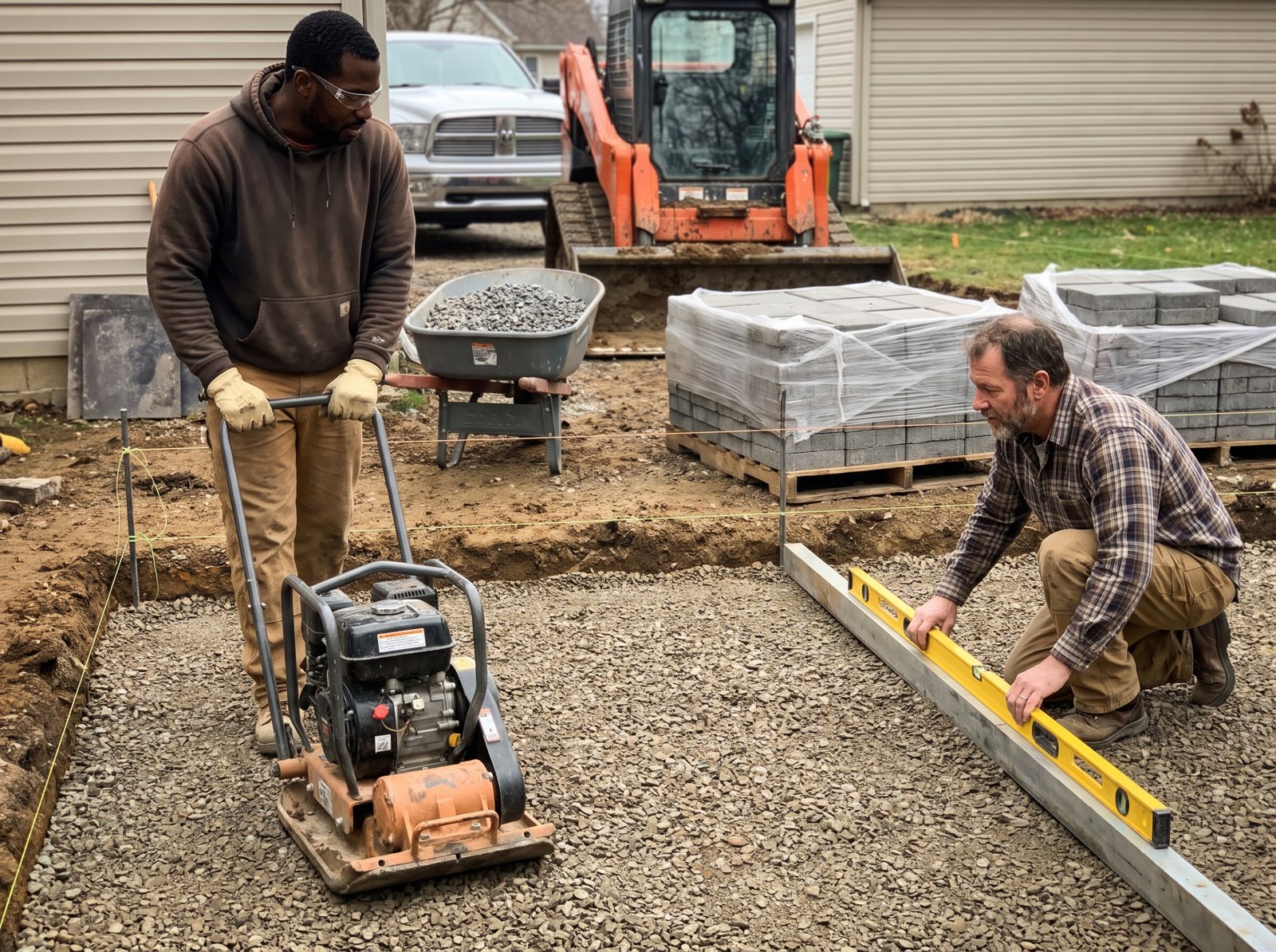
Patio and wall buyers do their homework. “Paver patio installation” searches climbed from about 1,500 in December to about 4,100 in March, which suggests planning starts in winter. For many patio buyers, your patio page is the first sales pitch they hear from you. It needs to answer the questions you’d answer at the kitchen table.
What goes on a patio or wall page
- The steps, in order. Design visit, plan and price, material picks, dig-out, base, install, cleanup. Say roughly how long each one takes for a typical job of yours.
- The base work. Photos of the excavation, the compacted base and the edge restraint. The homeowner never sees it once the pavers are down. Photos of it help explain why you cost more than the guy with no photos.
- What moves the price. Size, access for equipment, grade changes, drainage, demo of an old patio, material choice and add-ons like steps, seat walls or lighting.
- Your own project photos, with the town, the materials and what the homeowner wanted. Before and after, from the same angle.
- Warranty and aftercare in plain words, if you offer them.
Should you post prices? We’d skip a flat price for custom work, because two 400-square-foot patios can be very different jobs. A range is fine if you’d stand behind it on most jobs. If you’re not sure, explain what drives the price and offer the design visit.
A form that sorts real projects from daydreams
A box that says “Message” gets you “how much for a patio?” and nothing else. The design-build form should ask what you’d ask on the phone:
- Project type (patio, wall, walkway, lighting, full yard).
- Rough size, or “not sure”.
- When they want it done (this season, next season, just planning).
- A budget band, with your real starting point as the lowest choice.
- Two or three photos of the yard, uploaded from their phone.
- The address.
Some owners worry that a budget question will scare off good buyers who would have said yes if you’d only called them first. Not sure? Run it for a season and compare sold jobs before and after. The leads who do fill it out give you a better first call, because you can open with their yard photos instead of twenty questions.
Route the answers too. A “just planning” lead gets a helpful email and a link to book later. A “this season” lead with photos gets a call the same day.
Commercial and HOA pages for bid lists
In our view, property managers rarely pick a vendor from a contact form alone. Before they add you to a bid list, they want to see you can handle their site.
So the commercial page reads like a capability sheet, not a sales pitch:
- The property types you maintain: HOAs, office parks, retail centers, apartment complexes, schools.
- What a maintenance contract covers, and what’s priced as an extra.
- Snow and ice terms if you plow, with your trigger depth and how you log each visit.
- How fast you answer a service request, and who the account contact is.
- “Certificate of insurance available on request,” with a button to ask for one.
- A bid form that takes a site map or scope document as an upload.
Add a one-page PDF with the same facts. A PDF is easy for a manager to forward to the board.
Keep commercial on the same website and the same Google profile as your residential work. Just give it its own section and its own form, so a 40-acre bid doesn’t land in the same inbox as a request for one mow.
A careers page for hiring season
You’re selling jobs too. Your careers page is often the first thing an applicant sees.
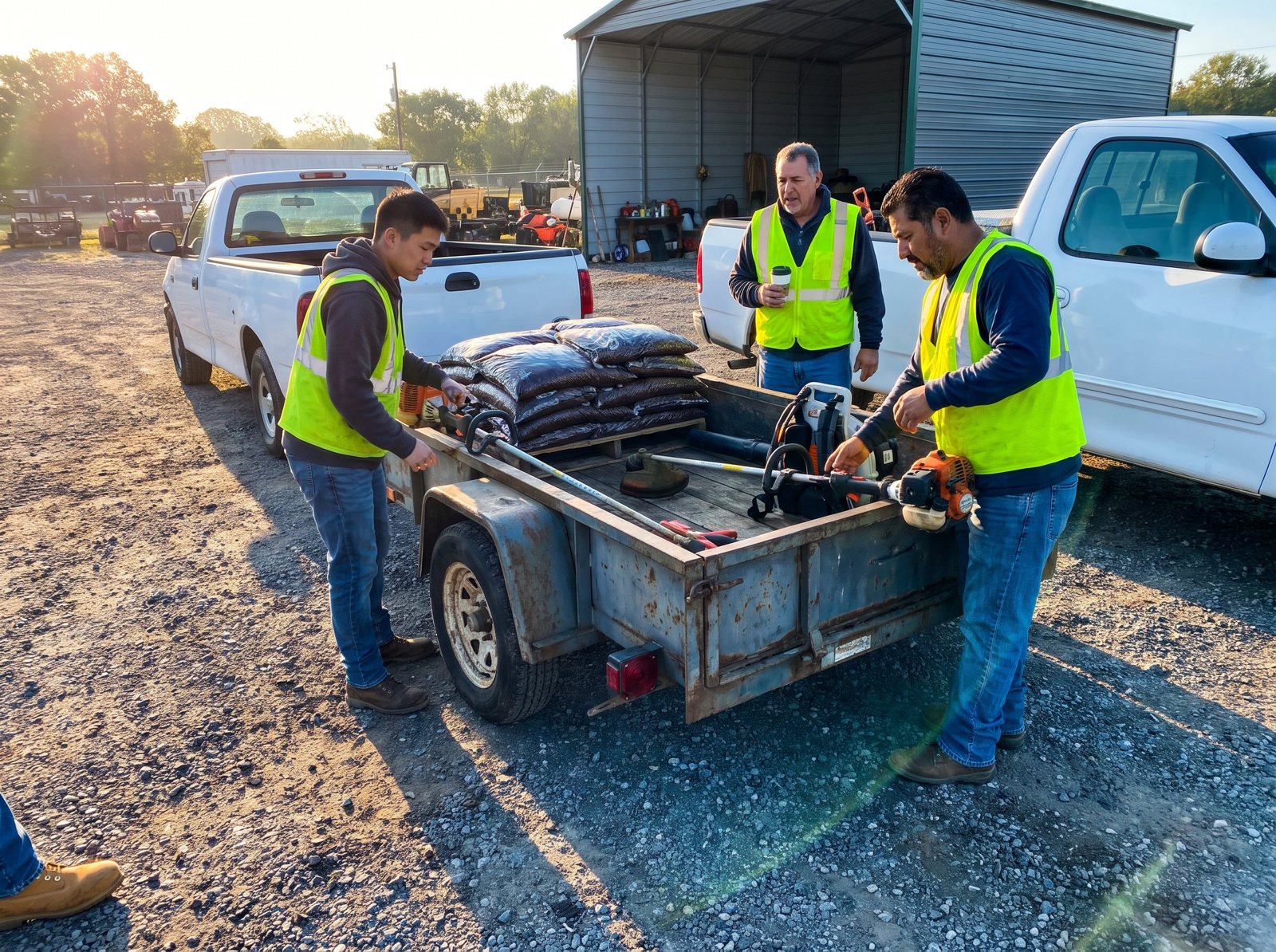
The Bureau of Labor Statistics projects about 162,500 openings for grounds maintenance workers each year, on average, over the decade. It also notes that some of the work “is seasonal, available mainly in the spring, summer, and fall.” Since much of it runs spring through fall, your hiring likely peaks when everyone else’s does.
A lot of careers pages just say “Join our team!” and link to an email address. Here’s what we put on one instead:
- Real pay ranges for each role: laborer, crew lead, irrigation tech, plow driver. BLS put the national median wage for grounds maintenance workers at $19.27 an hour in May 2025. That’s one figure for all grounds maintenance workers, not by role, and your local rate may differ. Applicants compare.
- Season dates. When work starts, when it usually slows down, and whether there’s winter work.
- What a normal day looks like, including start time and where crews meet.
- A short application that works on a phone. Name, phone, the role, a valid driver’s license and whether they’ve towed a trailer. Skip the resume upload.
- Photos of your actual crew, not stock shots of people in clean polo shirts.
- The page in Spanish too, if a lot of your crew speaks Spanish.
Link it in your footer. A crew lead who sees your trucks around town may look you up before they see a job ad.
License, certification and review proof
Put licenses and certifications on the service page where the buyer decides, not on an About page.
Applicator licenses on treatment pages
Do you spray weeds or treat for grubs? Your state may require a license for that. The EPA says “many state pesticide regulatory agencies require applicator certification to use all pesticides commercially, whether or not they are RUPs” (restricted use pesticides). Put your license number on those service pages and in the footer. If parents or pet owners ask what you spray, the page should already answer it.
Irrigation certifications on the sprinkler page
If your irrigation tech holds a certification from a WaterSense labeled program, say so on the irrigation page. EPA says these programs “assess professional competency in irrigation system design, installation and maintenance, and auditing.”
Reviews that name the job
Put real Google reviews on the pages they fit: a cleanup review on the cleanup page, a patio review on the patio page. Ask for reviews by text right after the job with a direct link. Our free review link generator makes that link for you.
Never trade a discount or a free mow for a review. Google’s review tips page says offering “free or discounted goods or services” for reviews “is considered fake & misleading content and is strictly prohibited.” More on doing it right in our guide to getting more Google reviews.
Schema for a trade with no type of its own
Schema.org is the shared vocabulary for structured data, the code search engines read to understand your business. It has a HomeAndConstructionBusiness type with eight more specific types under it. Plumber, Electrician and RoofingContractor are there. Landscaper isn’t. So we label a landscaping site as HomeAndConstructionBusiness. We put your towns in the areaServed field and list your main services. We don’t make up a type that doesn’t exist.
Photos that load fast on one bar of signal
Landscaping sites live on photos, and photos are what make them slow. Keep the photos. Just size and format them right.
On web.dev, Google says the largest image or text block on the first screen should finish loading “within 2.5 seconds” of the page starting to load. It suggests checking that at the 75th percentile of page loads, with phones and computers measured separately. On most landscaping homepages, the largest thing is a big hero photo or a video of a striped lawn. That’s usually where the time goes.
Our photo rules for a landscaping build:
- Resize before upload. A photo straight off a new phone is far bigger than any screen needs. We size images to the space they fill.
- Use WebP or AVIF. Google’s image guidelines list both as supported formats. We export each photo and keep the smallest file that still looks sharp.
- Skip the autoplay video hero on phones. Show one strong still photo and put the video lower on the page.
- Load gallery photos as people scroll, not all at once. Never delay the top photo, though. It’s usually the largest thing on the first screen.
- Name files for what they show. Google says “my-new-black-kitten.jpg is better than IMG00023.JPG.” For you, that’s something like stamford-bluestone-patio-before.webp.
- Write real alt text, like “Bluestone patio with a curved seat wall in a sloped backyard.” Google calls alt text “the most important attribute” for giving search engines more information about an image.
Then run the page through Google’s PageSpeed Insights and check the mobile result. Or try it on your phone with one bar of signal. If you’d give up waiting, so will a homeowner standing in the yard.
Change the homepage with the seasons
Your homepage shouldn’t say the same thing in March and November. Searches for each service rise and fall on their own schedule, so the top of the homepage should follow them. Build the hero so your office can swap the headline, photo and button without calling a developer.
This is the swap calendar we start from. The numbers are US monthly searches from Ahrefs, October 2025 through September 2026.
| Months | Top of the homepage | What the searches did |
|---|---|---|
| Jan to Feb | Book spring cleanup and patio design visits, sign up for mowing (plus snow, if you plow) | “Snow removal near me” peaked in January at about 16,400. “Spring cleanup near me” climbed from about 230 in January to about 1,190 in March. “Paver patio installation” went from about 1,500 in December to about 4,100 in March. |
| Mar to Apr | Mowing sign-up, spring aeration, patio projects | “Lawn mowing service near me” climbed from about 37,400 in March to about 90,800 in May, so sign-ups belong up top by March. (Ahrefs also showed about 129,800 in November 2025, which we can’t explain, so we only lean on the spring climb.) Aeration hit about 12,200 in March. |
| May to Jul | Sprinkler repair and lighting | “Irrigation repair near me” peaked in May and June, at about 16,600 and 16,400. “Landscape lighting installation” peaked in July at about 6,100. |
| Aug to Sep | Fall aeration and overseeding | “Lawn aeration near me” climbed from about 4,300 in July to about 12,800 in September. |
| Oct to Nov | Leaf removal, fall cleanup, snow contracts | “Leaf removal near me” hit about 14,100 in November 2025. “Snow removal near me” rose from about 8,300 in October to about 11,400 in November. |
| Dec | Snow, and design visits for spring builds | Patio searches start their climb, so this is when to book design visits for spring. |
These are national totals. In the South, spring starts sooner and snow barely shows up, so slide the dates to match your own call log.
One rule: the service page has to be live before you feature it. Our landscaping search calendar shows when to publish each page so it has time to get found.
Landscaping searches we build pages around
These are the searches we plan landscaping pages around. The volume is Ahrefs’ average monthly US estimate, and “on mobile” is its estimated mobile share, both checked October 26, 2026.
| Search | US searches a month | On mobile | Where it should land |
|---|---|---|---|
| lawn care near me | 122,000 | 83% | Mowing and maintenance page |
| landscaping near me | 94,000 | 84% | Homepage, routed by lane |
| lawn mowing service near me | 55,000 | 88% | Mowing page with sign-up form |
| irrigation repair near me | 13,000 | 72% | Irrigation page with tap to call |
| hardscaping near me | 12,000 | 76% | Hardscape page, then patio and wall pages |
| landscape design near me | 11,000 | 68% | Design page with the design visit form |
| snow removal near me | 7,700 | 53% | Snow page with contract sign-up |
| lawn aeration near me | 6,500 | 33% | Aeration page (spring and fall) |
| landscape lighting installation | 3,400 | 29% | Lighting page with night photos |
| leaf removal near me | 3,400 | 66% | Fall cleanup and leaves page |
| paver patio installation | 2,900 | 17% | Patio page with process and price drivers |
Note the hardscape gap: 76% mobile for “hardscaping near me,” 17% for “paver patio installation.” So the hardscape page gets a tap to call at the top and the full detail lower down.
How we measure a landscaping website
We grade a landscaping site on booked accounts and sold projects, by page, not on looks. A busy mowing page can hide a dead patio page, so we report them apart.
- Calls by source. Tracking numbers that swap in by traffic source, so search calls and ad calls show up separately. Your main listed number stays the same everywhere.
- Forms by page. A mowing sign-up, a patio form and a commercial bid each count on their own.
- Out-of-area sign-ups. A cluster of them in one town may be worth a new route.
- Booked work by type. Your office tags each lead: new maintenance account, sold project, commercial bid or no-sale.
- Applications from the careers page, by role.
- Page speed against Google’s targets, checked after every change.
If you also run ads, keep in mind that Google’s US list for Local Services Ads includes landscaping services, lawn care services and snow removal.
Google’s Ads help page says Local Services Ads are moving into Performance Max campaigns with pay-per-lead goals.
Its first phase, from August 2026, names lawn care but covers “select home and storefront service advertisers.” Service-area businesses without a storefront are listed for late 2026, so if you have no storefront, the later phase likely applies to you. Watch your Ads account notices. A buyer comparing you with two other companies may still open your site, so it has to back the ad up. Our Local Services Ads guide covers the setup.
How a landscaping website build runs
Here’s how a build runs. Timing depends on your page count and how fast your crews send photos, so we set dates together at the start.
Plan around your revenue and your season
Start with three questions. Where does most of your money come from? Which work do you want more of? When does your phone get busy? Then set the page map and a launch date ahead of your next busy season.
Early on, give your crew leads a photo list: finished yards, base work, trucks, crews, before and after shots. Photos take time to collect, so start that list first.
Write, build and wire it up
The pages should be written from your answers, so they sound like your company. Then come the forms for each lane, call tracking, the schema and the seasonal hero. Make sure every form and call button gets tested on a real phone before launch.
Replacing an old site? Make sure your builder redirects every old page to its new match, so you keep as much of the old site’s search value as you can.
After launch, follow the bookings
The first reports show which pages book work. Then we add what the numbers ask for, like a fall aeration page by summer or a lighting page if patio buyers keep asking.
Whoever builds your site, make sure you own the domain, hosting, files and analytics. Our contractor website design page has the full list of questions to ask any web designer before you sign.
Why D&J for your landscaping website
We’re D&J Contractor Marketing in Stamford, Connecticut, and we do marketing for contractors and home service businesses. We build the site, then run what feeds it: SEO for landscapers, Google Ads and Local Services Ads management, reviews, and call tracking with plain reporting.
For the calls your office can’t get to in May, there’s Restoral, our AI system that answers calls and chats and books jobs onto your calendar. It works with Google Calendar, Calendly, Cal.com, Jobber and most trade CRMs.
We’re a Google Partner, a Meta Business Partner and a Yelp Partner, and we’ve worked with more than 30 SERVPRO franchises. You can see what we’ve done for other trades on our case studies page.
Landscaping website design FAQ
How much does a landscaping website cost?
It depends on the page count, who writes the copy, whether you have your own job photos, the forms, call tracking, any booking or CRM hookup, and monthly hosting. Ask every designer to price those parts separately, with a page list. Ask for a quote built from a written page map, so you can see what you’re paying for.
Should a landscaping website show prices?
For mowing and simple seasonal work, yes, a starting price for typical lots saves your office a lot of calls. For patios, walls and design work, we’d skip flat prices, because size, access and drainage change the job. Explain what drives the price, show a range only if you’d stand behind it, and offer a design visit.
What pages does a lawn care website need?
A small lawn care company can start with five: home, mowing and maintenance, seasonal cleanups, a service area page that lists your towns, and contact. Add aeration, leaf removal, snow and a careers page as you grow. Give each page its own short sign-up or booking form, and skip copy-paste town pages.
Is WordPress, Wix or Squarespace better for a landscaping website?
Any of them can work. The platform matters less than how fast the pages load on a phone and whether the forms do what you need, like checking towns and taking photo uploads. Pick the one where you own the account and can take your files with you if you ever switch designers.
How long does a landscaping website take to build?
It mostly depends on the number of pages and how fast your crews send photos. Plan backward from your season. If spring sign-ups start in February, aim to launch in the winter so the pages have time to get found. Don’t launch until every form and call button has been tested on a phone.
Do I still need a website if I get work from my Google profile?
Yes. Your Google profile gets you noticed and gets the call. Your website wins the comparison: it’s where a patio buyer checks your work, where a property manager checks you out, and where applicants read about the job. It also gives your ads, reviews and profile a page to send people to.
What to do this week
You can fix a lot on your current site before you ever rebuild it. Here’s what we’d do in the next few days:
- Open your site on your phone in a driveway. Can you call or sign up from the first screen? If not, fix that first.
- Write down the towns your trucks really run. Make sure your site and your Google profile list the same ones.
- Add an address field and a “when do you want it done?” question to your quote form.
- Put your applicator license number in the footer if you treat lawns.
- Ask each crew lead for five photos this week, including one of base work in progress.
- Change your homepage headline to the service people are searching for this month. In October and November in snow states, that’s leaf removal and snow contracts.
Our free local SEO audit shows how your business shows up in local search, and it’s a good first look before any rebuild.
Ready to plan a new site? Talk to our team about your routes, your projects and your next busy season.


