
Roofing website design that books inspections
Most people don’t keep a roofer’s number on the fridge. When the roof leaks or the shingles look tired, they search. Good roofing website design gets the leak call today and the replacement inspection next month, from the same site. Most roofing sites we look at have one homepage and one form for every buyer.
We build roofing websites around how your company actually makes money: repair calls, retail replacements, storm work, commercial roofs, or a mix. Then we track which pages book inspections. That’s how you know what the site is worth to you.
The short answer: a good roofing website gives each kind of buyer their own path. Leak callers get a tap-to-call button and a photo text-in. Replacement shoppers get materials, price drivers, the steps and your warranty. Storm pages explain your inspection without promising anything about the claim. Back it all with proof a homeowner can check, fast pages and tracking that counts booked inspections.
Key takeaways
- Homeowners come in three lanes: Ahrefs estimates 76,000 monthly US searches for “roof repair near me,” 106,000 for “roof replacement” and 14,000 for “storm damage roof repair,” so give each lane its own page. The three lanes
- A leak page should put the phone number first and take photos by text. Clicks on “emergency roof repair” cost about $11 each, so the page has to turn them into calls. Leak pages
- Replacement pages should explain what moves the price, the steps and both kinds of warranty. Replacement pages
- Texas and Colorado law bar roofers from advertising that they’ll cover a deductible (in Texas, without the insurer’s OK), and Texas bars advertising to adjust claims. Storm and insurance pages
- Link certification badges to the maker’s contractor locator and show your license number on every page. Proof homeowners can check
- Searches for “hail damage roof” ran about 5,000 in April 2026 against about 1,800 the December before, and October 2025 was high too, so get the storm page ready before spring. Seasonal homepage
- Judge the site by booked inspections and signed roofs per page, not traffic. How we measure
Three ways people buy a roof online
Homeowners shop for a roof in one of three moods. Water is coming in. The roof is old and they’re deciding. Or a storm hit and the insurance question is on their mind. Each one needs a different page. Commercial buyers are a fourth lane, covered further down.
The search numbers show all three lanes are real, and replacement is the biggest. Ahrefs Keywords Explorer estimates about 76,000 US searches a month for “roof repair near me” and 106,000 for “roof replacement.” “Storm damage roof repair” gets about 14,000. Your town gets a slice of those national numbers, but the mix tells you what to build.
- Leak today: wants a person fast. The page needs the phone number up top, a short form and a way to text photos.
- Replacement decision: wants answers before a sales visit. The page needs materials, price drivers, the steps and your warranty.
- Storm or claim: wants someone to check the roof and explain the damage. The page needs a free inspection offer and careful claim wording.
Most template roofing sites mash all three into one homepage with one form. The leak caller has to scroll past shingle colors. The replacement shopper sees “24/7 emergency” and wonders if you do real projects.
Ask yourself one question first: which lane pays your bills? A two-truck repair shop and a retail replacement company with four sales reps need different homepages, even in the same town. We build the lane that makes you money front and center, and give the others a clean page each.
The pages a roofing website needs
You don’t need forty pages to start. You need the pages that match how your company makes money, and a homepage that sends each visitor to the right one in a single tap.
| Page | Who needs it | What has to be on it |
|---|---|---|
| Homepage | Everyone | Your towns, phone number, the three lanes as big buttons, real crew photo, license number |
| Roof repair | Repair-heavy shops | Common repairs you take on, how fast you call back, what a repair visit costs or how you price it |
| Emergency leak and tarping | Anyone who answers after hours | When you really answer, what tarping involves, a tap-to-call button |
| Roof replacement | Retail and replacement roofers | Materials you install, what moves the price, the steps from inspection to cleanup, warranty |
| One page per material you sell | Shops that push metal, tile or premium shingles | Why pick it, where it fits, real photos of your installs |
| Storm damage and inspections | Storm and insurance roofers | Free inspection offer, how you document damage, what you can and can’t do on a claim |
| Commercial roofing | Shops with a commercial crew | Systems, maintenance plans, a form built for property managers |
| Reviews and projects | Everyone | Recent jobs with town names and photos, and a link to your Google reviews |
| About and credentials | Everyone | Owner name and photo, address, license, insurance, manufacturer certifications |
| Careers | Anyone hiring | Pay range if you share it, crew photos, a short apply form |
A two-crew repair roofer can launch with five or six of these. A storm and retail company might need all ten. Either way, each page has one job. Don’t make your repair page also sell metal roofs.
What goes above the fold on the homepage
“Above the fold” is what shows on a phone before anyone scrolls. On a roofing homepage, we fit these into that first screen:
- A plain headline with the service and the area, like “Roof repair and replacement in Plano and Frisco.”
- A tap-to-call button with a tracked number.
- Two buttons under it: “I have a leak” and “I need a new roof.” Add “Storm damage” in hail country.
- One proof line: your review count and rating, years in business, or your certification.
That’s it. Sliders, mission statements and the full service list can wait below. For the build basics every trade shares, like owning your domain, see our contractor website design page.
Repair and leak pages built for one thumb
Someone with a bucket under a drip isn’t reading. They want a person on the phone, and they’ll call whoever makes that easiest.
So the repair page is short on purpose. The phone number sits at the top and again after every section. The form asks for a name, a phone number, the address and “Where’s the water coming in?” That’s enough to call back.
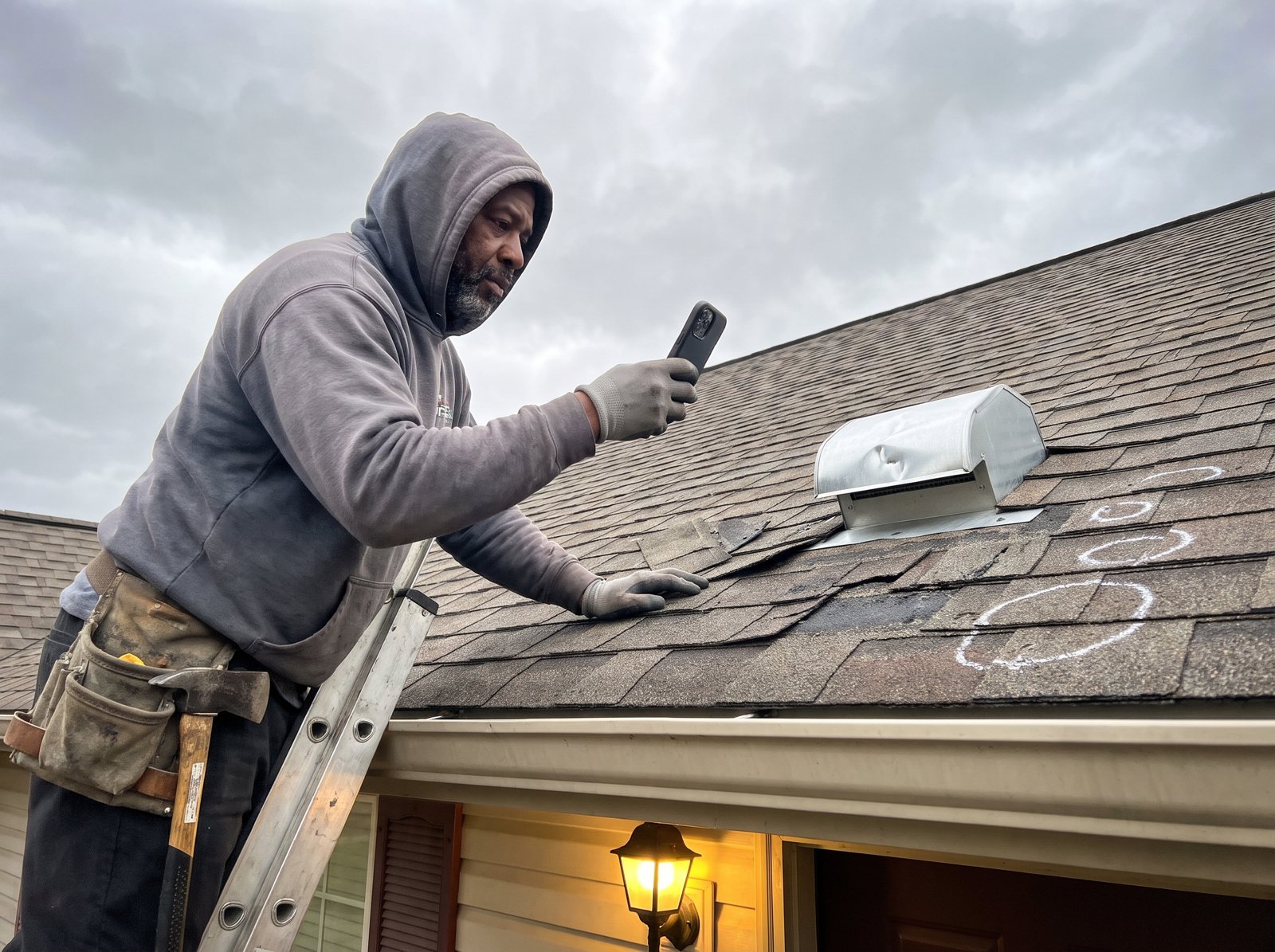
Then we add the one thing most roofing sites skip: a way to text in photos. That can be a text-enabled business number or a photo upload on the form. A shot of the ceiling stain and one of the roof from the yard tells your estimator a lot. It also tells you whether the job is a quick flashing fix or a full tear-off before anyone drives out.
Only promise the hours you really answer
“24/7 emergency service” is common on roofing sites. If a voicemail picks up at 9 p.m., that line costs you trust and a review. Say what’s true instead: “We answer until 8 p.m. After that, text photos and we’ll call at 7 a.m.” Or set up an after-hours answering service so the promise holds.
Why this page has to convert
Some leak searches are pricey to buy. Ahrefs puts the average cost per click for “emergency roof repair” at about $11 and “roof repair near me” at about $8, while “roof leak repair” runs about $1.10.
Say your repair page turns 1 in 10 ad clicks into a call. At $11 a click, that’s about $110 per call. Get it to 1 in 5 and the same call costs about $55. That’s an example, not a promise, but it’s why we test the leak page first.
Speed matters here too. Google’s Core Web Vitals guidance says the main content should load within 2.5 seconds. A homeowner on one bar of signal in an attic won’t wait for a video header.
Replacement pages that sell before the inspection
The replacement shopper is the opposite. They’ve got time, a big number in their head and three tabs open. Your page has to answer their questions before your rep ever pulls into the driveway.
They’re asking about money first. Ahrefs estimates about 19,000 US searches a month for “roof replacement cost” and 6,400 for “new roof cost.” If your page never talks about price, they’ll read a competitor’s page that does.
What a replacement page covers
- What moves the price. Roof size and pitch, layers to tear off, rotted decking, the material, and extras like skylights or a chimney. A range from your own past jobs is even better, if you’re fine sharing one.
- The materials you install. Good, better and best side by side, with photos of your own jobs. Skip the products you don’t sell.
- The steps. Inspection, written estimate, material delivery, tear-off day, cleanup, final walk. Say how long a typical house takes and what happens if it rains.
- The warranty, in plain words. Most homeowners don’t know there are two kinds: the maker’s warranty on the shingles and your warranty on the work. Explain both, and how long each lasts for you.
Certifications help here when they come with something the buyer gets. GAF, for example, says only its Master Elite contractors can offer its Golden Pledge warranty, with up to 30 years of workmanship coverage. If you hold a certification like that, put the warranty on the page next to the badge.
Instant estimate tools: worth it for some roofers
Some roofers add a tool that gives the homeowner a ballpark price after a few questions. Roofr’s Instant Estimator, for one, gives homeowners an estimate “based on your real pricing by answering a few questions.” We have no tie to Roofr; it’s just one example.
Our take: they suit retail replacement shops with steady pricing. The trade-off is more price shoppers, and a number that may change once you see the decking. If you add one, keep it on the replacement page and call every lead fast.
Financing: one careful line
“Roof financing” gets about 3,600 US searches a month, so mention it. Keep it simple, like “Financing available, ask us about options.” Once a page shows a monthly payment or a number of months, federal rules (Regulation Z, section 1026.24) say the ad must also state the down payment, the repayment terms and the APR. We walked through those lines in the financing wording rules we laid out for HVAC sites. Check with your lender before posting a payment.
The roof inspection form, field by field
The inspection form is where a visitor becomes a lead, and each extra field costs you some leads. Ask what your estimator needs to show up ready, and nothing else.
Here’s the form we start with on a roofing site. Fields marked optional really are optional, so a person on a phone can send it in under a minute.
- Name and mobile number. Some homeowners would rather text, so give them the choice. If you’ll text leads, add an unchecked box where they agree to texts about their request, and ask your texting provider what wording it needs.
- Property address. Your estimator can pull up the roof on a satellite view before calling back.
- What’s going on? Tap one: leak, storm or hail damage, old roof, buying or selling the house, something else.
- About how old is the roof? Under 10 years, 10 to 20, over 20, not sure. (Optional.)
- Have you called your insurance company yet? Yes, no, or not sure. Only show this if they picked storm damage.
- Photos. Optional upload for the stain, the shingles or the yard view.
- Best time for the visit. Morning, afternoon or “call me first.”
What we leave off: email as a required field, budget on the first form, and “How did you hear about us?” Tracking tells you the source anyway, so don’t make the homeowner do your bookkeeping.
After they hit send, the thank-you page should say what happens next and when. “We’ll text you within 30 minutes during business hours” beats “Thanks, we’ll be in touch.” Only use a time you can meet. Then make sure the lead lands in your CRM or your phone, where someone sees it the same day, even on Saturday.
Storm and insurance pages that keep you out of trouble
A lot of roofers live on insurance work, so it belongs on the site. But in some states the words on that page are regulated, and the website counts.
Texas and Colorado are two states that spell it out in their laws:
- Texas. Insurance Code section 4102.163 says a contractor “may not act as a public adjuster or advertise to adjust claims” on a property it’s working on or may work on. And Business and Commerce Code section 27.02 makes it a crime to advertise or promise a job where you’ll pay, waive or absorb the homeowner’s deductible without the insurer’s OK.
- Colorado. A roofer paid from an insurance claim on a home “shall not advertise or promise to pay, waive, or rebate all or part of any insurance deductible,” under section 6-22-105 of the state’s roofing law.
We see these three lines on storm sites all the time. In Texas, “We fight the insurance company for you” and “We’ll handle your claim” come off the page, because they can read as advertising to adjust claims. “We cover your deductible” goes too, in both states. Other states may have similar rules, so ask your attorney.
What a storm page can say
- What your free inspection covers and how long it takes.
- How you photograph and write up damage, with a sample photo set from a real job.
- What your written estimate includes.
- What the homeowner should expect from their own insurer, in general terms, with a nudge to read their policy.
One more Texas detail if your site sends proposals or e-sign contracts. Section 27.02 says a contract of $1,000 or more that’s expected to be paid from a property insurance claim must carry a set deductible notice “in at least 12-point boldfaced type.” Build that into the template once so nobody forgets it.
Every state is different, and this isn’t legal advice. Have your attorney read your claim copy before it goes live. The Texas Department of Insurance tells roofers to make sure their “websites, ads, and other materials” don’t say or imply they’ll act as both contractor and adjuster. More on storm pages is on our roofing SEO page.
Proof a homeowner can check
Homeowners worry about storm chasers and roofers who vanish after the check clears. So give them things they can look up: your license, your certification listing, your address.
License number, in the footer and on every quote
In some states it’s the law, not just a nice touch. Florida’s section 489.119 says a contractor’s registration or certification number “shall appear in each offer of services, business proposal, bid, contract, or advertisement, regardless of medium.” Put it in the site footer so it shows on every page. If your state doesn’t license roofers, list your city registration and your insurance instead.
Certifications they can look up
A badge is easy to copy. A link isn’t. GAF says it gives the Master Elite title to less than 2% of all roofing contractors, and homeowners can check a contractor’s GAF certification on GAF’s own site. If you’re on it, link the badge to your own listing. Do the same with any other maker’s program you’re in. And follow each maker’s rules for using its logo.
A real address and real people
We put the basics up front: your address, the owner’s name and photo, the crew in front of your trucks, and the year you started. A crew that rolled into town after last week’s hail can’t fake those. If you carry liability and workers’ comp insurance, say so and offer the certificate on request.
Reviews that are real
Show recent Google reviews with the town and the job type when you can. Never write testimonials for customers or post made-up ones. The FTC’s rule on consumer reviews went into effect on October 21, 2024, and it lets courts fine businesses for knowing violations. Our guide to getting more Google reviews covers the honest way to grow the count.
Schema that says “roofer”
Schema is code that tells search engines what your business is. Schema.org has a RoofingContractor type, so we use it, with your name, address, phone, hours and service towns filled in to match your Google Business Profile.
Roof photos, drone shots and page speed
Roofing sells with pictures, and pictures are what slow most roofing sites down. You need both: real job photos and a page that still loads fast on a phone.
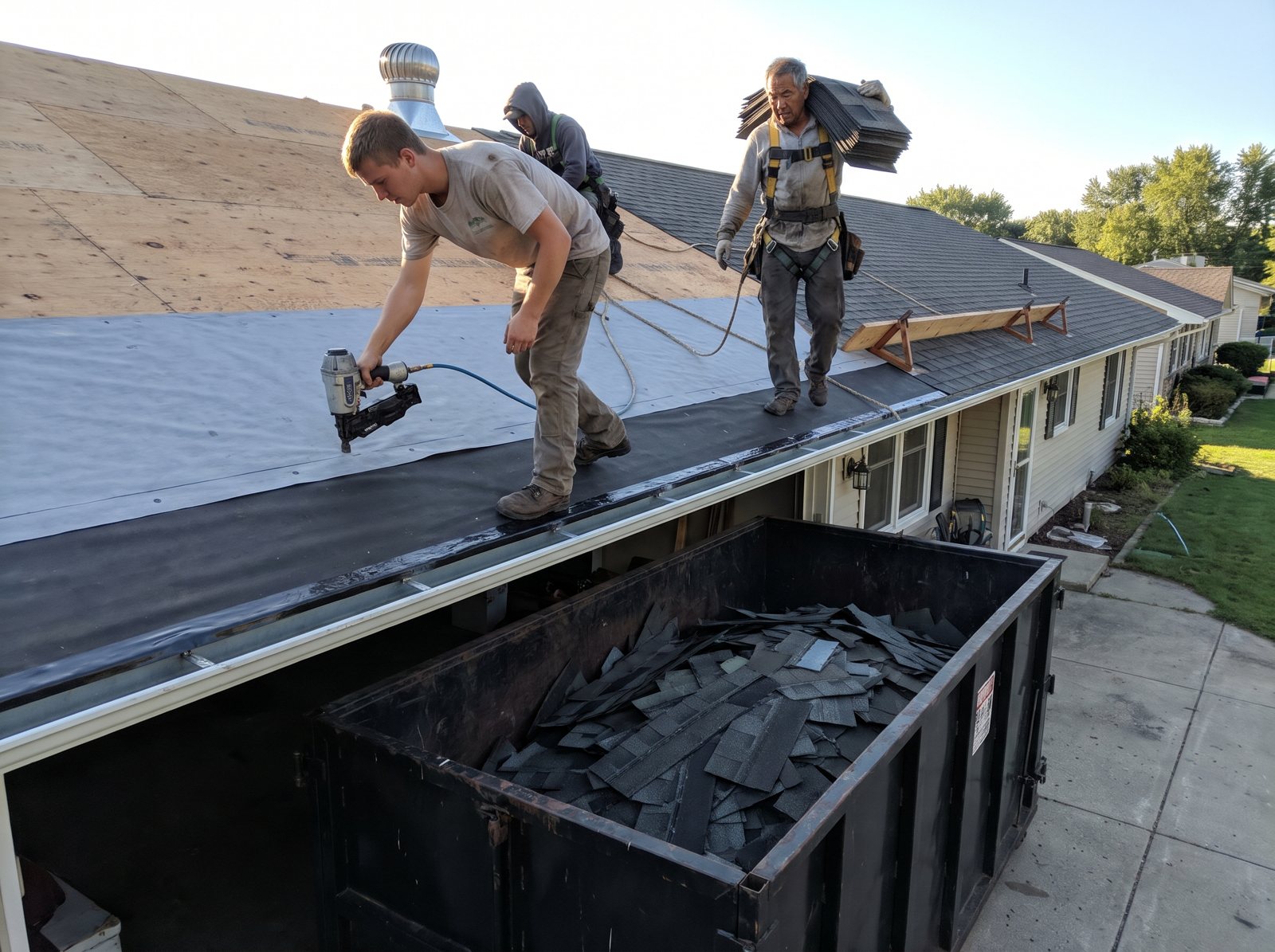
Stock photos of a smiling family in front of a house don’t sell a roof. Your own jobs do. The best roofing photos we see share a few habits:
- Before and after from the same spot, so the change is obvious.
- Close-ups that show the work buyers can’t see later: new decking, ice and water shield, flashing around the chimney.
- A town name and job type in the caption, like “Architectural shingle replacement, Round Rock.”
Drone shots are great for roofs, but there’s a rule. The FAA says that to fly a drone for business under Part 107, you need a remote pilot certificate, or you have to be supervised by someone who has one. So whoever flies on your jobs needs that certificate, or a certified pilot directly supervising them.
Keep the photos from slowing the site
A photo straight off a phone can be several megabytes. Ten of those in a gallery and the page crawls. We resize each image to the size it shows on screen, save it in a modern format like WebP, and load the gallery images only as people scroll to them.
Then we check the numbers. Google’s web.dev guide sets three “good” marks: main content loaded within 2.5 seconds, a response to taps in 200 milliseconds or less, and a layout shift score of 0.1 or less. That last one is the page jumping around as things load. On roofing sites, a common cause is a review widget or a banner that pops in late and shoves the call button down.
Swap the homepage before storm season
Roof demand follows the weather, so your homepage should too. The URLs stay the same. What changes is the offer at the top.
Hail is the clearest example. Ahrefs shows US searches for “hail damage roof” at about 5,000 in April 2026, up from about 1,800 in December 2025. That’s close to three times as many in a few months. October 2025 was also high, about 4,300, so fall storms matter in some areas. Your exact peaks depend on where you work, so check your own phone logs from last year as well.

Here’s the calendar we’d use in hail country, as a starting point:
- Late winter: update the storm page with fresh photos and make sure the inspection form works. Get it live before the first big storm.
- Spring: the homepage leads with “Storm damage? Book a free roof inspection.” The leak button stays right under it.
- Summer: shift the top to replacement and financing for people who want a new roof done before the weather turns.
- Fall: bring the storm offer back to the top if fall storms hit your area, and keep replacement right under it.
- Winter: lead with leaks, ice dams if you work up north, and repairs.
When the site is built for it, you can make the swap in minutes yourself. We set up the top of the homepage so you can change it from your phone. And after a big local storm, add a short dated note to the storm page with the towns you’re inspecting in. That beats spinning up a new page for every hail event.
A separate lane for commercial roofing
Commercial roofing buyers aren’t homeowners. A property manager wants your systems, your service plans and proof you can handle a building like theirs.
Ahrefs estimates about 3,900 US searches a month for “commercial roofing contractors.” That’s small next to the residential terms. But it’s a different buyer with different questions, so if you do this work, don’t bury it as one bullet on the services list.
A commercial section on a roofing website usually needs:
- Its own spot in the main menu, so a property manager never lands in the homeowner flow.
- A page for each roof system you actually install and service, like TPO, EPDM, metal or coatings. Only list what your crews do.
- A maintenance plan page: what a yearly or twice-yearly visit covers and what the report looks like.
- Project write-ups by building type (retail, warehouse, church, apartments) with photos and the scope you handled.
- A request form that asks building type, roof system if known, rough square footage, the leak or project, and whether there’s a bid deadline.
- Your insurance and safety details where they’re easy to find.
These pages can run longer, with spec details, because a facilities buyer is comparing bids. Keep the phone number up top anyway. A leaking store roof on a Saturday is still an emergency.
Roofing searches we build pages around
These are the searches we map to pages on a roofing site. The numbers are national, so your town will be a slice of them. All figures are Ahrefs’ US estimates, checked in October 2026.
| Search | US searches per month | Avg. cost per click | Page it lands on |
|---|---|---|---|
| roof replacement | 106,000 | $3 | Roof replacement |
| roof repair near me | 76,000 | $8 | Roof repair |
| roofers near me | 66,000 | $1.50 | Homepage and Google Business Profile |
| roof inspection | 24,000 | $11 | Storm damage and inspections |
| roof leak repair | 24,000 | $1.10 | Emergency leak and tarping |
| roof replacement cost | 19,000 | $4.50 | Roof replacement (price section) |
| storm damage roof repair | 14,000 | $0.30 | Storm damage and inspections |
| emergency roof repair | 9,800 | $11 | Emergency leak and tarping |
| commercial roofing contractors | 3,900 | $1.80 | Commercial roofing |
| roof financing | 3,600 | $12 | Roof replacement (financing section) |
| metal roofing contractors | 3,000 | $8 | Metal roofing |
Click costs in this table run from 30 cents to $12, so the pages that catch the pricey ones (emergency repair, inspections, financing) need to convert best. And Ahrefs shows a map pack and an AI answer box on the results page for “roofers near me” and “roof repair near me.” That’s why the homepage and your Google Business Profile have to tell the same story: same name, same phone, same towns, same services.
How we measure a roofing website
A roofing website works if it books inspections that turn into signed roofs. Rankings and visits are only the way there.
Here’s what we set up before launch, so the first month of numbers means something:
- Call tracking by source. Different numbers for the website, Google Business Profile, Google Ads and Local Services Ads, so you know where each call came from. Recording rules differ by state, so if you record calls, we add a short notice at the start.
- Form source on every lead. Each form submission carries the page it came from and the ad or search that brought the visitor.
- Lead type. Leak, replacement, storm or commercial, picked by the homeowner on the form or tagged by whoever answers the phone.
- Booked and signed. Your office marks which leads booked an inspection and which signed. That’s the only way to see cost per signed roof.
Each month you get a short report in plain words: calls and forms by page, inspections booked, roofs signed if you share them, and what we’re changing next. Lots of storm calls but few signed jobs? We look at the page and the follow-up.
Visits don’t pay the bills. Booked inspections do, and you can count them.
For the whole marketing mix behind those numbers, see our roofing marketing service.
How a roofing website build runs
Here’s how a roofing site build runs with us, from the first call to the months after launch. Your season decides what we build first.
Step 1: Learn how you sell roofs
First we ask how your work splits between repair, replacement, storm and commercial. Colors come later. Then we ask which towns you want more of. We also list every old URL so none of them break when the new site goes live.
Step 2: Gather the real stuff
You send job photos, certificates, your license number and insurance details. We talk with whoever runs your inspections, since they hear every homeowner question. If you do insurance work, your attorney reads the storm page first.
Step 3: Build, test and launch
We write and build the pages, set up call tracking and forms, and send leads to your CRM or phone. Before launch, we tap every call button and send every form on real phones, both iPhone and Android, because a form that works on the designer’s laptop and fails on a homeowner’s phone costs you real jobs. Old URLs get pointed to their closest new page on launch day.
Step 4: Tune it for the season
After launch we watch which pages book inspections and fix the ones that don’t. If you start in fall, the storm page gets built over the winter so it’s ready for spring. New pages usually take months to climb in Google, and longer in busy metros. Anyone promising page one by a set date is guessing. We won’t. A clearer site can still turn more of today’s visitors into calls right away.
Why D&J for your roofing website
We build websites for contractors and home service companies, and we run the marketing that sends people to them. If calls drop, the same people who built the site can check the ads, the listing and the phones.
We’re a Google Partner, a Meta Business Partner and a Yelp Partner. Besides websites, we handle SEO, Google Ads, Local Services Ads management, reviews and call tracking. If missed calls are your problem, Restoral, our own AI system, answers calls and chats and books jobs onto your calendar. It works with Google Calendar, Jobber and most trade CRMs.
See how we’ve worked with other home service companies on our case studies page.
Roofing website design FAQ
How much does a roofing website cost?
Roofer website design quotes vary a lot. The price depends on how many pages you need, who writes them, and what’s connected, like call tracking or your CRM. Ask if it’s a one-time build or a monthly fee, and what the monthly fee pays for. Get the domain in your company’s name and admin logins in writing. Then compare quotes on those points.
How long does it take to build a roofing website?
The build itself is usually the quick part. What slows most roofing sites down is gathering real job photos, certificates and license details, plus legal review of any insurance claim copy. Plan the launch so the storm and replacement pages are live before your busy season, not during it. Rankings for new pages take months after that.
Should a roofing website show prices?
Talk about price even if you don’t post a price list. People search “roof replacement cost” about 19,000 times a month in the US, per Ahrefs. At minimum, explain what moves the price: size, pitch, layers, decking and material. If you’re comfortable, add a typical range from your own recent jobs, and say it’s a range, not a quote.
Do I need a separate page for every city I serve?
No. Near-copy town pages with the same text and a swapped city name don’t help homeowners. Google’s spam policies list pages aimed at specific cities that funnel visitors to one page as doorway abuse. List your towns on the homepage and contact page. Add a town page only when you have real jobs, photos and details from that town to put on it.
Can I put my manufacturer certification badge on my site?
If you hold the certification, yes, as long as you follow that maker’s rules for its logo. Ask your rep for the current brand guidelines. Then link the badge to your listing in the maker’s contractor locator, so a homeowner can confirm it in one tap. Remove it right away if your status lapses.
Is a Wix or Squarespace site good enough for a roofer?
It can be for a brand-new roofer with a few pages. The builder matters less than what’s on the pages: separate repair and replacement paths, real photos, proof, a good inspection form and tracking. Problems start when you need lots of service pages, custom forms that send leads to your CRM, and full control over speed. At that point WordPress is usually the better fit, because you can add pages, forms and tracking without hitting a builder’s limits.
What to do this week
You can start fixing your site this week without rebuilding it. Pull it up on your own phone and work through this list:
- Tap the phone number on your homepage. Does it dial? Is it in the first screen?
- Find your repair page and your replacement page. If they’re the same page, write down what each buyer would need to see.
- Search your site for “deductible,” “claim” and “24/7.” Fix anything you can’t stand behind or that your state doesn’t allow.
- Put your license number in the footer, and link any certification badge to your listing on the maker’s site.
- Send your own inspection form. Time how long it takes, and check where the lead lands.
- Swap one stock photo for a real before and after from a recent job.
If you’d like a second set of eyes, start with our free local SEO audit. Enter your site and it checks 23 local SEO factors in about 30 seconds. Ready to talk about a new site? Contact us.


